What’s New in Zoho Backstage | July 2026
Hello everyone!
We’ve rolled out a new set of improvements across Zoho Backstage to help you manage events more efficiently and provide a better experience for your attendees. Take a look at what’s new in this month’s update.
Assign attendees later and share claim links (Early access)
Collecting attendee information during registration doesn’t always work for group bookings. Often, the person purchasing tickets doesn’t have the details of every attendee, which can slow down or even prevent registrations from being completed. To make registrations more flexible, we’ve introduced the option to assign attendees later, currently available in Early Access.

When setting up your registration form, you can now allow purchasers to reserve tickets first and provide attendee details later. During checkout, purchasers can choose Add Details Later to skip attendee information for some or all tickets.
After completing the purchase, they can:
- Assign attendee details themselves, or
- Generate a shareable claim link and let attendees claim their own tickets.
Claim links can be created for an entire order or as individual links for each ticket. Once an attendee claims a ticket and fills in their information, they automatically receive their registration confirmation and ticket details. Claimed tickets are also updated in the order.
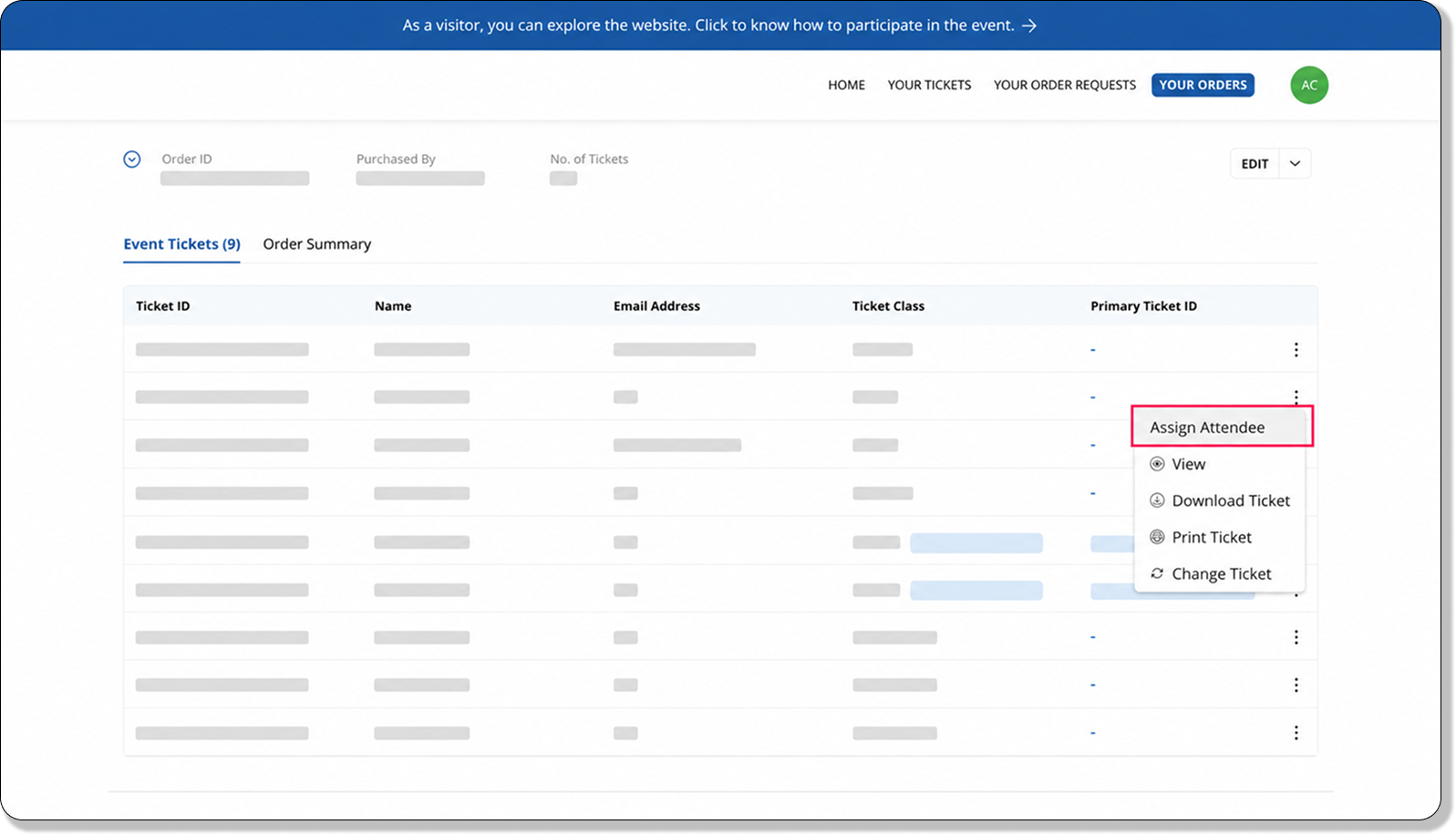
Event organizers have the same controls as purchasers and can generate claim links or assign attendee details whenever needed. Orders with unassigned tickets are clearly marked, making them easy to identify and manage.
A few things to note:
- Only assigned attendees appear in the Attendees page and check-in lists.
- Unassigned tickets can still be assigned at the check-in desk using the ticket ID or order ID.
- Registration approval continues to require attendee details before registration can be completed.
- Attendee imports still require attendee information during import.
- Waitlisted registrations can also contain unassigned tickets.
This update makes it easier to handle bulk registrations and group bookings by removing the need to collect every attendee’s information upfront, while still giving organizers the flexibility to gather those details later.
Accept payments with PayNow and GrabPay
Expand your payment options for attendees in Singapore and Malaysia with support for PayNow and GrabPay through Stripe.
PayNow enables attendees to complete payments in SGD by scanning a QR code using supported banks and financial institutions in Singapore. GrabPay allows attendees to pay securely using one of Singapore’s most widely used digital wallets, providing a fast and familiar checkout experience.

Both payment methods support transactions in SGD and MYR. To enable either option, your connected Stripe account must be registered in Singapore or Malaysia.
Before enabling these payment methods in Zoho Backstage, make sure they are activated in your Stripe account under Settings > Payment Methods. Once enabled, eligible attendees will see PayNow or GrabPay as payment options during checkout based on your Stripe configuration and supported currencies.

Plan availability: Included in the Essentials, Premium, and Ultimate plans.
Auto-recharge for WhatsApp IM credits
Running out of IM credits can interrupt your WhatsApp communications and prevent important messages from reaching participants at the right time.
With auto-recharge enabled, your portal can automatically purchase additional credits whenever your balance falls below a threshold that you define. This helps ensure uninterrupted messaging throughout your event without the need to manually monitor and top up your credit balance.

You can configure the number of credits to be added automatically, up to a maximum of 100 credits per recharge, and set the balance threshold that triggers the recharge.
Auto-recharge is available for portals that have a payment method configured in the Backstage store. Portals that are billed offline cannot use this feature because a saved payment method is required to process automatic credit purchases.
Plan availability: Included in the Essentials, Premium, and Ultimate plans.
Announcement filtering and navigation enhancements
The Announcements module now includes new filters and sorting options to help you find and manage communications more efficiently. You can filter announcements by type, event phase, and event day, making it easier to view posted and scheduled announcements at a glance. Sorting has also been improved, with the most relevant announcements shown first by default.
In addition, announcement timestamps are now displayed in a more readable format, and clicking an announcement row opens its detailed view for quicker access.
Plan availability: Included in the Essentials, Premium, and Ultimate plans.
Tickets section enhancements
The Tickets section in the website builder is now more flexible to customize. You can show or hide individual ticket groups and ticket classes to display only the tickets you want on each page. You can also rearrange ticket groups directly from the design settings using drag and drop, giving you greater control over how tickets are organized and presented on your event website.
All features and enhancements mentioned in this article are available across all Zoho Backstage-supported data centers, except WhatsApp-related features, which are currently unavailable in the China data center.
That’s all for this month’s updates. We hope these improvements make planning and running your events a little easier. If you have any questions or need access to early access features, please contact support@zohobackstage.com.