What's New - March 2026 | Zoho Backstage
Four things that just got a lot easier
This month, we focused on simplifying parts of event management that usually take extra effort, from refunds and booth assignments to session registrations and check-ins. Here’s what’s improved.
Companion tickets
You can now offer companion tickets as part of your registration setup. This makes it easy for attendees to bring additional participants, such as guests, team members, or family, while keeping registration structured and controlled. Companion tickets are linked to specific primary tickets and can be added only when eligible.

You can define pricing, limits, and availability independently, and collect separate details for companion attendees if needed. During registration, companion tickets are mapped to each primary attendee, and after purchase, both ticket types remain clearly visible in the Your Orders page.
Companion tickets can be canceled and refunded independently, while a primary ticket can be canceled only when all associated companion tickets are selected. Promo codes and registration settings apply consistently, giving you full control without complicating the setup.

Plan availability: Included in the Essentials, Premium, and Ultimate plans.
Add exhibitors now, assign booths later

Exhibitor onboarding is now more flexible. You can add, approve, or import exhibitors without assigning booths upfront and complete the allocation later when your layout is ready. This allows contracts, invoicing, and communication to move forward without delays.
Unassigned exhibitors are clearly marked, making them easy to track. Booth-related communication is triggered only after a booth is assigned, so exhibitors receive the right information at the right time.
Plan availability: Included in the Free, Essentials, Premium, and Ultimate plans.Stop attendees from booking overlapping sessions
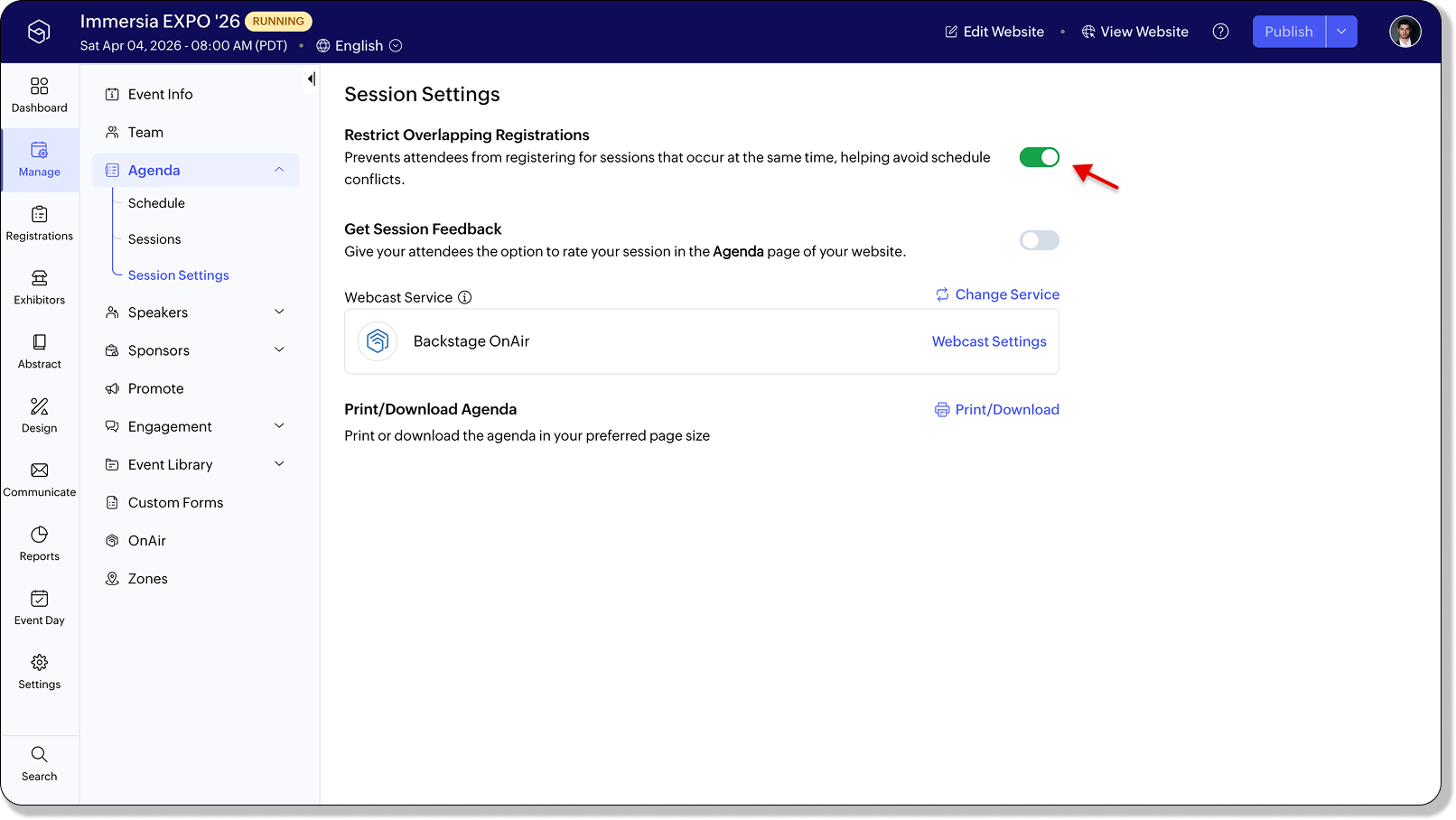
You can now prevent attendees from registering for sessions that happen simultaneously. Once enabled, Backstage blocks conflicting selections and shows session duration during registration to help attendees choose better.
This applies both during ticket purchase and when registering from the agenda. If needed, you can still manually add attendees to overlapping sessions from the Session Registration or Check-In tabs. You can enable this setting from Manage > Agenda > Session Settings.
Plan availability: Included in the Free, Essentials, Premium, and Ultimate plans.Check-in that matches how your event actually runs
Event check-in is now easier to configure based on how your event is structured. You can control how attendance is recorded and when check-ins happen, all from a single place.

- Pre-event check-in lets you start checking in attendees before the event day by setting a specific start date. This is useful when you want to manage early arrivals or handle on-ground operations in advance.
- Multi-day check-in allows you to track attendance separately for each day of the event. If disabled, attendance is recorded once for the entire event. If enabled, you get a clearer view of daily participation.
- Event check-out lets you track when attendees leave the event, giving you a more complete picture of attendance beyond just entry.
Check-in actions are more flexible overall, including the ability to log time on the current event day. All check-in data is reflected consistently in live feeds and analytics based on your configuration.
Plan availability: Included in the Free, Essentials, Premium, and Ultimate plans.
All the features and enhancements mentioned in this article are available across all Zoho Backstage-supported data centers.
If you have any questions or need access to early access features, please contact support@zohobackstage.com.