Zoho Desk Autumn Release - 2024 — Post 2
Automation
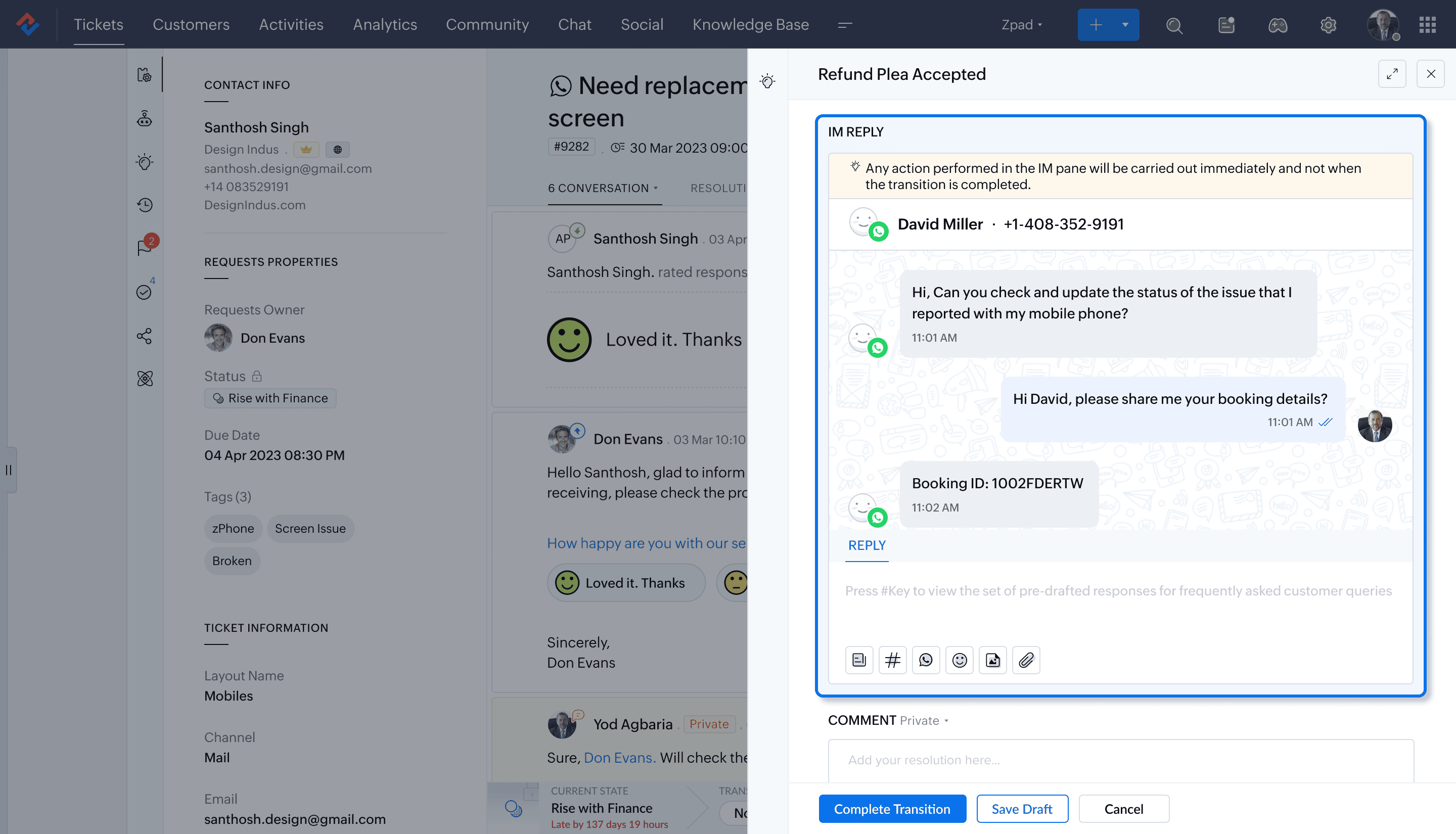
Reply directly from the IM channel during specific blueprint transitions
Agents can respond to a ticket through an IM channel right from within the Blueprint. For instance, if a customer submits a request via WhatsApp, the agent can send a reply through the same channel during a transition.
Help document and availability
Sending IM replies within a blueprint transition | Professional and above
Businesses can set the maximum number of tickets that an agent can manage at a time by setting department and agent thresholds.
- Department threshold: Earlier referred to as "Ticket threshold", it allows to set the maximum number of open tickets a department can have at a given point.
- Agent threshold: A maximum limit is set for each agent, which ensures optimal ticket assignment even during peak conditions. It provides flexibility to manage workload according to agent experience and capacity. For example, senior support agents can handle more tickets, so the threshold for them can be more than others in the team.
Help document and availability
Agent-specific threshold within round robin | Professional and above

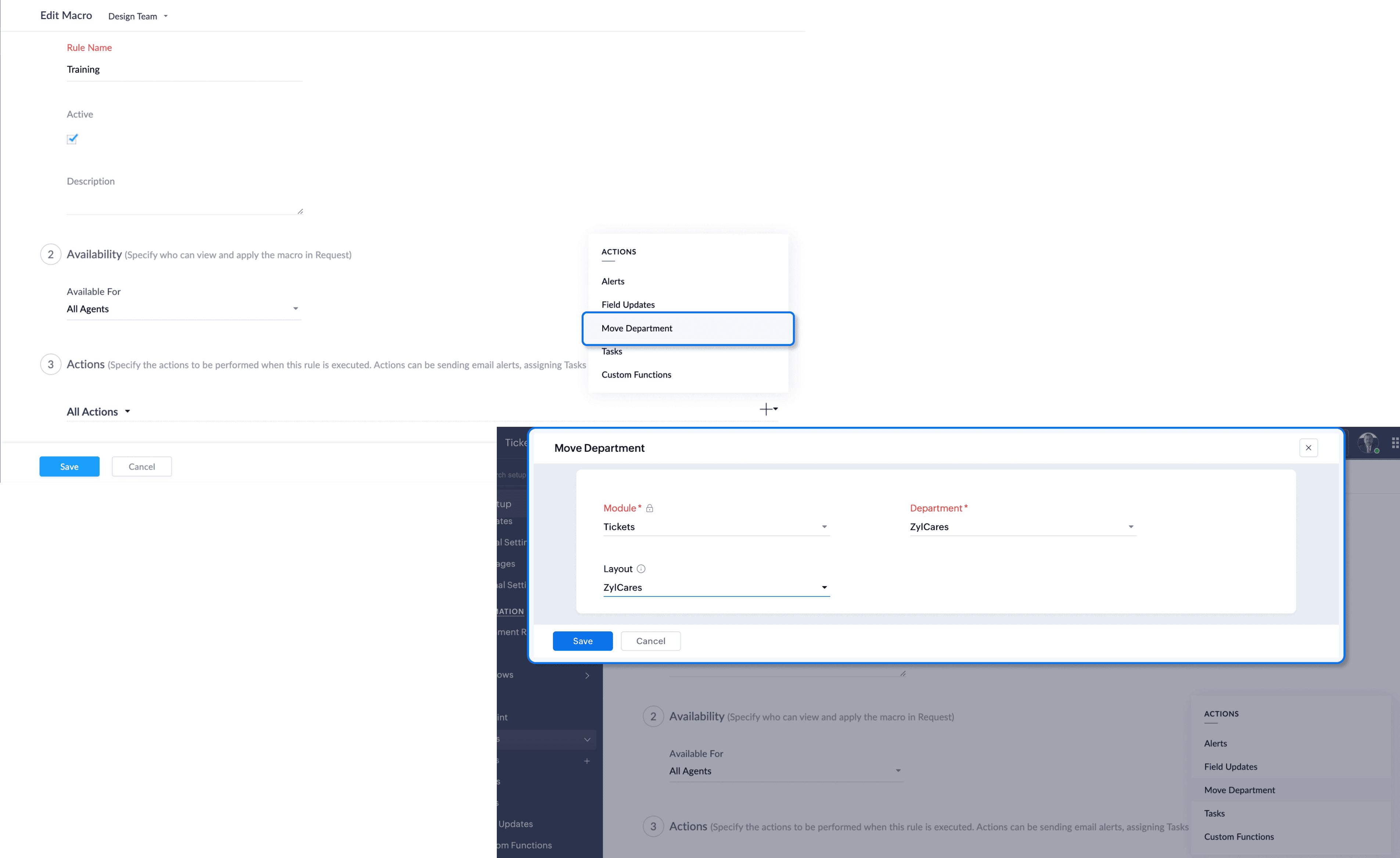
Use macros to move tickets under a specific department and layout
Agents can move tickets to appropriate departments and specific layouts via macros to ensure it is handed to the right team. This is particularly useful for transferring tickets based on the issue type or complexity and organizing them in a way that aligns with departmental workflows.
For instance, when a sales representative identifies that an inquiry requires attention from the property management department, they can use a macro to move the ticket to the appropriate department and assign it to a specific layout, such as "Maintenance." Admins can maintain control over the ticket routing process and ensure accuracy when agents transfer tickets to the correct department and layout.
Help document and availability
Moving tickets to a specific department and layout | Professional and above
Zia
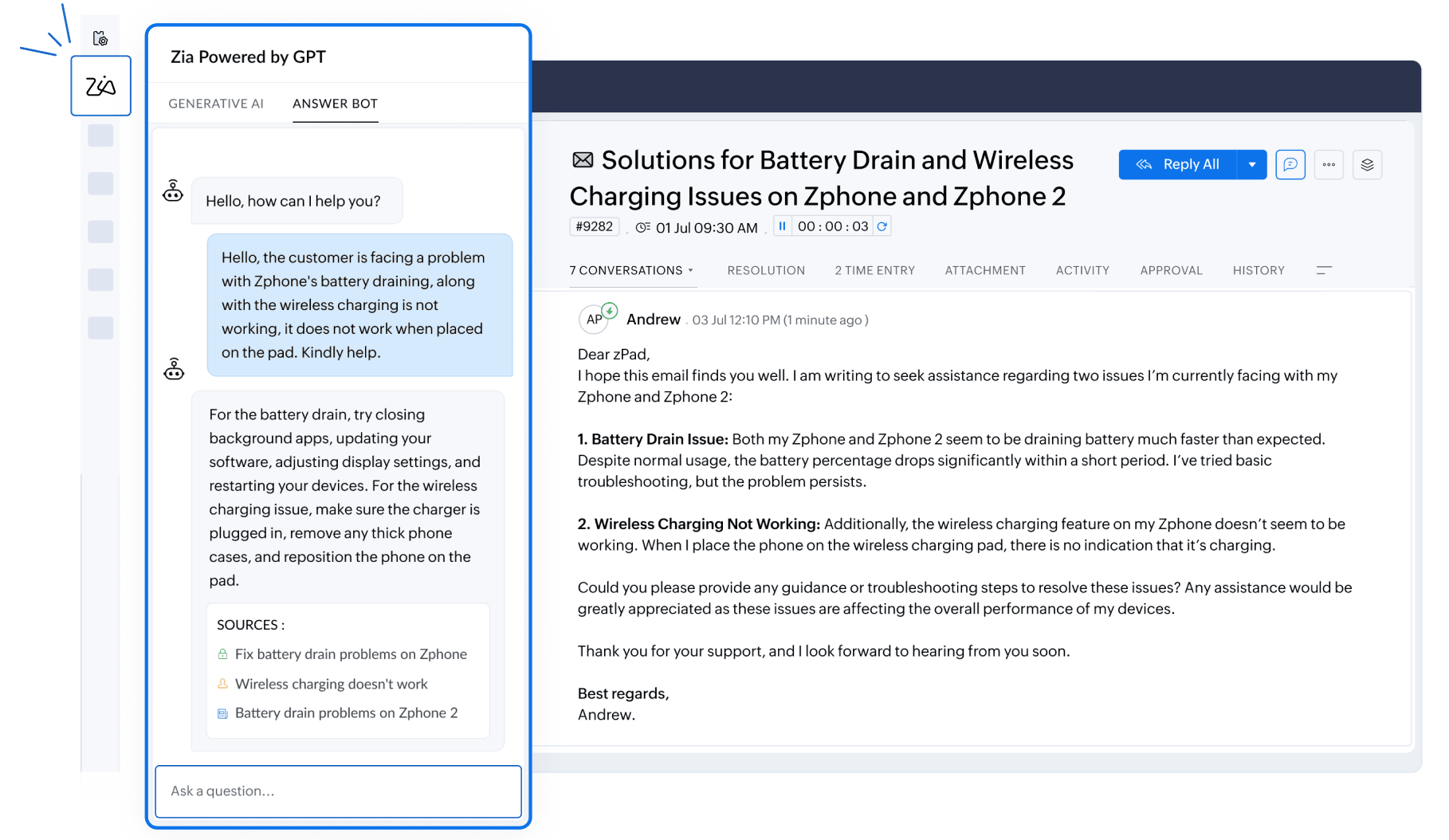
Provide intelligent responses using Answer Bot
Zia Answer Bot provides instant answers by leveraging the knowledge base resources. It enables agents and customers to find relevant information quickly without sifting through multiple articles. The bot can respond to common queries like "How do I take a printout of my ticket?" or "What is your refund policy?" by referring to relevant knowledge base articles. Moreover, Zia can respond in 13 different languages to ensure a wider reach and better user experience across diverse linguistic audiences. The bot can also be trained on the knowledge base articles to improve its accuracy and effectiveness.
Help document and availability
AI-based self-service with Answer Bot | Enterprise

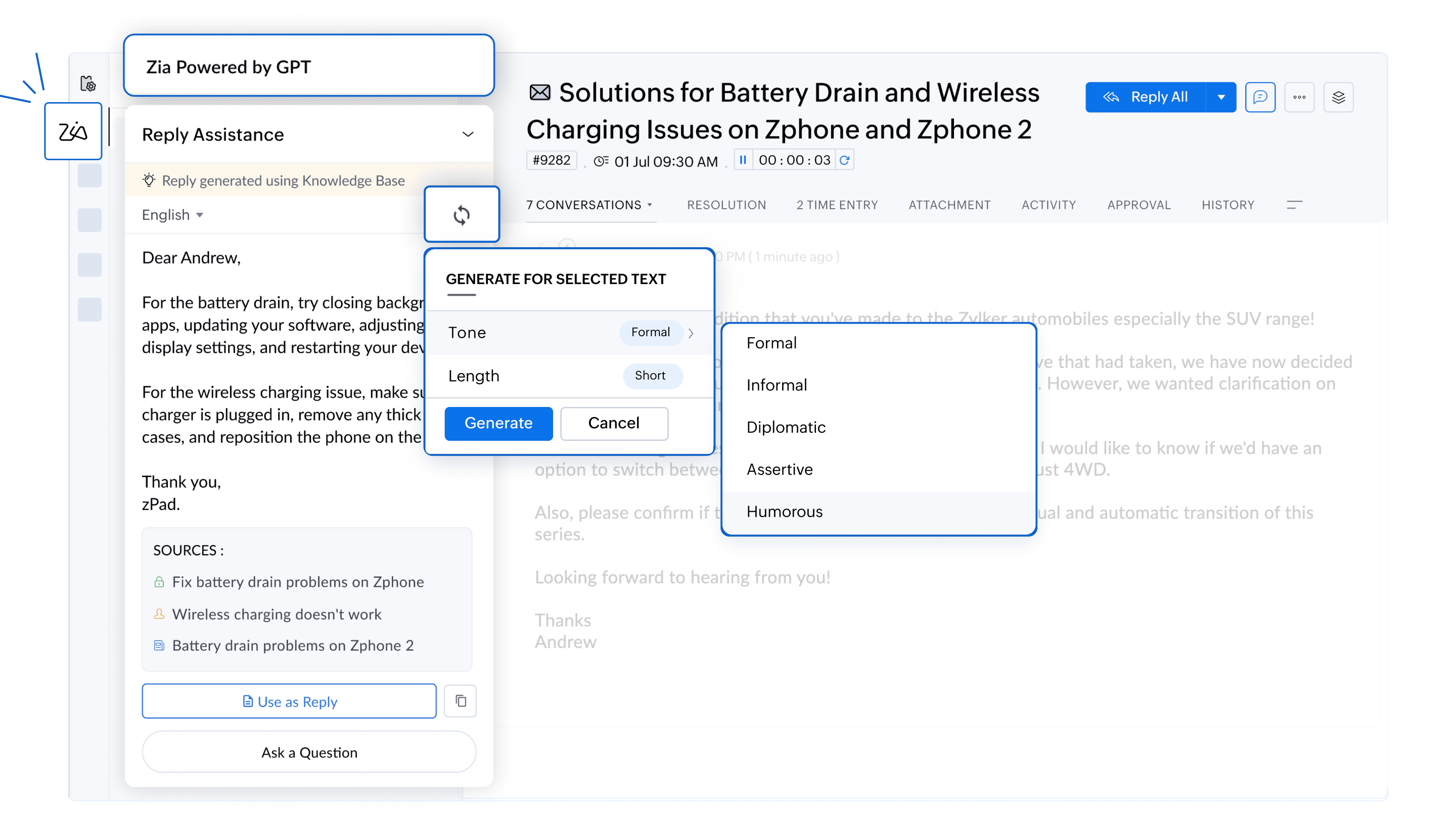
Several improvements have been made to Zia’s GPT integration to improve the accuracy and versatility.
- Response generation: Users can configure Zia to generate responses using either open-domain data from ChatGPT, your knowledge base, or both. Zia will look at the support ticket content and reply based on the configured options. Options include:
- Both knowledge base and ChatGPT: Zia checks the knowledge base first; if no relevant article is found, it uses ChatGPT.
- Only ChatGPT: Generates responses based on open-domain knowledge.
- Only knowledge base: Provides answers from relevant articles or informs that no relevant articles are available.
- Model selection: Choose from GPT-3.5 Turbo, GPT-4o, GPT-4 Turbo, and GPT-4o Mini models for response generation.

- Ask a question: Agents can query Zia for information. Zia will use the configured settings to provide answers based on knowledge base articles or ChatGPT.
- Language support: Zia supports 13 languages - English, Spanish, German, Russian, French, Portuguese, Italian, Dutch, Danish, Swedish, Hindi, Arabic, Hebrew.
- Tone analysis and length selection: Customize the tone of responses (formal, informal, diplomatic, assertive, or humorous) and adjust the length as needed.
Help document and availability
Zia Powered by GPT | Standard and above

