Zoho Forms vs Zoho Writer Fillable Forms: Which Should You Use?
Both Zoho Forms and Zoho Writer Fillable Forms let you collect information from people. However, they are designed for different purposes. The key difference is simple:
- Use Zoho Forms when you want to collect information.
- Use Zoho Writer Fillable Forms when you want to complete a document.
What is Zoho Forms used for?
Zoho Forms is a data collection platform that helps you create forms, collect responses, and manage the information you receive.
Use Zoho Forms for:
- Surveys
- Event registrations
- Questionnaires
- Customer feedback
- Internal data collection
Each submission is stored as structured data, making it easier to organize and analyze responses.

What are Zoho Writer Fillable Forms used for?
Zoho Writer Fillable Forms are designed for document-based workflows. They let you add fillable fields to an existing document so recipients can complete, sign, and return it.
Use Zoho Writer Fillable Forms for:
- Contracts
- Applications
- Official documents
- PDF-based workflows
- Documents that require a specific layout or format
Each submission results in an individually completed copy of the document that can be saved, printed, or signed.
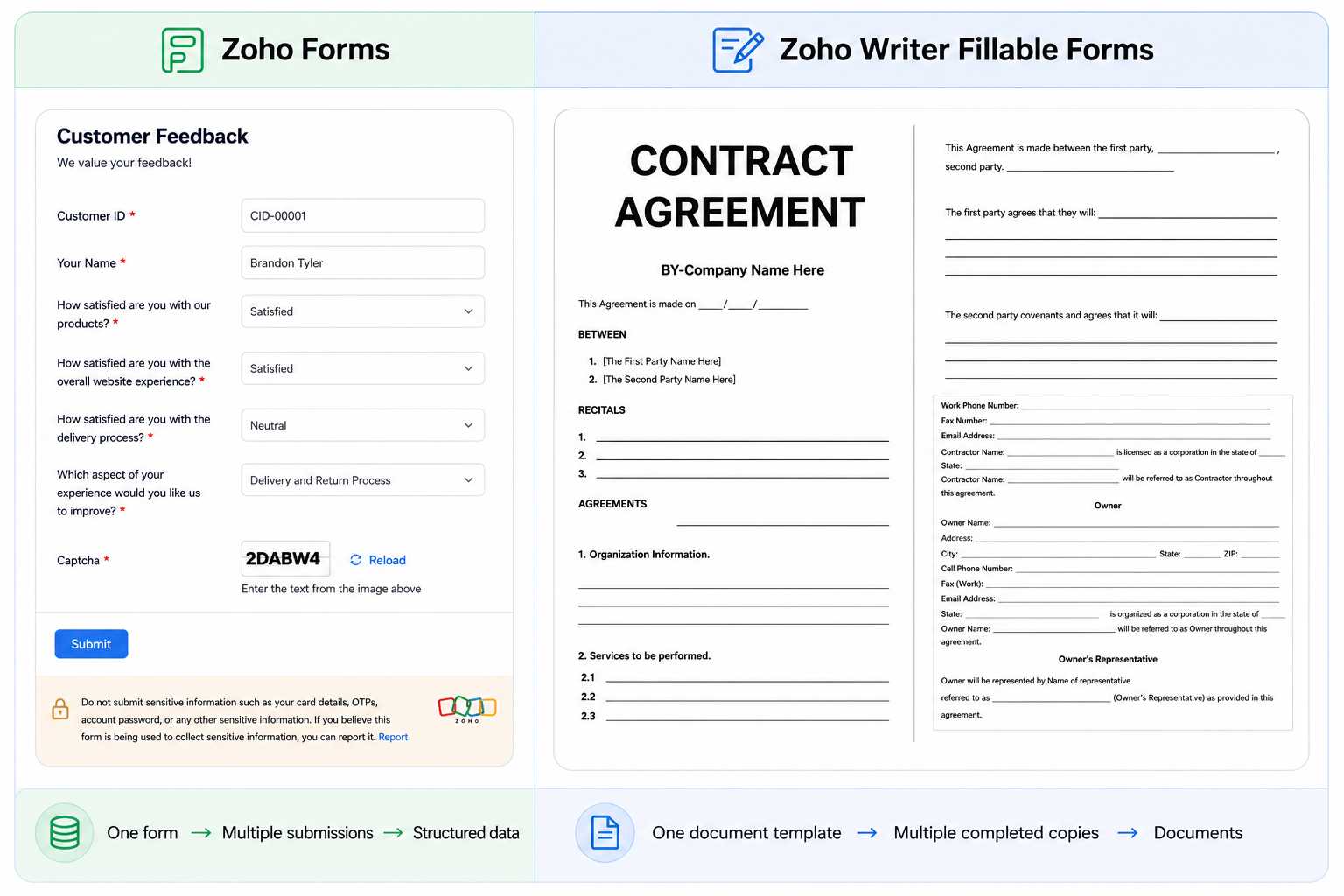
Zoho Forms vs. Zoho Writer Fillable Forms
| Requirement | Recommended tool |
|---|---|
| Collect survey responses | Zoho Forms |
| Collect customer feedback | Zoho Forms |
| Register attendees for an event | Zoho Forms |
| Collect structured information | Zoho Forms |
| Complete a contract | Zoho Writer Fillable Forms |
| Complete an application | Zoho Writer Fillable Forms |
| Fill out an official document | Zoho Writer Fillable Forms |
| Maintain an existing PDF or document layout | Zoho Writer Fillable Forms |
Which should you use?
Consider what you need at the end of the workflow:
- Need the information collected from respondents?
Choose Zoho Forms. - Need a completed version of an existing document?
Choose Zoho Writer Fillable Forms.
Consider the IRS W-9 form. It is an official document with a fixed layout, specific wording, and designated fields such as name, business type, Taxpayer Identification Number (TIN), signature, and date.
If you recreate the W-9 as a Zoho Form, you can collect the information, but the result is structured data, not a completed W-9 document.
If you need the recipient to complete the actual W-9 while preserving its required format and layout, a Zoho Writer Fillable Form is the better fit.
The distinction is important:
- Zoho Forms - Collect the information from the W-9
- Zoho Writer Fillable Forms - Complete the W-9 document
Zoho Forms or Zoho Writer Fillable Forms: The bottom line
Zoho Forms is for gathering information. Zoho Writer Fillable Forms is for completing documents. Understanding whether the workflow requires structured data or a completed document makes it easier to choose the right tool.