Zoho Reports - New features rolled out on Dec. 22, 2015
Enhancements in Dashboard
Zoho Reports Dashboard has been enhanced with the following feature.
Themes
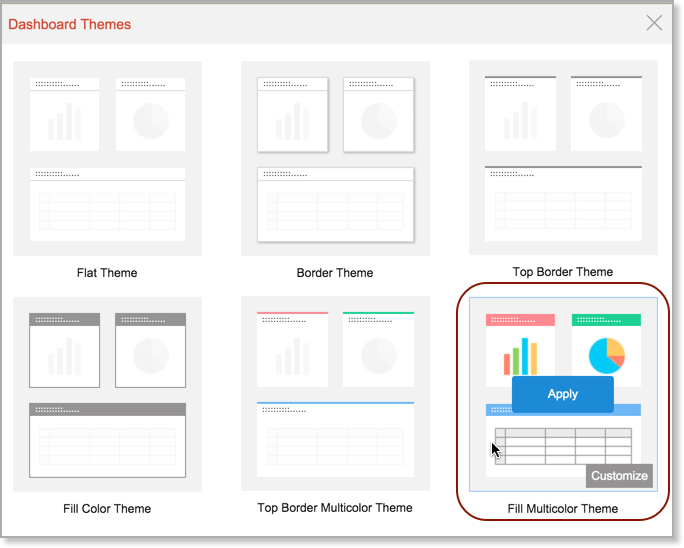
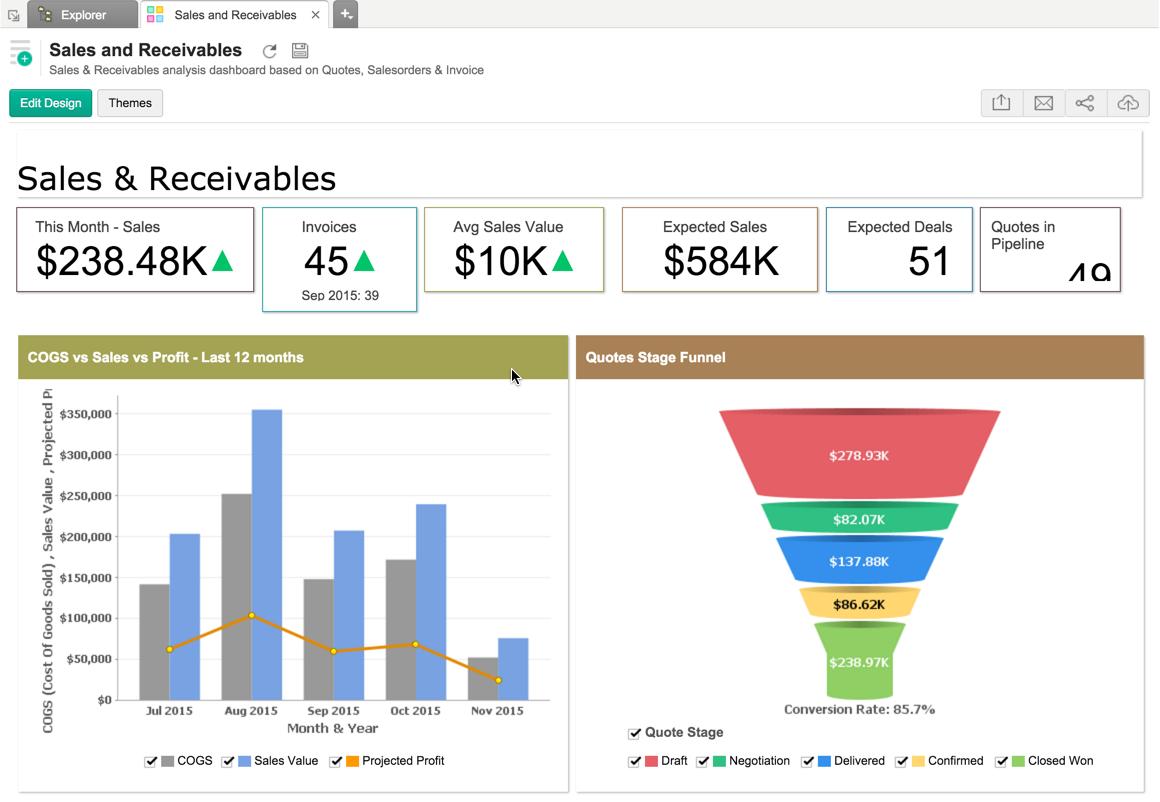
Zoho Reports now allows you to apply a range of visually appealing themes over your dashboard. By default Zoho Reports provides six theme layout, which can also be customized as needed.
You can choose the required theme by clicking the Themes toolbar option in the Dashboard. You can customize any theme by clicking the Customize option displayed when you mouse over the themes listed.
The new themes support will definitely make your dashboards look really appealing. You will find it more handy in case of embedding as you can customize the dashboard to suit your website or application look & feel.
KPI Widget Color Customization
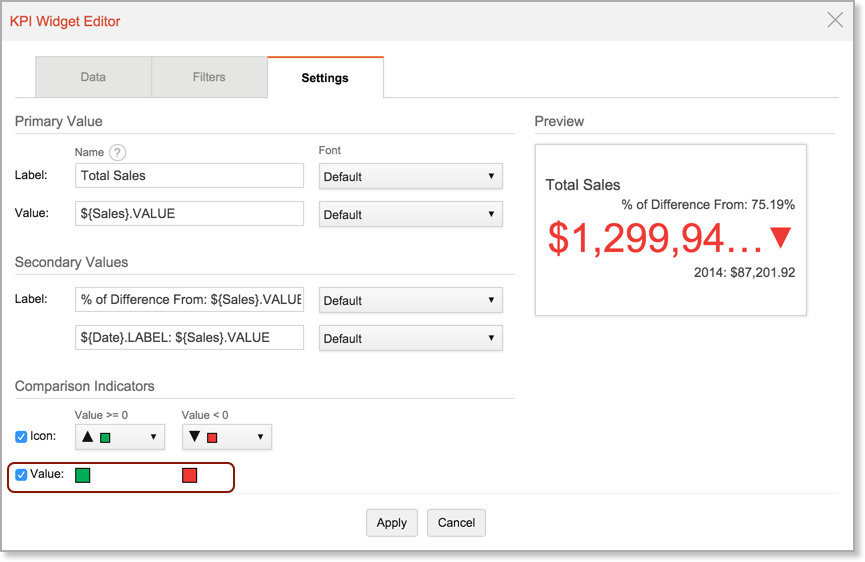
Now Zoho Reports allows you to customize the display color of the Primary value of the widget, when the value is lesser than zero or greater than or equal to zero.
Handy Contextual Options for Reports
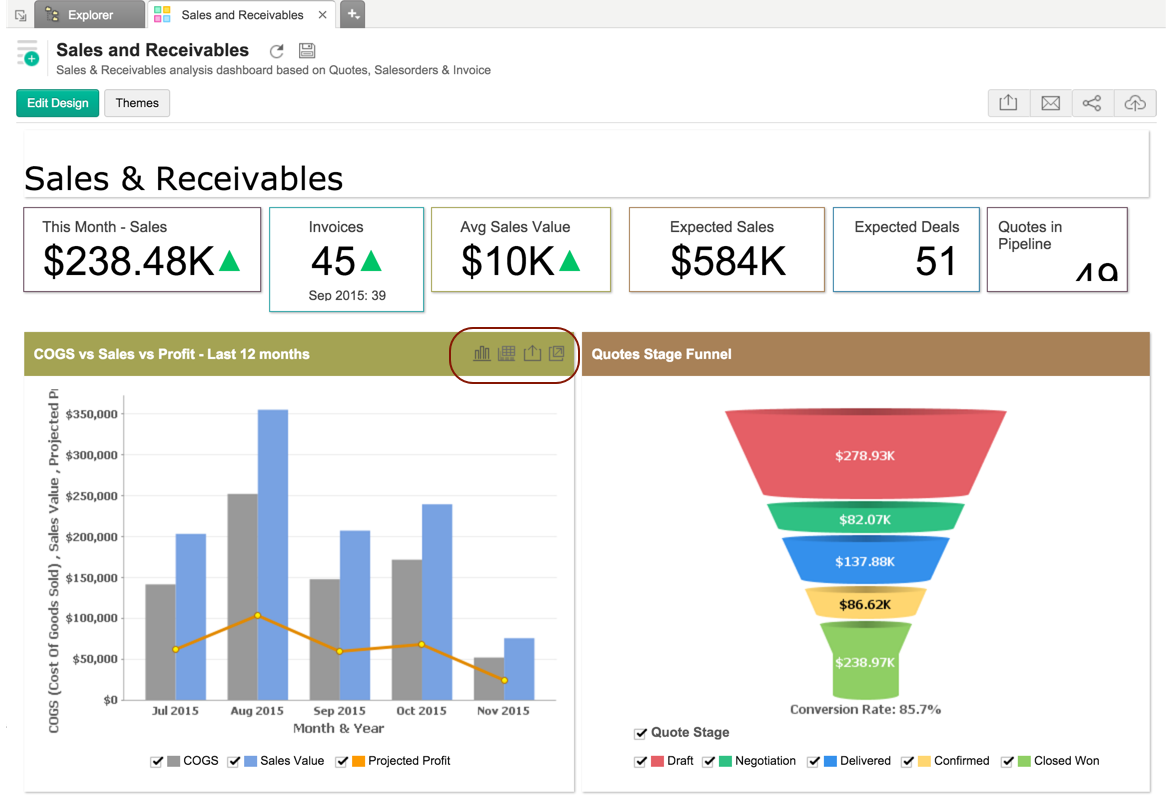
Zoho Reports now provides a set of handy contextual options for reports embedded in Dashboard. With these new options that appears on mouse over, you will be able to perform the following ope rations.
- Change chart type
- View underlying data
- Export the view
- Open the view in new tab
The options will appear to a dashboard viewer/user based on ther permissions granted by the author of the dashboard.
Conditional Formatting for Pivot Table and Summary View
Zoho Reports now provides Conditional Formatting support for Pivot Table and Summary View. This enables in visually highlight data points in your pivot & summary views, thereby enabling to do better and easy analysis.

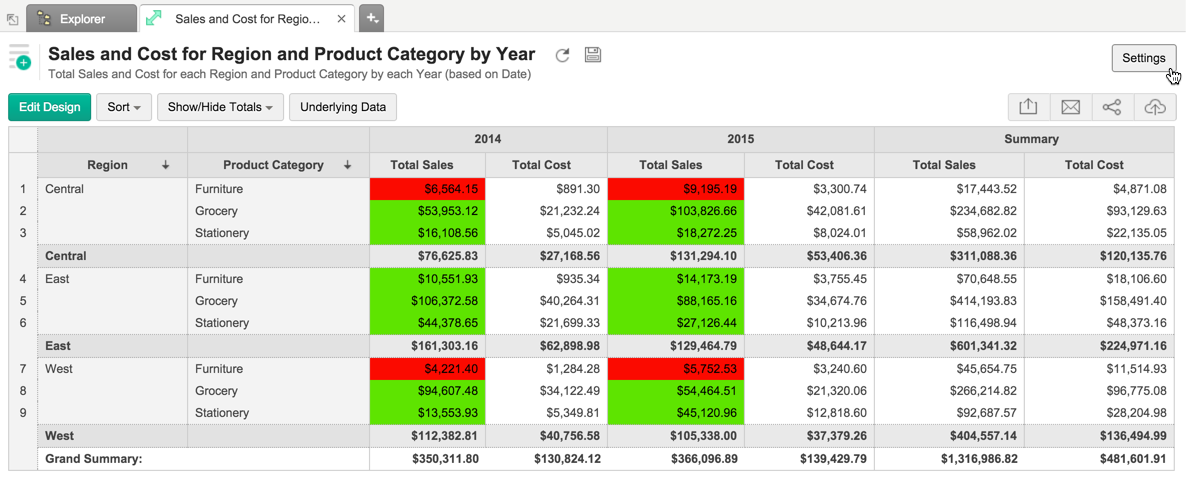
To know how to apply conditional formatting over your Pivot, refer here .