How to connect to Zoho Analytics database
This article will help you with the steps to connect to Analytics Plus database(Postgres)
Note: Analytics Plus is bundled with Postgres and it cannot be changed to any other database due to reliability and chart rendering.
Steps for Windows:
1. Open command prompt and execute the below command
<Zoho home>\pgsql\bin>psql.exe -U postgres -p <port number> -h 127.0.0.1
eg:
C:\zoho\Analytics\pgsql\bin>psql.exe -U postgres -p 33366 -h 127.0.0.1
Note: The default port number is 33366
2. Enter the password
Note: You can find the password for the database in the following location <zoho home>\conf\database_params.conf
3. Now, connect to zreportsdb by executingthefollowing command \c zreportsdb
Steps for Linux:
1. In the terminal, execute the following command
<Zoho home>./psql -U postgres -p 33366
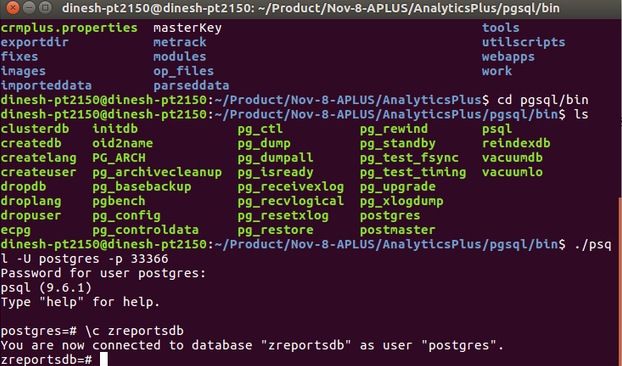
2. You will be prompted to enter the password. Please find the password under <Zoho home>\Analytics\conf\database_params.conf
3. Now type \c zreportsdb to connect to the database