Users unable to receive emails - Test email successful - Mail has not been sent due to unknown reason
Issue :
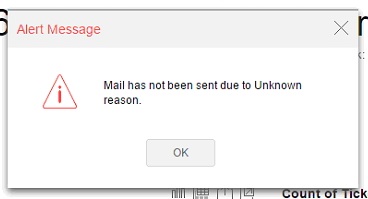


Test email is received without error when checked from mail configuration page, but the newly created users do not receive emails.
Possible UI error
Analysis:
The e-mail that you using to login ( or admin email in the case of administrator login) does not have permissions to send via a configured email settings in Analytics Plus
Log Traces:
Caused by: com.sun.mail.smtp.SMTPSendFailedException: 550 5.7.60 SMTP; Client does not have permissions to send as this senderat com.sun.mail.smtp.SMTPTransport.issueSendCommand(SMTPTransport.java:2203)at com.sun.mail.smtp.SMTPTransport.finishData(SMTPTransport.java:1981)at com.sun.mail.smtp.SMTPTransport.sendMessage(SMTPTransport.java:1197)at javax.mail.Transport.send0(Transport.java:254)at javax.mail.Transport.send(Transport.java:124)at org.apache.commons.mail.Email.sendMimeMessage(Email.java:1411)... 37 more
Troubleshooting:
Verify the default administrator e-mail if you are using administrator login and Provide permissions in Exchange server for your login email to work with the mail server settings configured in Analytics Plus. or you can let the emails be sent using the configured email in Analytics Plus settings instead of your e-mail by enabling the below option.
Settings > Advanced settings
To change the administrator's email id to a valid email
Step 1: Click 'My Account'
Step 2: Click Information icon against the email field
Step 3: Edit Primary email, update from administrator's to default email id from the configuration page. Ensure the email id is changed after updating.
