Create and manage Groups in your Team
Groups allow you to share files, and grant or revoke permissions for all members in a Group with a single click. You can create Groups based on member roles or profiles, and add them to Team Folders to simplify collaboration.
To create a Group
To create a Group
1. Click your profile picture in the top-right corner.

2. Select Team Details. By default, the Members tab will be selected.
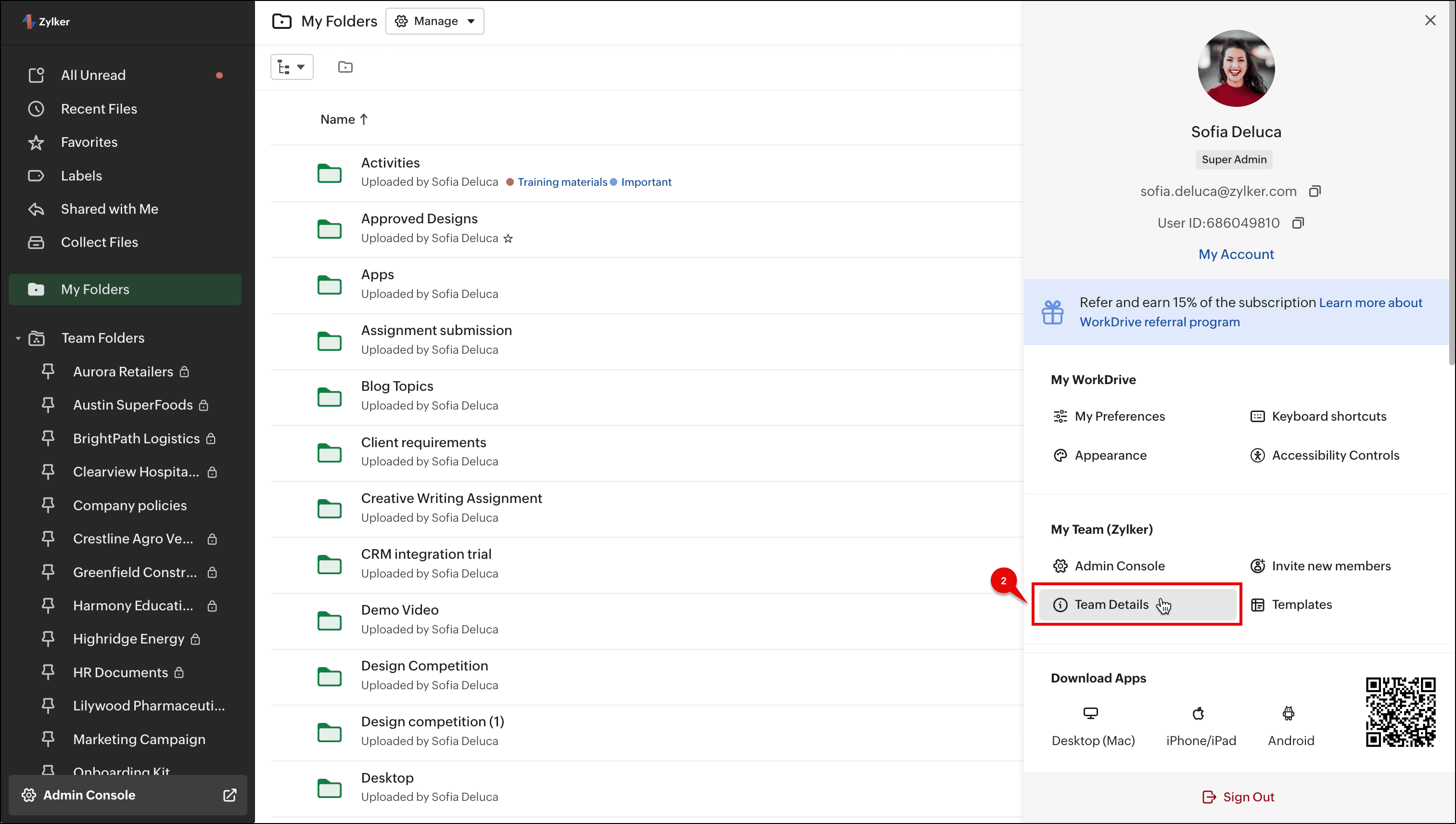
2. Select Team Details. By default, the Members tab will be selected.
3. Select the Groups tab.
4. Click the + Groups button in the top-right corner.
5. Enter a Group name and enter a description if needed.
6. Add members by entering their name or email address, then assign each a Group role: Group Admin or Group Member.
 (i) A Group Admin can add new members to the group, change member roles, and remove members from the group. They can also edit the Group Info (name and description).
(ii) A Group Member can only view the list of the members in their Groups
7. Click Create.
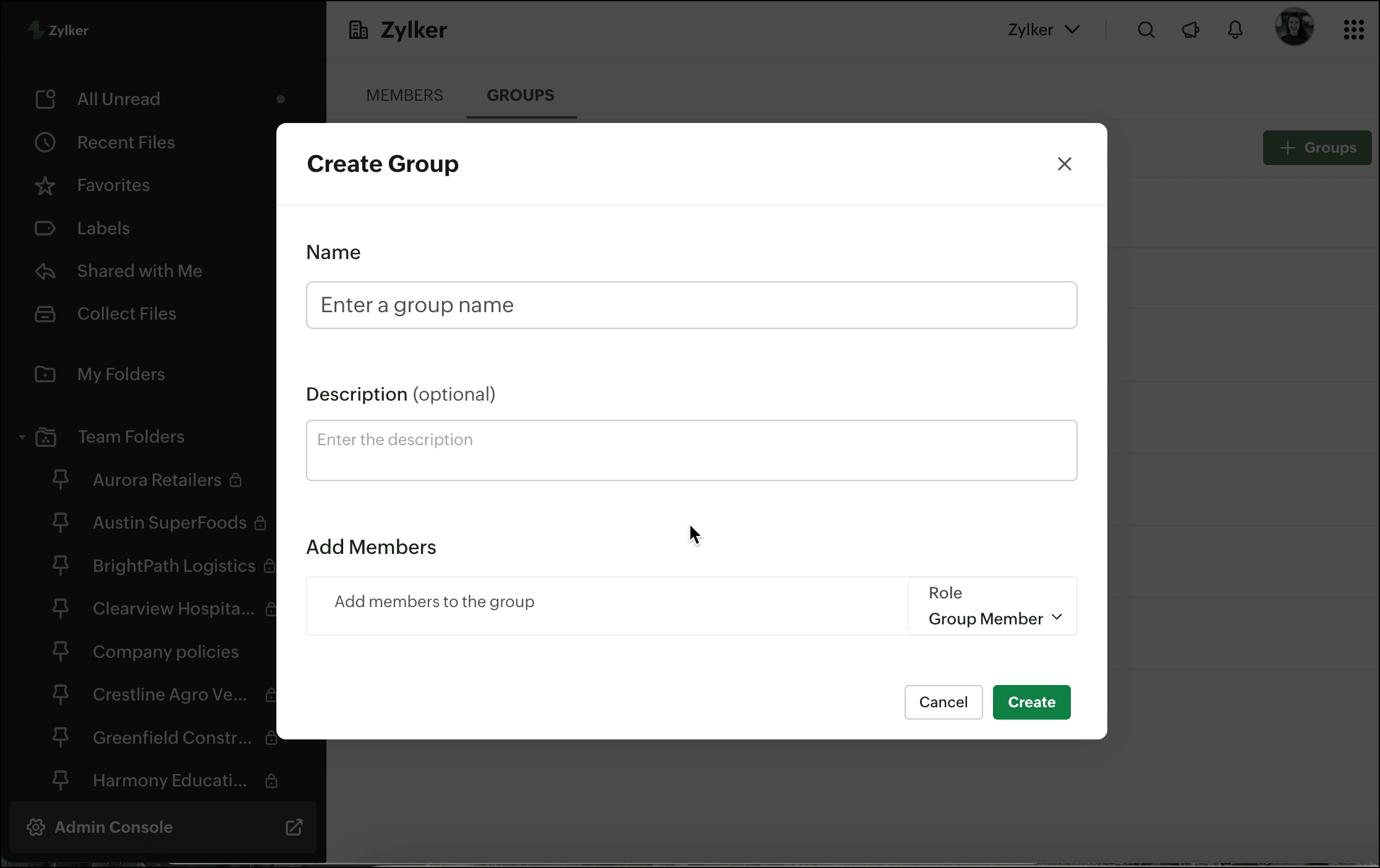
You can view and manage the Groups in your team from the Team Groups tab .
You can assign users to multiple Groups and they can access data according to the permissions assigned to each Group
To manage Groups
1. Click your profile picture in the top-right corner, then select Team Details .
By default, the Members tab will be selected.
2. Select the GROUPS tab.
3. Hover over a Group and select the (...) icon.
- Click Edit Group to change the Group name and description.
- Click Manage Members to add new members, change member roles, and remove members from the Group.
- Click Delete Group to remove the Group from your team.
Note:
(i) Only Group Admins can edit Group Info, manage members, or delete Groups
(iI) When a Group is deleted from a Team, all members will lose access to the associated Team Folders where they have been added.
(i) Only Group Admins can edit Group Info, manage members, or delete Groups
(iI) When a Group is deleted from a Team, all members will lose access to the associated Team Folders where they have been added.

WorkDrive Groups and Org Groups
(i) Groups created within the WorkDrive app are said to be WorkDrive Groups. These Groups can't be used in other Zoho apps.
(ii) Org Groups created in Zoho One (Collaboration Groups, not Department Groups), Zoho Workplace, and Zoho Directory can be used to assign or add Group members to WorkDrive and other Zoho apps.
(i) Groups created within the WorkDrive app are said to be WorkDrive Groups. These Groups can't be used in other Zoho apps.
(ii) Org Groups created in Zoho One (Collaboration Groups, not Department Groups), Zoho Workplace, and Zoho Directory can be used to assign or add Group members to WorkDrive and other Zoho apps.