Portal Level Bug Reports
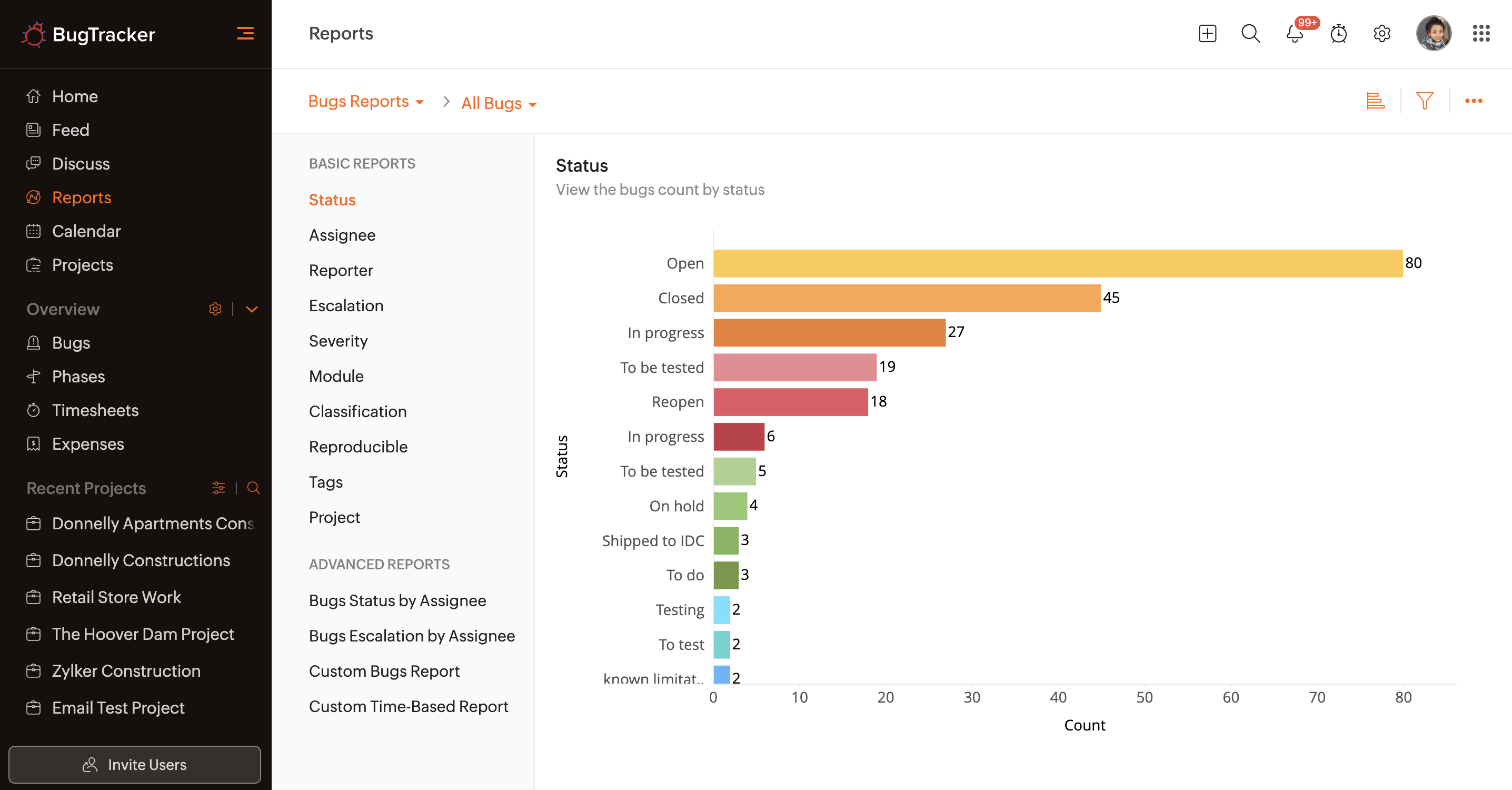
Users can view organization-level bug reports. These reports display the number of bugs across all of the organization's projects based on a variety of parameters.

Availability: Latest user based Enterprise plan.
Benefits
- Basic Reports: View bug count by these fields - Status, Assignee, Reporter, Escalation, Severity, Module, Classification, Reproducible, Tags, Project
- Advance Reports: View bug Status by Assignee, Bug Escalation by Assignee, Custom Bug Report, Custom-Time based report.
View Basic Reports
- Click Reports in the left navigation panel.
- Click on the drop-down panel.
- Select Bug Reports.
- Select a report type under Basic Reports.
View Advanced Reports
The Advanced Reports display the bug count for each user according to the bug status or escalation level.
Additionally, the Custom Bug Report permits users to select any two criteria and generate a custom report.
The Custom Time-Based Report enables users to compare the bug count to two custom or default time-based fields.
Other Options
Users can change the graph type, use filters to generate reports, and even export the Org level bug reports.
- Users can switch between Line
and Area
chart from the right corner of the chart area.
- The filter option can be accessed by clicking the
icon. The reports are generated based on the criteria selected in the filters.
- Click
to access the export options. Select Export to PDF to generate a PDF of the chart.
Click Export History to view the download history and also download the file again.