Project Settings
We shall learn how to edit project prefix, enable tags, and modify project completion calculation.
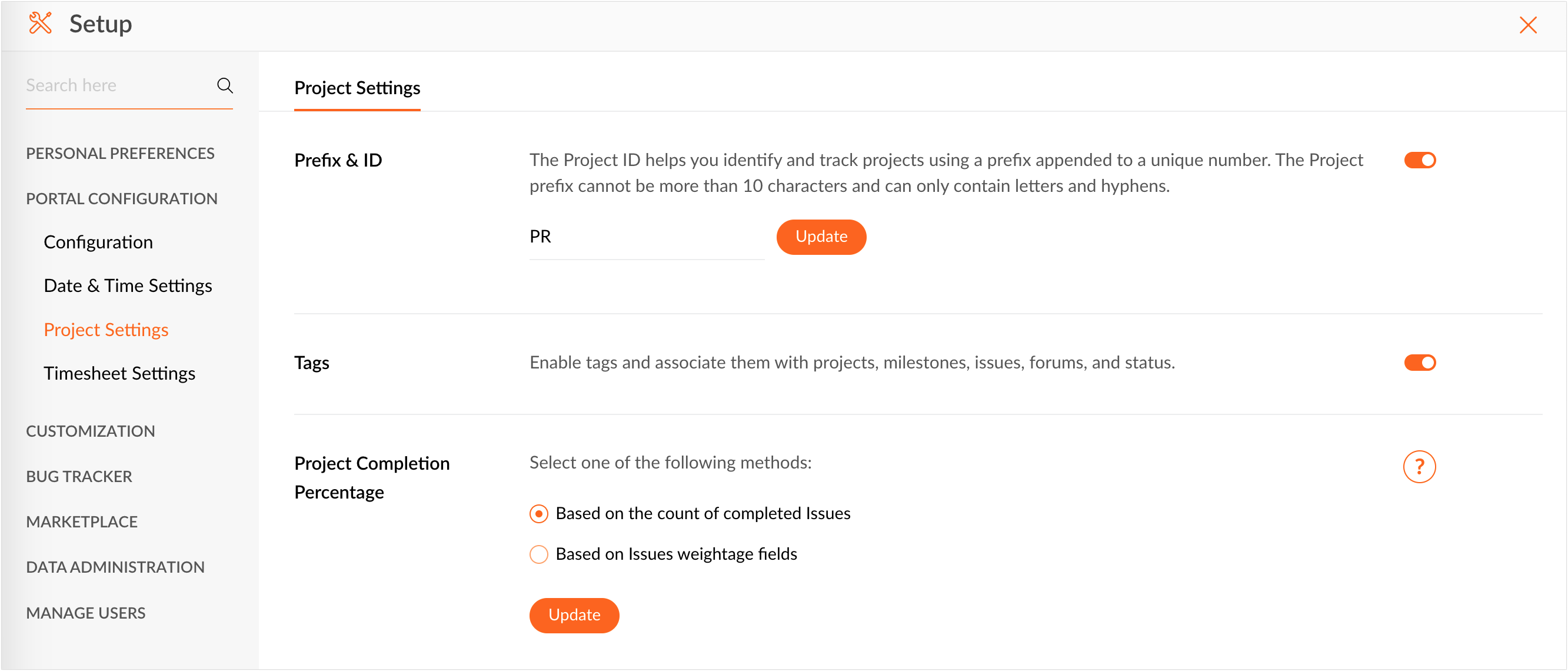
Project Prefix
- Click
 in the top navigation panel.
 - Navigate to Portal Configuration > Project Settings > Project Settings tab.
- In the Prefix & ID section, you can enable or disable project ID.
- The current project prefix is shown in an editable section. If desired, modify the project prefix and click Update.
The project prefix cannot be more than 10 characters and can contain alphabets & hyphen only.
Tags
Enable tags and
associate them with projects, milestones, issues,
forums, and status.
- Click on the top navigation band.
- Navigate to Portal Configuration > Project Settings > Project Settings tab.
- Toggle Enable Tags setting.
Read more about tags.
Project Percentage Completion
Calculate your project completion percentage based on completed
issue count or based on issue weightage.
- Click in the top navigation panel.
- Navigate to Portal Configuration > Project & Budget > Project Settings tab.
- Scroll down to Project Percentage Completion.
There are two options to calculate project percentage completion.
Based on count of completed issues: [Completed issues]/[Total no. of Issues] x 100
Based on issue weightage field: Users can customize the weightage for issue. The project completion is calculated based on the weightage value given in the weightage field (numeric field).