Subscribe to Holiday Calendars
Holiday calendars are available region wise by default on
Zoho Calendar. You can choose your holiday calendar and subscribe to it. The calendar will be added to your Zoho Calendar and you can keep track of the observed holidays in your region.
Steps to subscribe to a holiday calendar
1. Login to
Zoho Calendar.
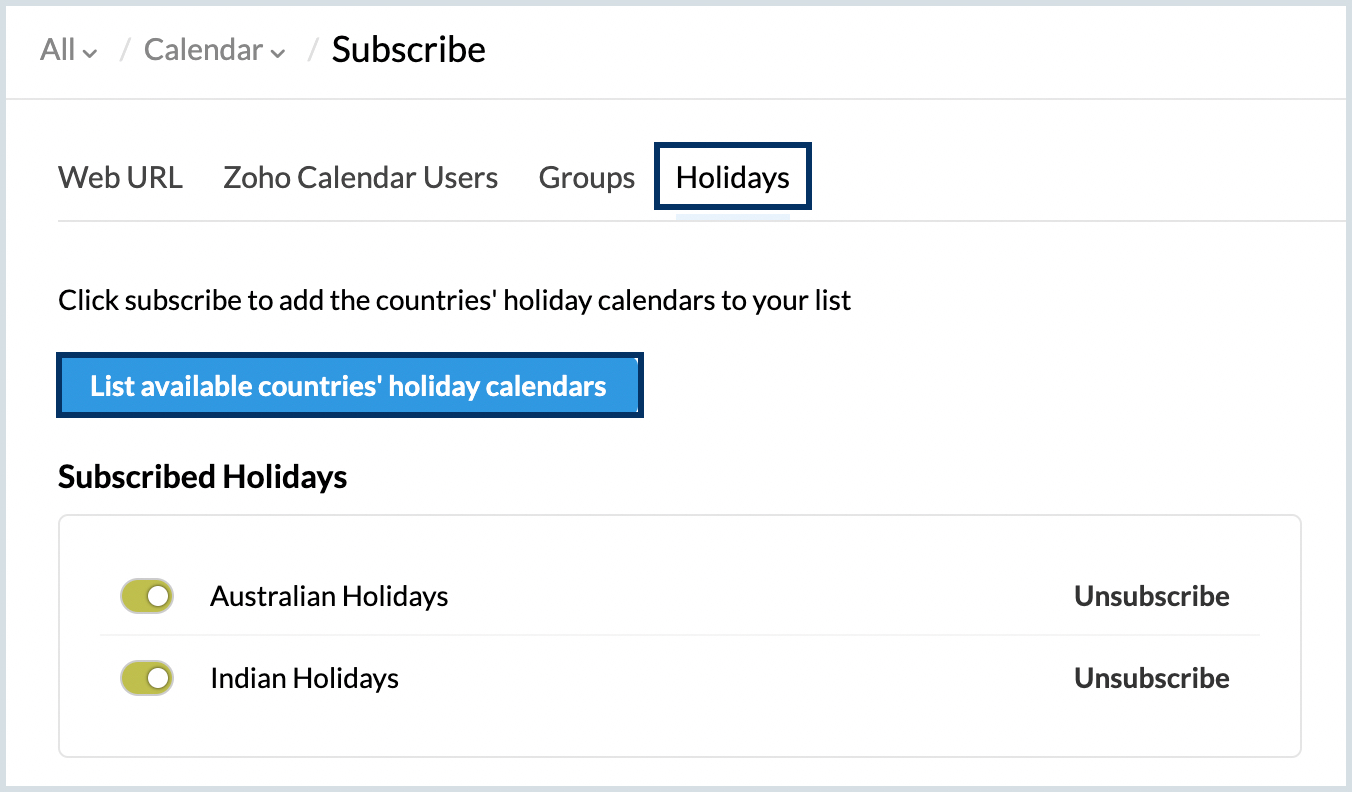
3. Navigate to
Holidays and click on
List available countries' holiday calendars.
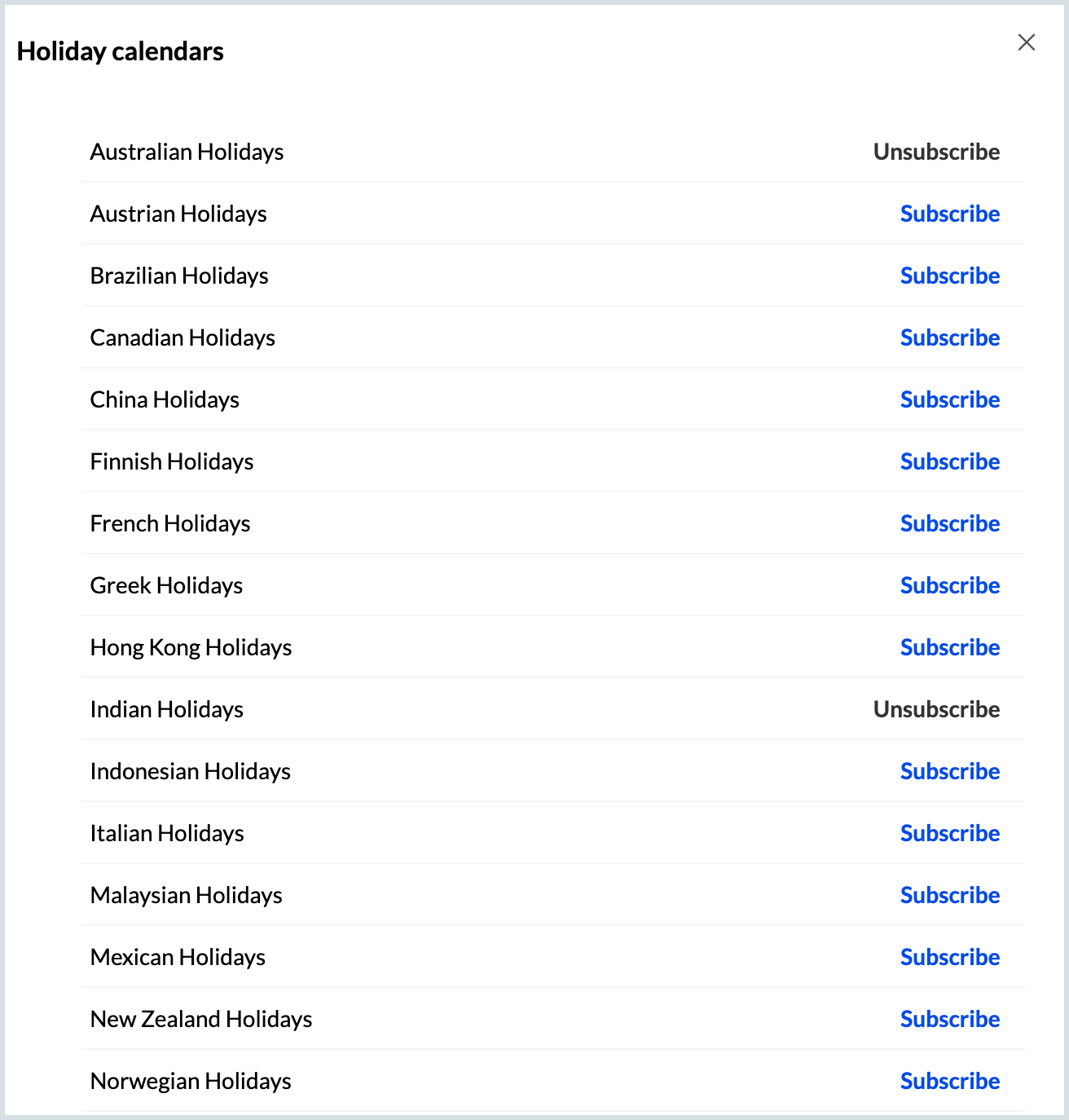
4. The list of
Holiday calendars region-wise will be displayed.
5. Choose the holiday calendar you want and click on
Subscribe.
6. The subscribed holiday calendar will be added to your Zoho Calendar.

If you don't find a particular holiday calendar and you want it to be added to your Zoho Calendar, reach out to us with your requirement at
support@zohocalendar.com.