Integrate with Captcha provider
Google ReCaptcha
Google reCAPTCHA is a security service that helps protect websites and online forms from spam bots. It verifies whether a form submission is made by a human user before allowing the request to proceed.
Integrating Google reCAPTCHA with Zoho Campaigns allows you to add captcha verification to your sign-up forms and mailing lists. This helps prevent spam subscriptions, reduce invalid sign-ups, and improve the quality of contacts added to your mailing lists.
Features
- Add captcha verification to Zoho Campaigns sign-up forms.
- Prevent spam bots from submitting forms and joining mailing lists.
- Use Google reCAPTCHA validation during form submissions.
Prerequisites
- You must have an active Google account.
- Your website or domain must be registered in Google reCAPTCHA.
- You must be an organization administrator in Zoho Campaigns to configure this integration.
To integrate with reCAPTCHA 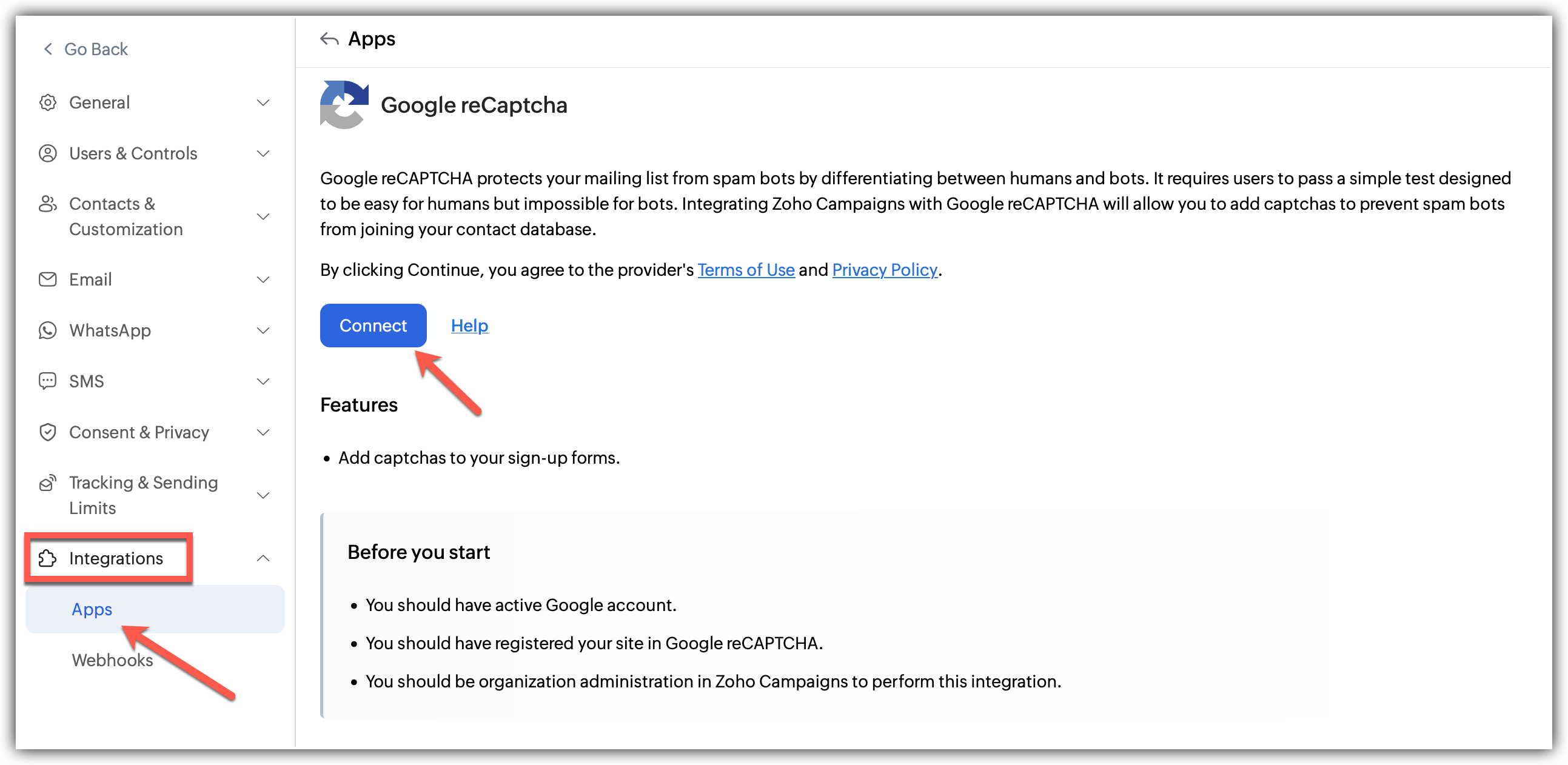
- Click Settings icon on the top-right corner of the screen.
- Choose Apps under Integration.
- Go to reCAPTCHA under Captcha and click Connect.
- A popup window will appear to configure the integration.
- Fill in the details of the integration:
1. The Site Key generated in your Google reCAPTCHA account.
2.The Secret Key generated in your Google reCAPTCHA account. - Solve the captcha verification.
- Click Integrate to connect your reCAPTCHA.

Note
- Zoho Campaigns supports only "I'm not a robot" checkbox in reCAPTCHA V2.
- Make sure that "Verify the origin of reCAPTCHA solutions" box is unchecked in your reCAPTCHA account settings. This is recommended to avoid any type of domain restriction from reCAPTCHA.
Denying access to ReCaptcha
Follow the steps given below to disconnect your ReCaptcha account.
Click the Settings icon in the top-right corner.
Click Apps under Integrations.
Select Captcha under Connected Apps.
Click the Disconnect option after clicking the three dots in the right.
A pop appears informing about the effect of disconnecting.
Click Proceed.