Social Login
Your customers can now use their social media accounts to login to your store. For this easy login to happen, you need to set up the process from the backend.
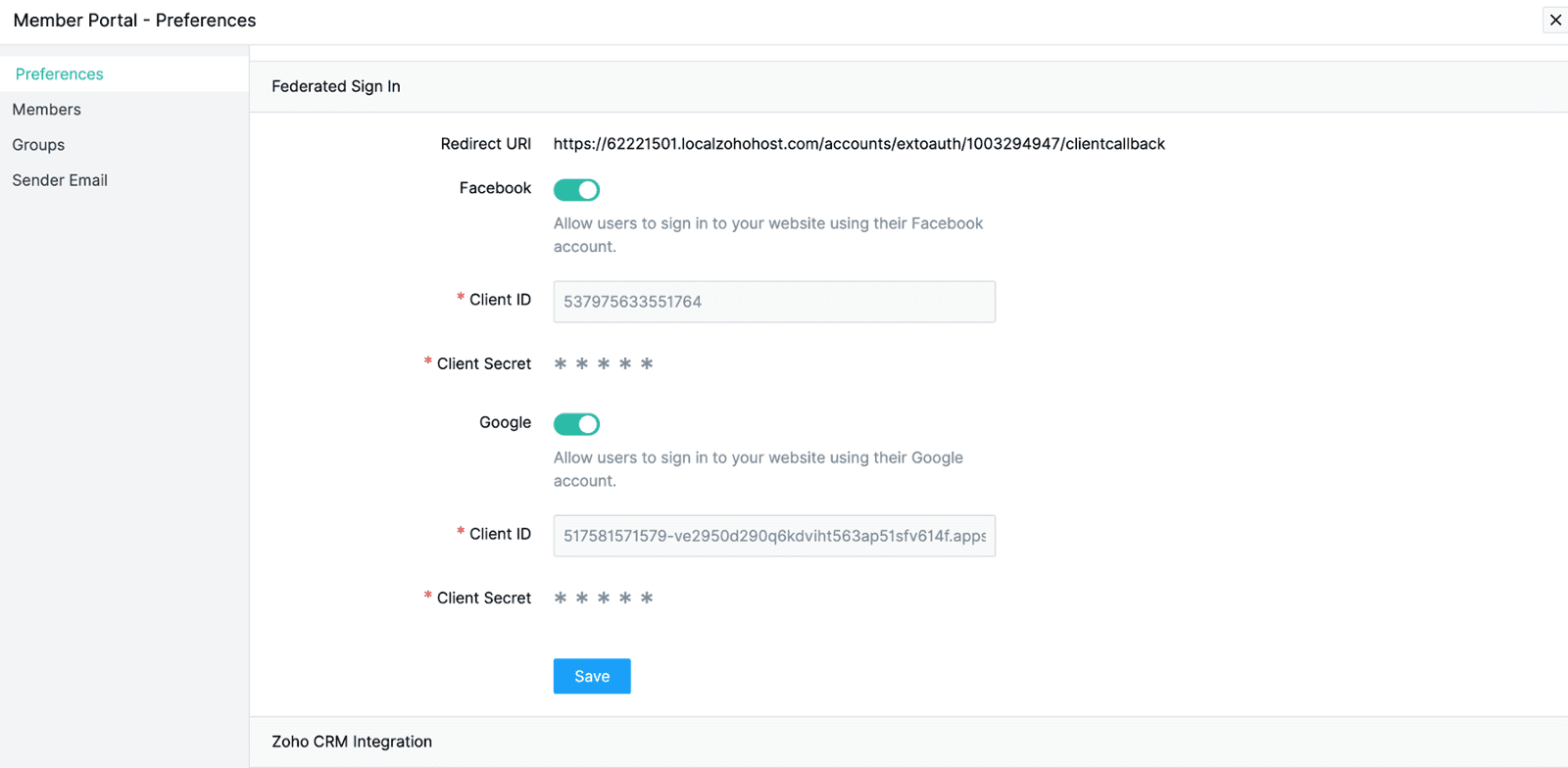
1. Go to Site Settings > Member Portal under General.
2. Head to Social Login under Preferences section.
3. Enable Facebook and Google sign in by moving the toggle.
4. Once enabled, the redirect URI will appear. Use this link to redirect Google Client and Facebook App.
Click here to learn more about creating a Google client.
Click here to learn more about creating a Facebook App.

After obtaining Client ID, Client Secret, App ID, and Secret, update the values on this screen.