Viewing Network Usage Stats in Zoho Connect
In Zoho Connect, the Network insights page shows your network’s plan, member count, storage, and content limits in one place. Use it to track your usage. You can also request more storage or manage your subscription from this page.
Who can view network insights?
Only network admins can view the Network insights page.
How to access network insights?
Click the gear icon in the right menu, select Usage Details from the dropdown.
What details are available on the Network insights page?
The Usage Details page has four sections that show your plan, member count, storage, and content limits.
Plan details
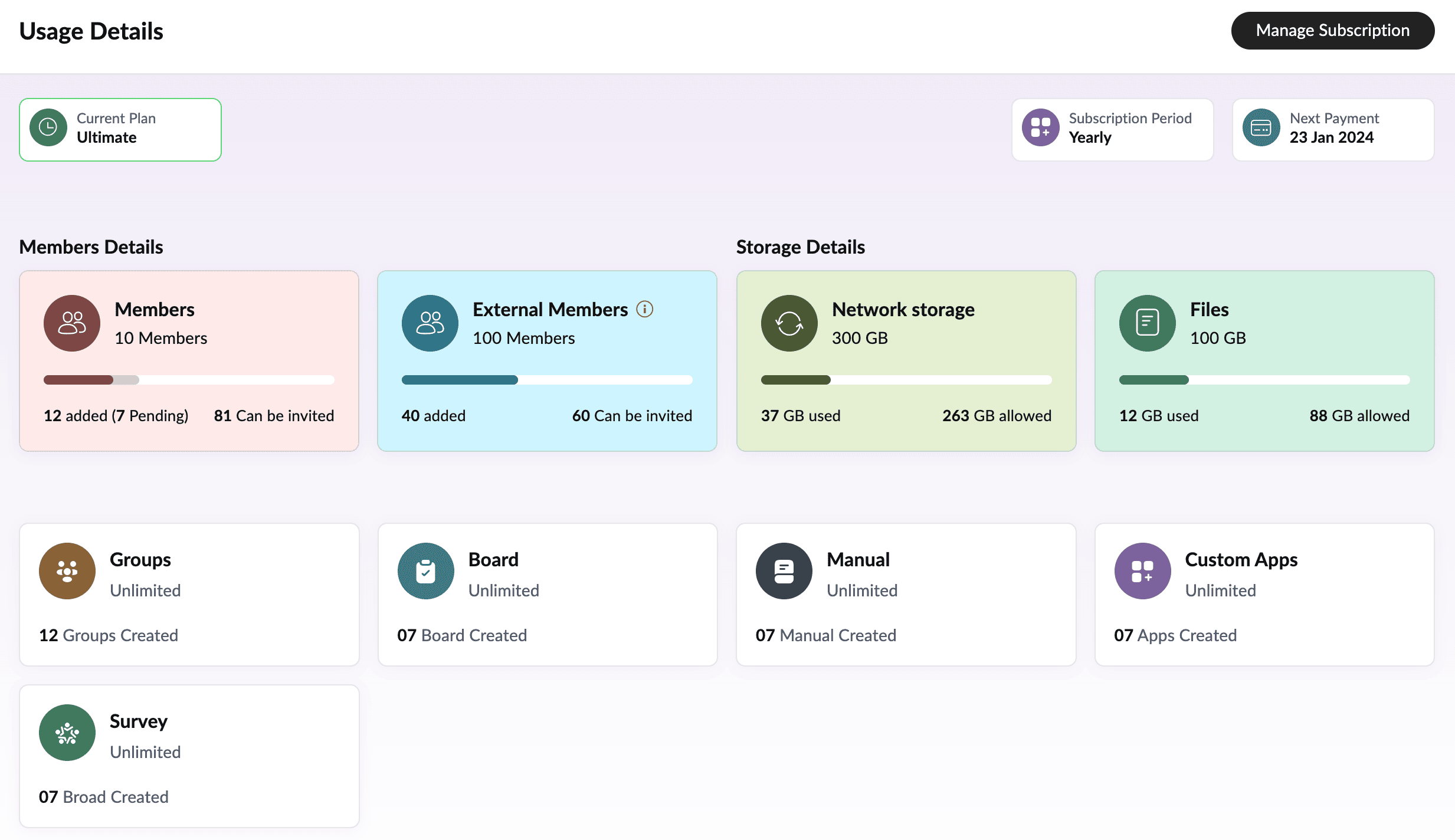
The top of the page shows your plan details:
Current plan: The subscription plan your network uses, such as Ultimate.
Subscription period: The billing frequency of your plan, such as Yearly.
Next payment: The date your next payment is due.
Members details
The Members Details section shows how many members and external users your plan allows, how many you have added, and how many more you can invite. The Members card also shows pending invitations.

Once you reach your External Members limit, you can purchase more. you can purchase additional external member licenses.
Bundle | External users |
Zoho Connect standalone | Each member license you purchase adds five external users. |
Zoho One | You can purchase external users directly in this bundle. |
Zoho People Plus | You can purchase external users directly in this bundle. |
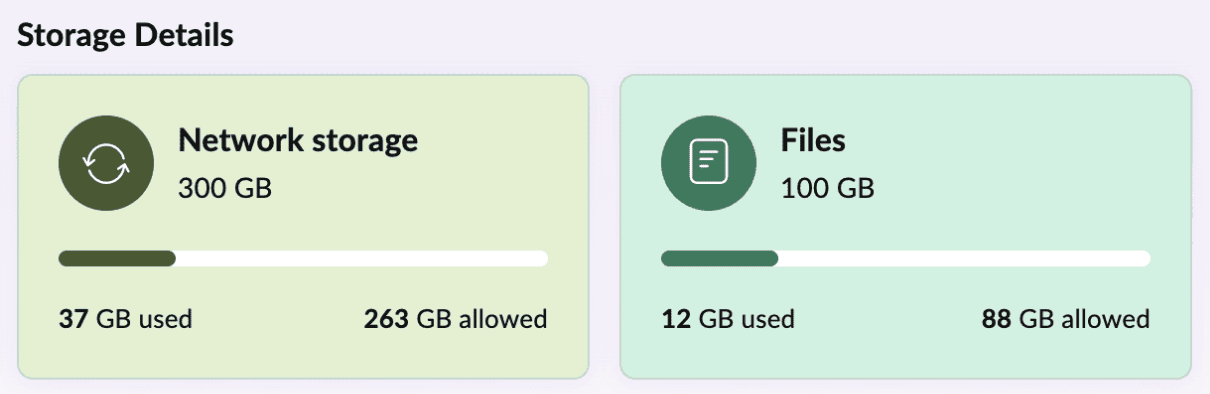
Storage details
Apps and content
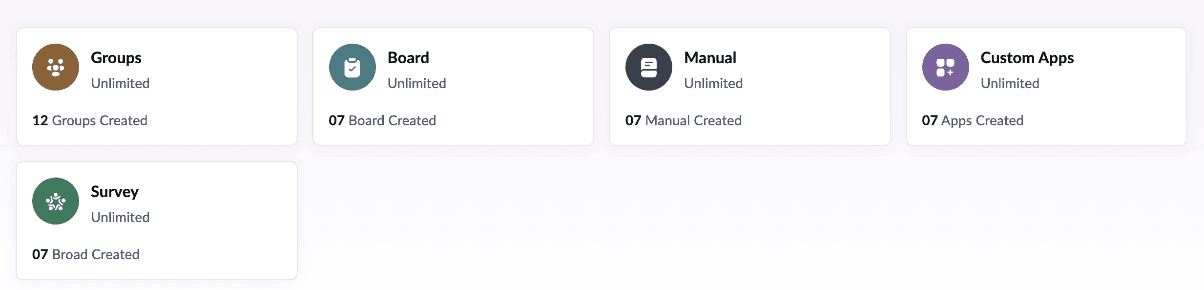
The cards below these sections show how many Groups, Boards, Manuals, Custom Apps, and Surveys your plan allows and how many you have created. If your plan has no limit, the card shows Unlimited.
How do I get more storage?
Go to the Network Insights page.
Hover over the Network storage card and click Manage.
Click the Select range dropdown under Get more storage and select the required range.
Click Submit request.
How do I manage my subscription?
Select Usage Details from the dropdown.
Click Manage Subscription in the top-right corner.
The Subscription Details page will open. It shows your plan, the number of units, the yearly total, and your next payment.
From this page, you can click Change Plan, Upgrade Add-Ons, Downgrade Add-Ons, or Payment History.
If you have any questions regarding network insights, please reach out to our support team at support@zohoconnect.com. We’re happy to help.