Task statistics in Zoho Connect
Feature availability
Overview
The task statistics page provides an overview of task-related data across all boards you belong to. It enables you to track and analyze task performance, completion rates, and other key metrics to gain insights into your team's productivity and progress. You can also select a specific board and time period to filter data.
Who can access the board statistics?
Any user who is a member of at least one board can access the statistics page. They will be able to access it from within the board and from the All Tasks page.
How do I access the statistics from All Tasks page?
- Click Tasks in the main menu on the left.
- Select All Tasks from the extended menu.
- Click the ellipses [...] in the top-right corner of the All Tasks page.
- Select Statistics from the dropdown.
The dashboard that loads when you visit the Statistics page gives you an overall pictorial representation of the tasks across all boards you are part of.
How do I access the statistics from a specific board?
- Click Tasks in the main menu on the left.
- Select the required board in the extended menu.
- Click the ellipsis [...] in the top-right corner of the board.
- Select Statistics from the dropdown.
Understanding the different tabs in Statistics
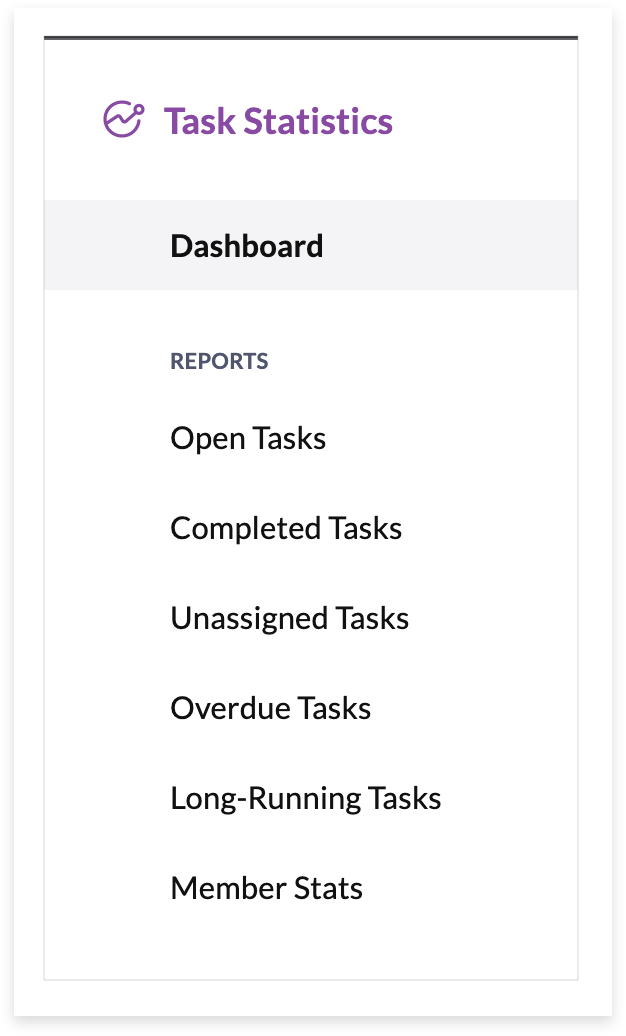
You'll find the following tabs in the Statistics page:
Dashboard: This page gives you a graphical presentation of the number of open tasks, completed, and overdue tasks in a form of a graph. You can also find the following in this tab:
- A bar graph that shows tasks based on their priority.
- A pie chart that differentiates tasks based on their status.
- The most active members section lists those who have completed the maximum number of tasks.
- A simple graph to represent the number of assigned and unassigned tasks.
Open tasks: This page gives you a complete picture of all tasks that have the status set as Open. This also includes unassigned tasks as their default status remains Open.
Completed tasks: You can find a table of completed tasks in this page.
Unassigned tasks: This page gives you an overall view of tasks that are yet to be assigned.
Overdue tasks: You'll find the list of overdue tasks in the selected board in this page.
Long-running tasks: You'll find the list of overdue tasks that have been created before 90 days, but haven't yet been completed in this page.
Member stats: This page gives detailed task statistics for each member of the selected board. Also, this tab is accessible only to the board admins and is available in Enterprise and Ultimate plans.
Export task statistics data
You can export the data from the Task Statistics page for a selected board as a .csv file. The export option is available in all tabs except Dashboard and Member Stats.
To export data
- Click Tasks in the main menu on the left.
- Select the required board in the extended menu.
- Click the ellipsis [...] in the top-right corner of the board.
- Select Statistics from the dropdown.
- Switch to the required tab (open tasks, completed tasks, unassigned tasks, long-running tasks, or overdue tasks)
- Select the required assignee and time frame.
- Click Export as CSV found below the time filter.
If you have any questions related to board statistics, please write to us at support@zohoconnect.com. We're always happy to help.