Configure primary settings
 This help page is for users in Creator 6. If you are in the older version (Creator 5), click here. Know your Creator version.
Define date and time settings
To set date and time format and define time zone:
- Navigate to the Settings page.
- Click the existing Date and Time settings. A pop-up will appear.

- Select Time Zone.
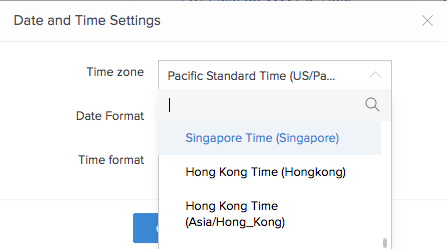
- Select Date Format.
- Select Time Format.
- Click the Change button. The changes will be applied.

Note: The date and time format and the time zone defined is applicable to the date-time fields in the forms of this application as well.