Android UI Library for the Customer App | Zoho Creator Help

Android UI library

NotesThis help page is for users in Creator 6. If you are in the older version (Creator 5), click here. Know your Creator version.

Install the Android UI library for the customer app

The Android UI library helps you use the UI components of the modules and also to design your own custom UIs. 

Prerequisites

  • The latest version of Android Studio

Register your Android app with Zoho

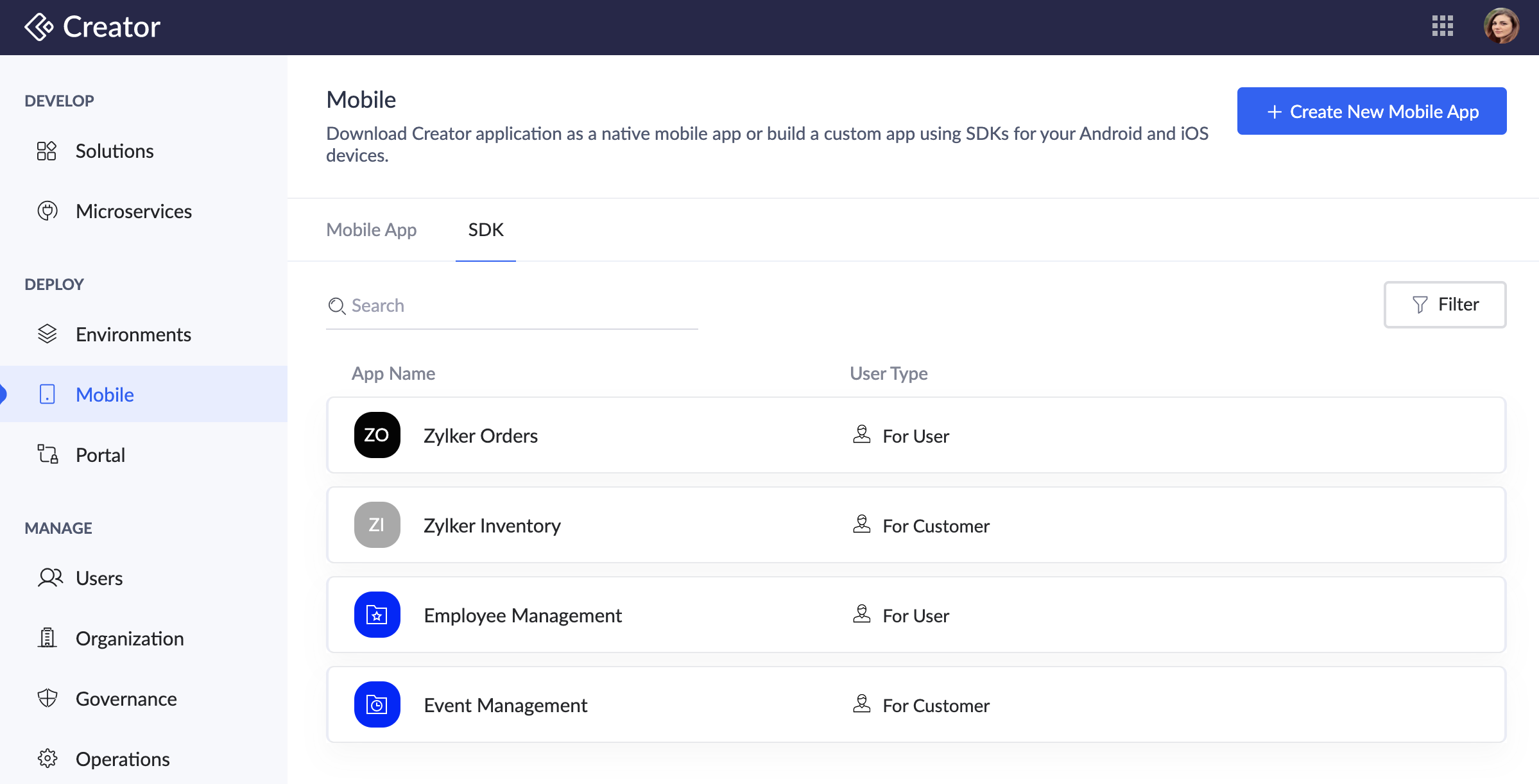
  1. Navigate to Mobile section on the left pane and click the SDK tab.
  2. Click on the required row of the Android app for which you want to configure the UI framework. The For Customers - SDK pane will open on the right.
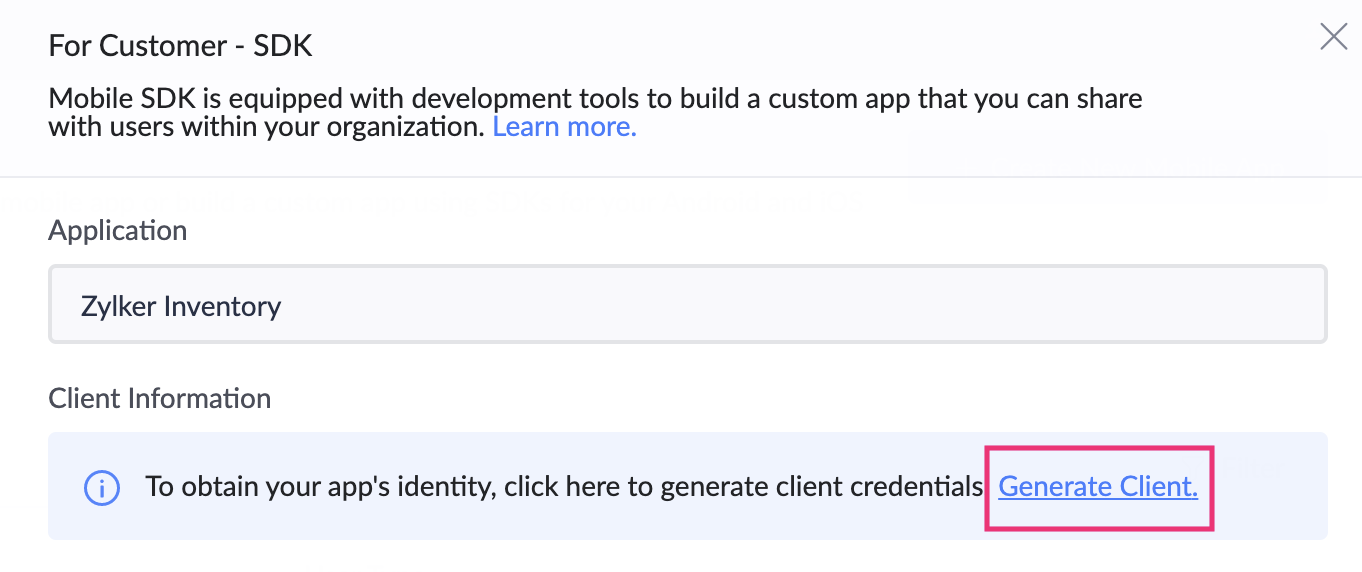
  3. Click Generate Client.

  4. This will generate the client ID, client secret, Portal ID, and Redirect URI for the Android app that you want to integrate with your Creator application.
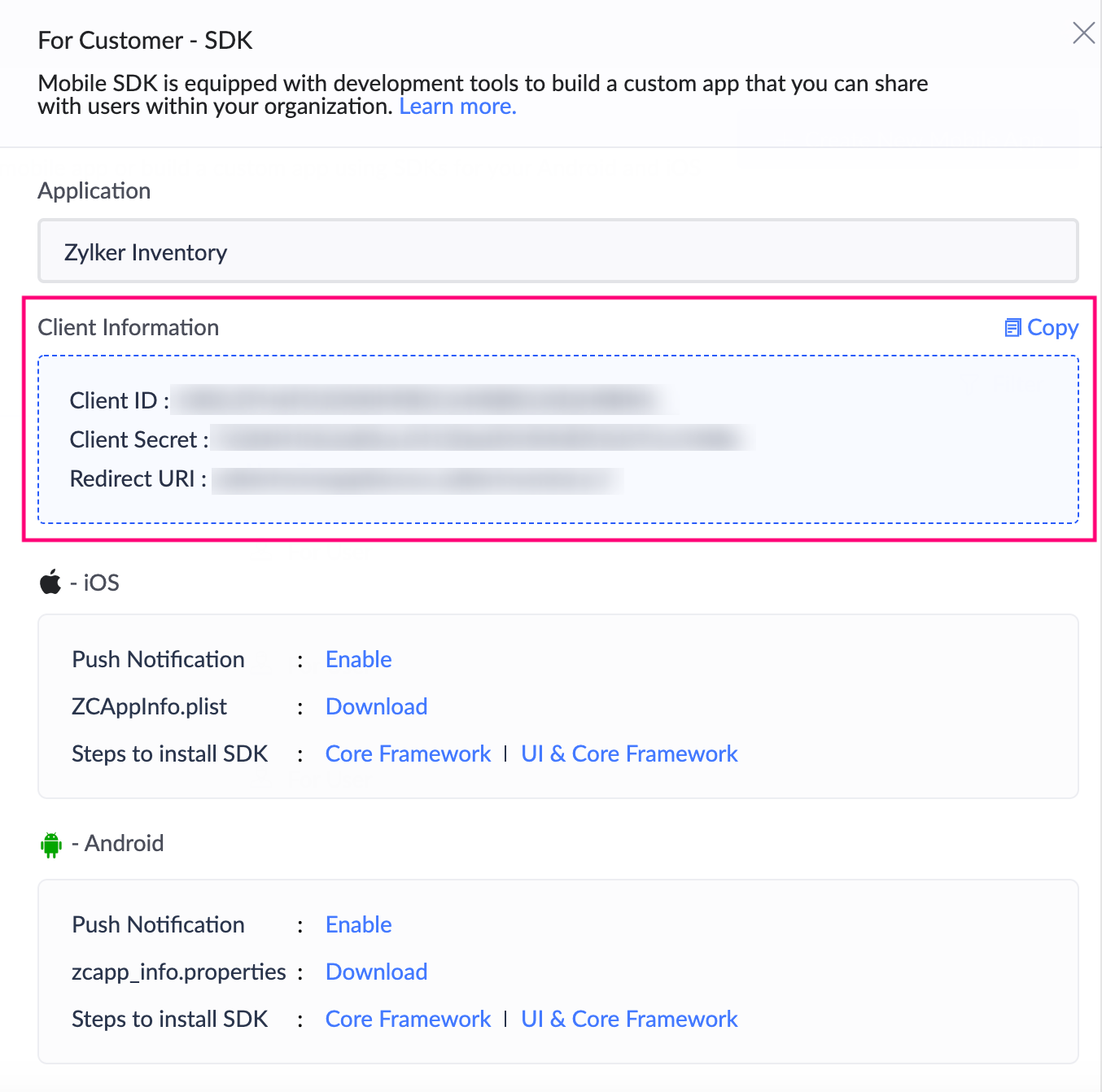
  5. Downloaded the zcapp_info.properties file, then add it to your project's raw folder: "<your_project_folder>/app/src/main/res/raw". (Create a folder named raw in this location if it doesn't exist)

Install the Android UI library for the customer app using Kotlin

Notes
Note: The Android app must have a minimum SDK version 22 or higher.
  1. Integrate SDK with your Android app:
    1. Add the Zoho maven repository URL in app/build.gradle:
      allprojects {
            repositories {
                  google()
                  mavenCentral()
                  maven {
                             url 'https://maven.zohodl.com'
                  }
            }
      }
      Note:While adding the repository URLs in build.gradle you may encounter Build was configured to prefer settings repositories over project repositories issue. To proceed further, you need to add the repository URLs in settings.grade.
    2. Integrate Zoho Creator UI Library & Authentication Library in app/build.gradle.
      dependencies {
         implementation 'com.zoho.creator:creator-ui:1.6.0'
         implementation 'com.zoho.accounts.android:zaccountsclientportalsdk:V2_0'
      }
    3. Click Sync Now in the bar that appears in the IDE.
  2. Configure your project with the following code:
    1. Add the below string in the strings.xml of your app:
      <string name="ui.label.appname" translatable="false"> YOUR APP NAME </string>
      <string name="iam_portal_url">https://accounts.zohoportal.com</string>  <!-- enter the accounts URL of your respective DC. For eg: EU users use https://accounts.zohoportal.eu-->
      <string name="c_id"> GENERATED CLIENT ID </string>
      <string name="c_secret"> GENERATED CLIENT SECRET ID </string>
      <string name="c_portal"> PORTAL ID </string>
      <string name="redir_url"> REGISTERED REDIRECTURI</string> <!--These parameters are retrieved from the URL mentioned in point 2-->
    2. In the oncreate method in your application / activity class, Initialize the Accounts SDK as follows:
      IAMClientSDK.getInstance(this).init(scopes)
      where scopes - "aaaserver.profile.READ,zohocontacts.userphoto.READ,ZohoContacts.contactapi.READ,
      ZohoCreator.meta.CREATE,ZohoCreator.meta.READ,ZohoCreator.meta.UPDATE,
      ZohoCreator.meta.DELETE,ZohoCreator.data.CREATE,ZohoCreator.data.READ,
      ZohoCreator.data.UPDATE,ZohoCreator.data.DELETE,Stratus.stratusop.READ,
      ZohoCRM.modules.READ,ZohoCRM.users.READ"
      Note: The scope list have been updated for version 1.4 and above.
    3. Create an Activity called HandleRedirectActivity and add the following code to its oncreate method:
      IAMClientSDK.getInstance(this).handleRedirection(this)
    4. Add the following code to the AndroidManifest.xml file:
      <activity android:name=".HandleRedirectActivity" android:exported="true">
      <intent-filter>
          <action android:name="android.intent.action.VIEW" />
          <category android:name="android.intent.category.DEFAULT" />
          <category android:name="android.intent.category.BROWSABLE" />
          <data android:scheme="<REDIRECTURI_WITHOUT_COLON_AND_SLASH>" />
      </intent-filter>
      </activity>
    5. To open the login screen, add the below code snippet:
      val sdk = IAMClientSDK.getInstance(applicationContext)
      if (!sdk.isUserSignedIn) {
          sdk.presentLoginScreen(this, object : IAMTokenCallback {
              override fun onTokenFetchInitiated() {
      
              }
      
              override fun onTokenFetchComplete(zohoToken: IAMToken) {
                  //<This method will be called after user logged-in successfully>
              }
      
              override fun onTokenFetchFailed(zohoErrorCodes: IAMErrorCodes) {
                  //<This method will be called if any error occurred in the login. You will receive the error code in this callback.>
              }
          }, null)
      } else {
          // start intent to your first activity
      }
    6. Implement the Creator Authentication interface ZCOauthHelper in your app as follows:
      class ZCAuthImpl(private val context: Context) : ZCOauthHelper {
      
          @Throws(ZCException::class)
          override suspend fun getAccessToken(): String? {
              return suspendCoroutine { continuation ->
                  IAMClientSDK.getInstance(context).getToken(object : IAMTokenCallback {
                      override fun onTokenFetchInitiated() {
                      }
      
                      override fun onTokenFetchComplete(token: IAMToken) {
                          continuation.resumeWith(Result.success(token.token))
                      }
      
                      override fun onTokenFetchFailed(errorCode: IAMErrorCodes) {
                          continuation.resumeWith(Result.success(null))
                      }
                  })
              }
          }
      
          override fun getInitialScopes(context: Context): String {
              return ""
          }
      
          override fun isUserSignedIn(): Boolean {
              return IAMClientSDK.getInstance(context).isUserSignedIn
          }
      
          override fun getUserData(): Any? {
              return null
          }
      
          override fun getTransformedUrl(url: String): String {
              return url
          }
      
          override fun checkAndLogout(): Boolean {
              return false
          }
          override fun isEnhanceTokenNeeded(newScopes: String): Boolean { 
              return false 
          }
          override fun enhanceToken(tokenHelper: ZCOauthHelper.ZCOAuthTokenHelper, newScopes: String) { 
          }
          override fun enhanceTokenWithOnDemandScope(tokenHelper: ZCOauthHelper.ZCOAuthTokenHelper) {
          }
      }
    7. Add the below code snippet to your application's / activity's oncreate method to set the instance of Authentication interface to the Creator SDK:
      ZCAPIUtil.setOAuthHelper(ZCAuthImpl(applicationContext))
    8. Add the following to your AndroidManifest.xml file, under the application tag:
      android:name="com.zoho.creator.a.ZCreatorApplication"

FAQ

  1. I'm getting merge conflicts while generating a build. How to resolve them?
    Please add tools:replace="android:allowBackup,android:label,android:theme" under the application tag in the AndroidManifest.xml file and try again.
  2. I get the "Duplicate class android.support.v4.app" error. What should I do?
    To resolve this error, you'll need to add android.enableJetifier=true in gradle.properties file
  3. I get the "Duplicate class androidx.lifecycle.ViewModelLazy found in modules jetified" error. What should I do?
    To resolve this error, please add implementation 'androidx.lifecycle:lifecycle-viewmodel-ktx:2.4.0' to your dependency list

References


        Create. Review. Publish.

        Write, edit, collaborate on, and publish documents to different content management platforms.

        Get Started Now


          Access your files securely from anywhere

            Zoho CRM Training Programs

            Learn how to use the best tools for sales force automation and better customer engagement from Zoho's implementation specialists.

            Zoho CRM Training
              Redefine the way you work
              with Zoho Workplace

                Zoho DataPrep Personalized Demo

                If you'd like a personalized walk-through of our data preparation tool, please request a demo and we'll be happy to show you how to get the best out of Zoho DataPrep.

                Zoho CRM Training

                  Create, share, and deliver

                  beautiful slides from anywhere.

                  Get Started Now


                    Zoho Sign now offers specialized one-on-one training for both administrators and developers.

                    BOOK A SESSION


                                Quick LinksWorkflow AutomationData Collection
                                Web FormsEnterpriseOnline Data Collection Tool
                                Embeddable FormsBankingBegin Data Collection
                                Interactive FormsWorkplaceData Collection App
                                CRM FormsCustomer ServiceAccessible Forms
                                Digital FormsMarketingForms for Small Business
                                HTML FormsEducationForms for Enterprise
                                Contact FormsE-commerceForms for any business
                                Lead Generation FormsHealthcareForms for Startups
                                Wordpress FormsCustomer onboardingForms for Small Business
                                No Code FormsConstructionRSVP tool for holidays
                                Free FormsTravelFeatures for Order Forms
                                Prefill FormsNon-Profit

                                Intake FormsLegal
                                Mobile App
                                Form DesignerHR
                                Mobile Forms
                                Card FormsFoodOffline Forms
                                Assign FormsPhotographyMobile Forms Features
                                Translate FormsReal EstateKiosk in Mobile Forms
                                Electronic Forms
                                Drag & drop form builder

                                Notification Emails for FormsAlternativesSecurity & Compliance
                                Holiday FormsGoogle Forms alternative GDPR
                                Form to PDFJotform alternativeHIPAA Forms
                                Email FormsFormstack alternativeEncrypted Forms

                                Wufoo alternativeSecure Forms

                                TypeformWCAG

                                  Zoho FSM Video Tutorials


                                        All-in-one knowledge management and training platform for your employees and customers.

                                                  Create. Review. Publish.

                                                  Write, edit, collaborate on, and publish documents to different content management platforms.

                                                  Get Started Now


                                                                    You are currently viewing the help pages of Qntrl’s earlier version. Click here to view our latest version—Qntrl 3.0's help articles.


                                                                        Manage your brands on social media


                                                                          • Desk Community Learning Series


                                                                          • Digest


                                                                          • Functions


                                                                          • Meetups


                                                                          • Kbase


                                                                          • Resources


                                                                          • Glossary


                                                                          • Desk Marketplace


                                                                          • MVP Corner


                                                                          • Word of the Day


                                                                          • Ask the Experts


                                                                            Zoho Sheet Resources


                                                                                Zoho Forms Resources


                                                                                  Secure your business
                                                                                  communication with Zoho Mail


                                                                                  Mail on the move with
                                                                                  Zoho Mail mobile application

                                                                                    Stay on top of your schedule
                                                                                    at all times


                                                                                    Carry your calendar with you
                                                                                    Anytime, anywhere


                                                                                          Zoho Sign Resources

                                                                                            Sign, Paperless!

                                                                                            Sign and send business documents on the go!

                                                                                            Get Started Now


                                                                                                    Zoho TeamInbox Resources


                                                                                                              Zoho DataPrep Demo

                                                                                                              Get a personalized demo or POC

                                                                                                              REGISTER NOW


                                                                                                                Design. Discuss. Deliver.

                                                                                                                Create visually engaging stories with Zoho Show.

                                                                                                                Get Started Now


                                                                                                                                    • Related Articles

                                                                                                                                    • Android UI library

                                                                                                                                      This help page is for users in Creator 6. If you are in the older version (Creator 5), click here. Know your Creator version. The Android UI library helps you use the UI components of the modules and also to design your own custom UIs. Prerequisites ...
                                                                                                                                    • Android core library

                                                                                                                                      This help page is for users in Creator 6. If you are in the older version (Creator 5), click here. Know your Creator version. Install the Android core library for the customer app The core library of Zoho Creator's Android SDK allows you to create ...
                                                                                                                                    • Android core library

                                                                                                                                      This help page is for users in Creator 6. If you are in the older version (Creator 5), click here. Know your Creator version. The core library of Zoho Creator's Android SDK allows you to create custom UI and build an Android app using the data ...
                                                                                                                                    • Android SDK

                                                                                                                                      This help page is for users in Creator 6. If you are in the older version (Creator 5), click here. Know your Creator version. Mobile Software Development Kits (mobile SDK) provide a set of software development tools that allow for a wide range of ...
                                                                                                                                    • Configure push notifications for your Android app

                                                                                                                                      This help page is for users in Creator 6. If you are in the older version (Creator 5), click here. Know your Creator version. Note: Firebase Cloud Messaging server key has been deprecated on June 21, 2024. To continue using push notifications, update ...
                                                                                                                                      Wherever you are is as good as
                                                                                                                                      your workplace

                                                                                                                                        Resources

                                                                                                                                        Videos

                                                                                                                                        Watch comprehensive videos on features and other important topics that will help you master Zoho CRM.


                                                                                                                                        eBooks

                                                                                                                                        Download free eBooks and access a range of topics to get deeper insight on successfully using Zoho CRM.


                                                                                                                                        Webinars

                                                                                                                                        Sign up for our webinars and learn the Zoho CRM basics, from customization to sales force automation and more.


                                                                                                                                        CRM Tips

                                                                                                                                        Make the most of Zoho CRM with these useful tips.


                                                                                                                                          Zoho Show Resources