Supported Modules
- Leads
- Contacts
- Activities (Tasks)
Let Zia Remind You
You can let Zia remind you from the following places in Zoho CRM:
- Records' list view page
- Records' detail page
- Home page - Classic View
Records' list view page
You can set Zia reminders from the list view page of Leads, Contacts, and Activities module. In the Activities module, you can set reminders only for tasks based on custom views.
To let Zia remind you,
- Go to the [Module] tab.
- Select a list view from the custom view drop-down list.
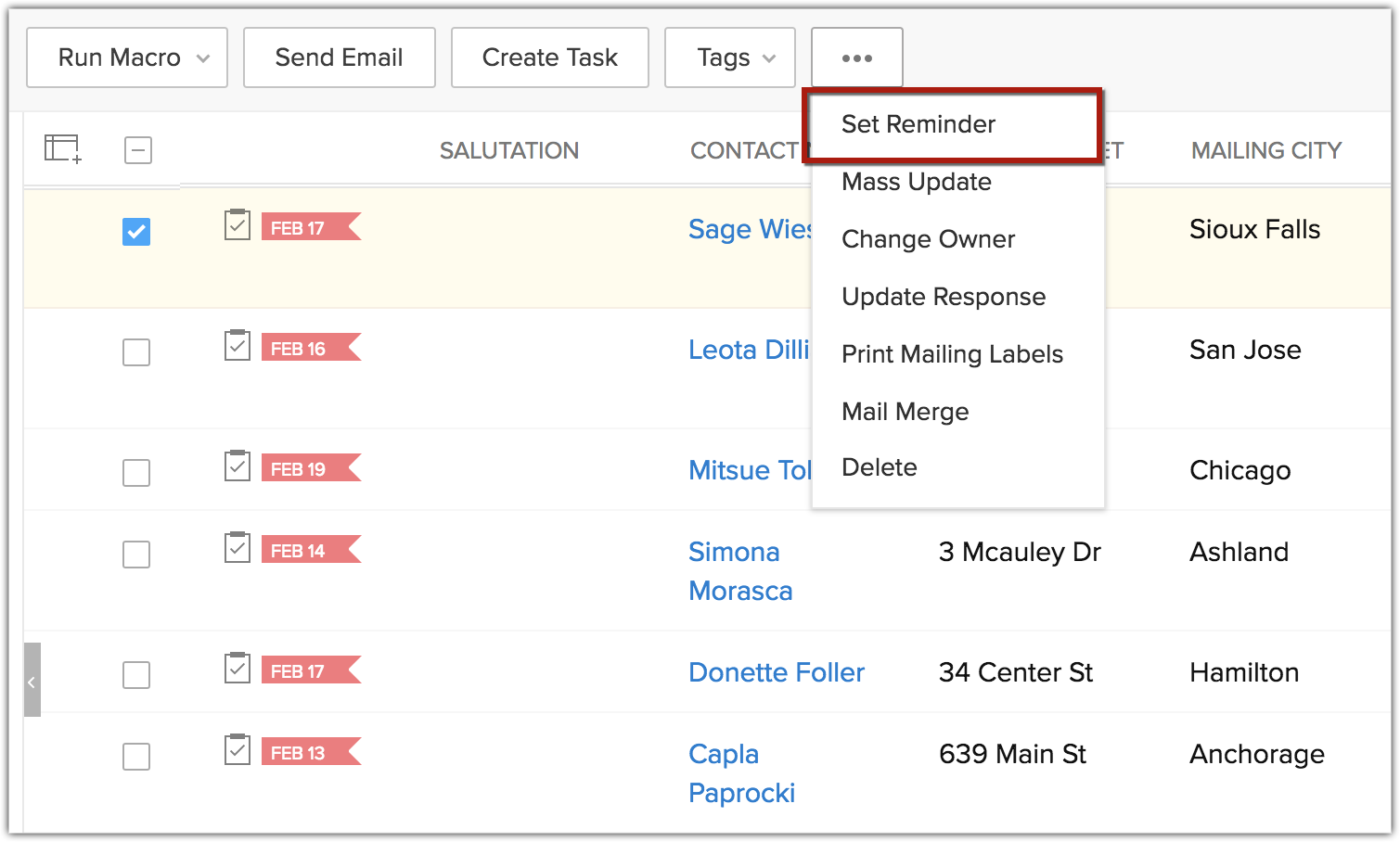
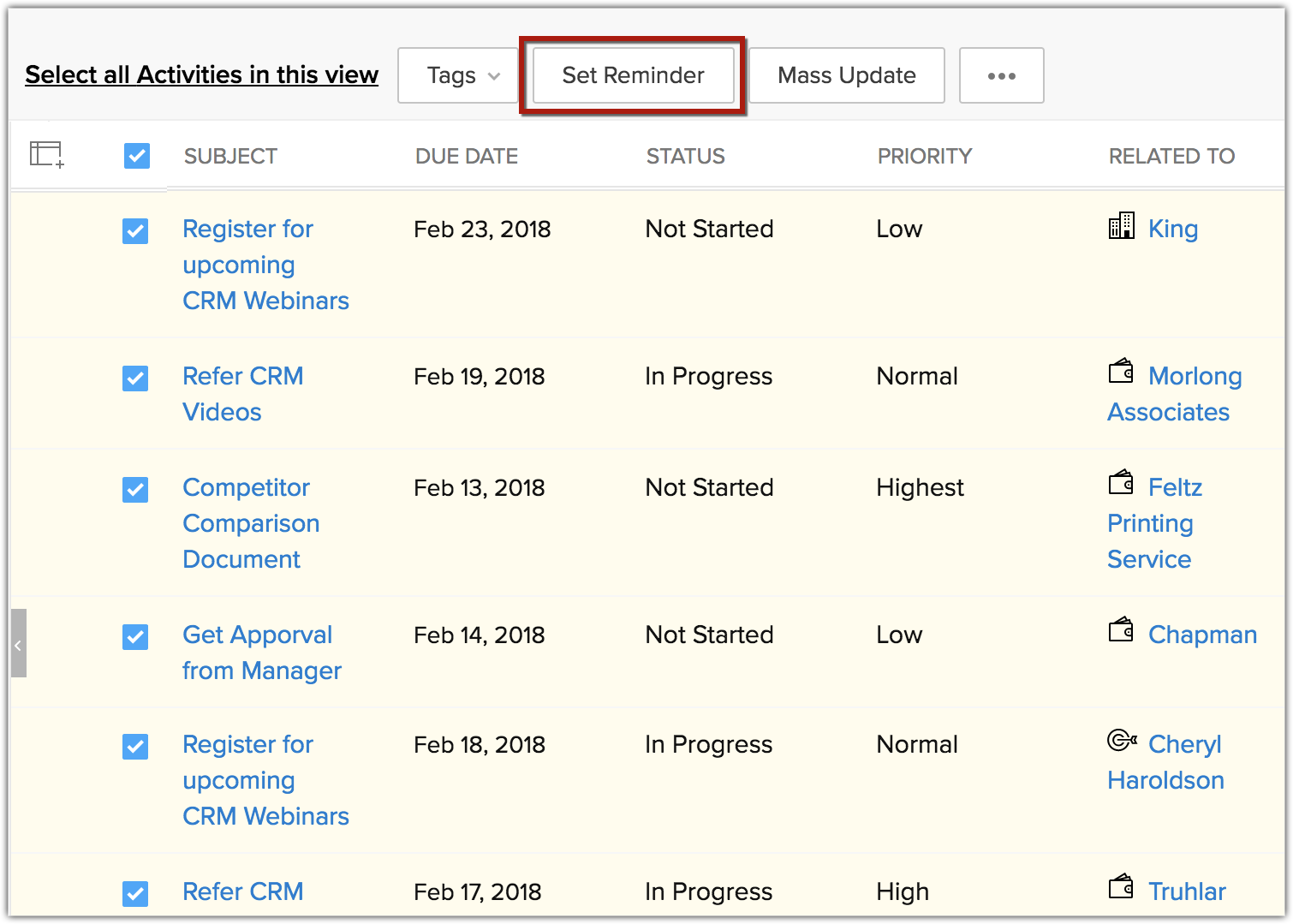
- Click the Select all checkbox for the list view and click the more icon and choose Set Reminder from the drop-down.
- Check Also include new records that get added to this view, to receive notifications for newly added records.
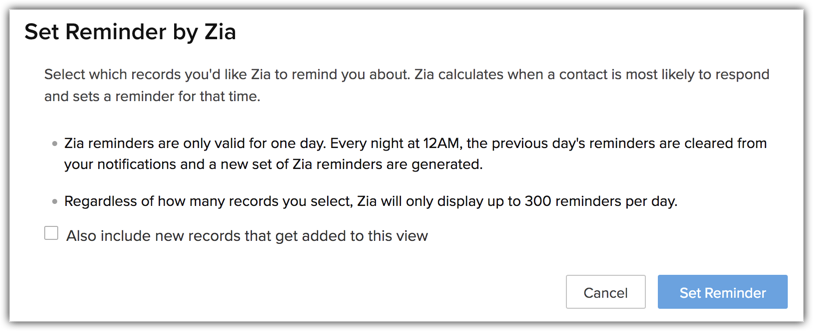
- Click Set Reminder.
Records' detail page
You can simply set reminders based on Best time to Contact for individual leads or contacts even without any associated tasks.
To set Zia Reminders from the records' detail view,
- Go to the [Module] tab.
- Click open a record.
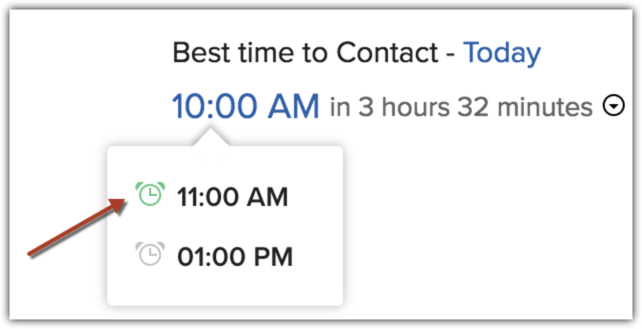
- In the [Record] Details page, click the Today link near Best time to Contact.
- A list of suggested times for the current day will be displayed. Select one and set a reminder for the best time.
Home page - Classic View
To set reminders from the home page,
- Go to the Home tab.
- Select the Classic View from the drop-down list.
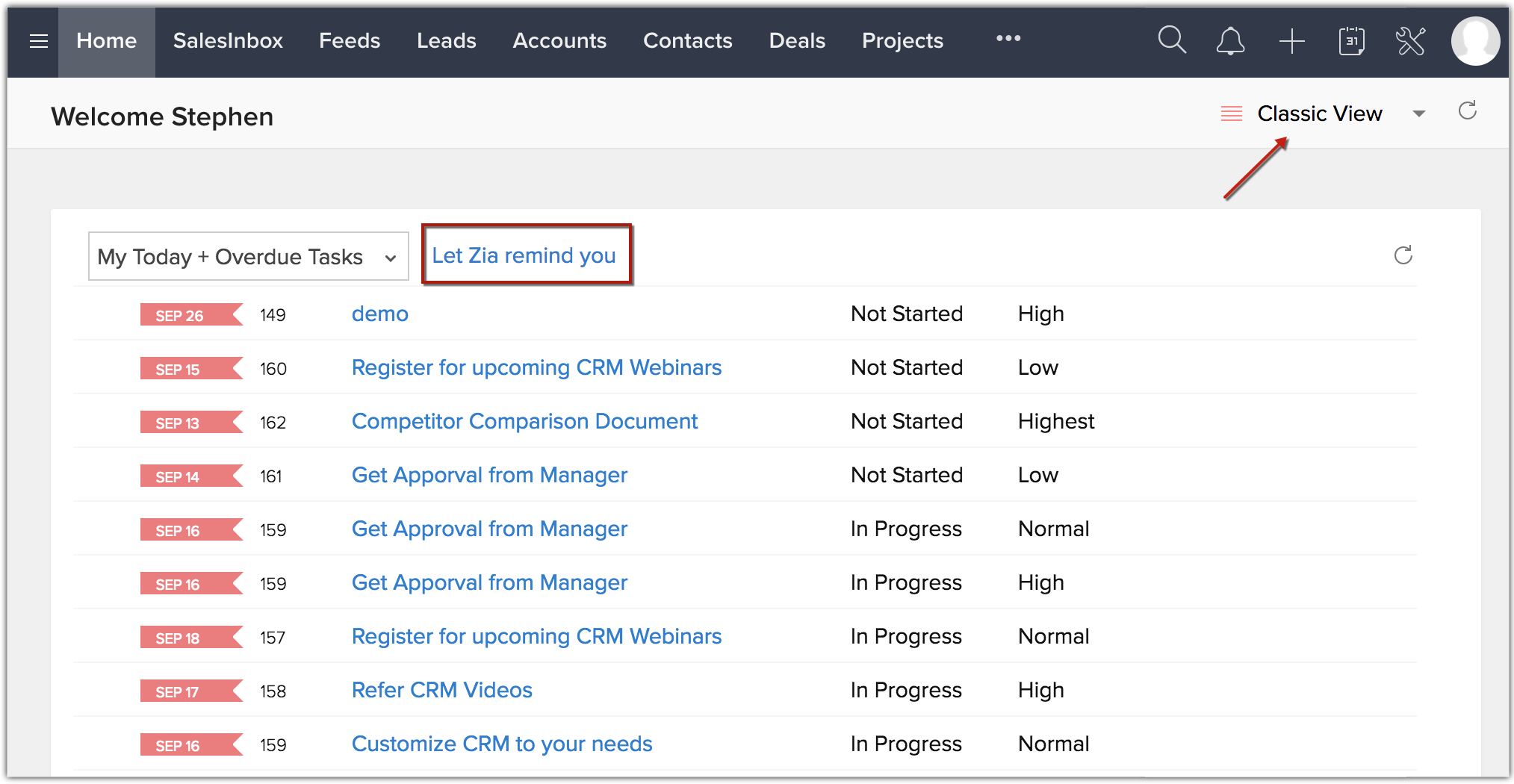
- In the first component select My Today's tasks or My Today + Overdue Tasks.
- Click the Let Zia remind you link.
- In the Set Reminder by Zia popup, you can optionally set additional reminders and click Set Reminder.
Zia will automatically set reminders for the selected records based on the Best time to Contact suggestions.
View Zia Reminders
You will begin to receive reminders as pop-ups in the top right corner of your screen.
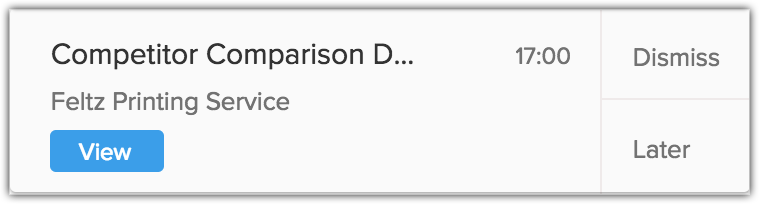
These reminders will pop up 15 minutes prior to the Best time to Contact. From the reminder popup, you can:
- Call the contact directly from the pop-up if your CRM account has the telephony integration enabled. If not, you can click View to see the record details.
- Dismiss the reminder altogether
- Snooze the reminder for 5, 10 or 15 minutes. You can also move the reminder to its next Best time to Contact.
Note
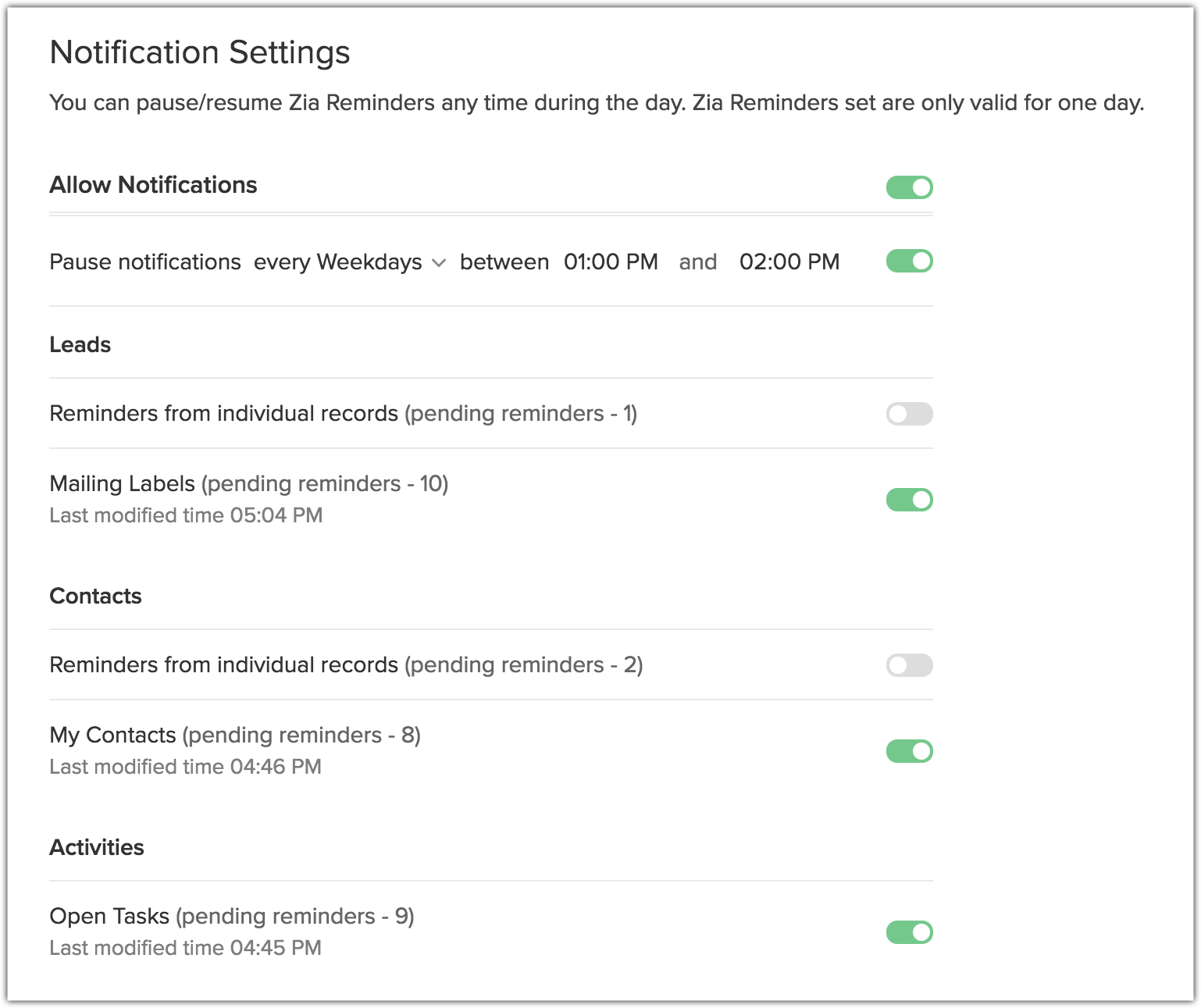
- The reminders scheduled by Zia work on a daily basis. This means that they are valid only for the particular day when you set the reminder. They will be cleared automatically at 12:00 AM. You must reset them to continue getting the reminders for your activities based on Zia suggested times.
- For the same reason, when you set reminders from the records' detail page, you will only be able to set them for Today.
- You will receive a maximum of 300 reminders per day, irrespective of the number of records selected.
- When you set reminder from the Tasks' list view page, once you select your tasks from the list, the Set Reminderbutton can be easily accessed right on top.
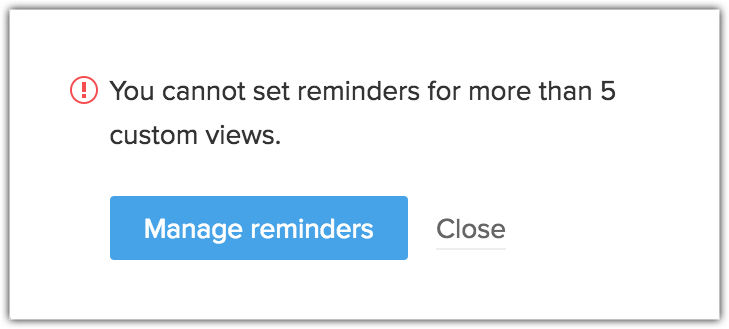
- You can set reminders for a maximum of five list views in each module.