Enabling and Disabling Zia Features
All Zia related features are enabled by default in your Zoho CRM account.
Disable Zia Feature
You can disable Zia notifications altogether or for select features at any point for your organization, after which you will stop receiving notifications from Zia. The notifications that you have received from Zia thus far will be accessible for upto 15 days after which they will disappear.
To disable Zia related features:
- Go to Setup > General > Zia.
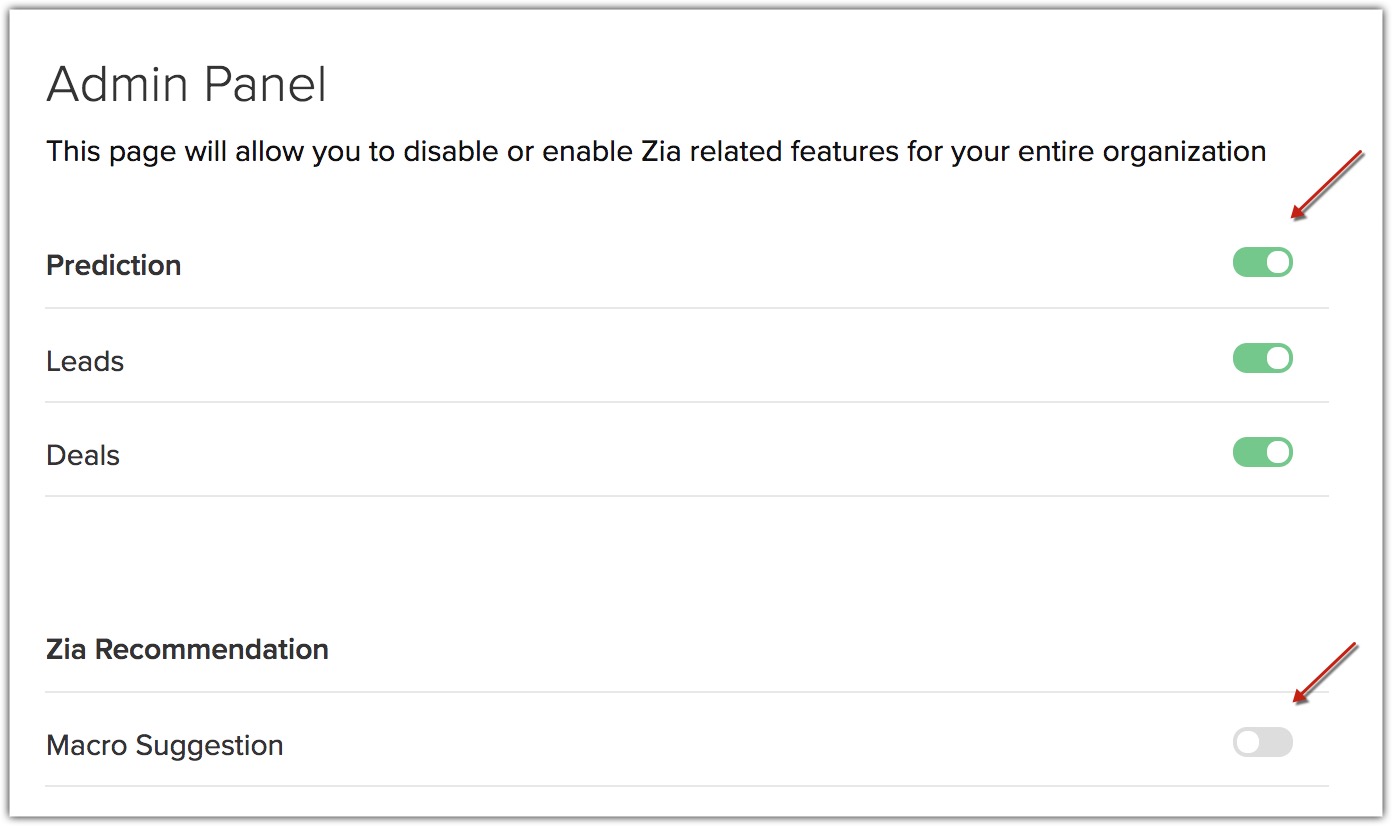
- Click the Admin Panel tab.
- In the Admin Panel page, toggle the button on/off to enable or disable the respective Zia feature.
- Click the Zia Notification tab.
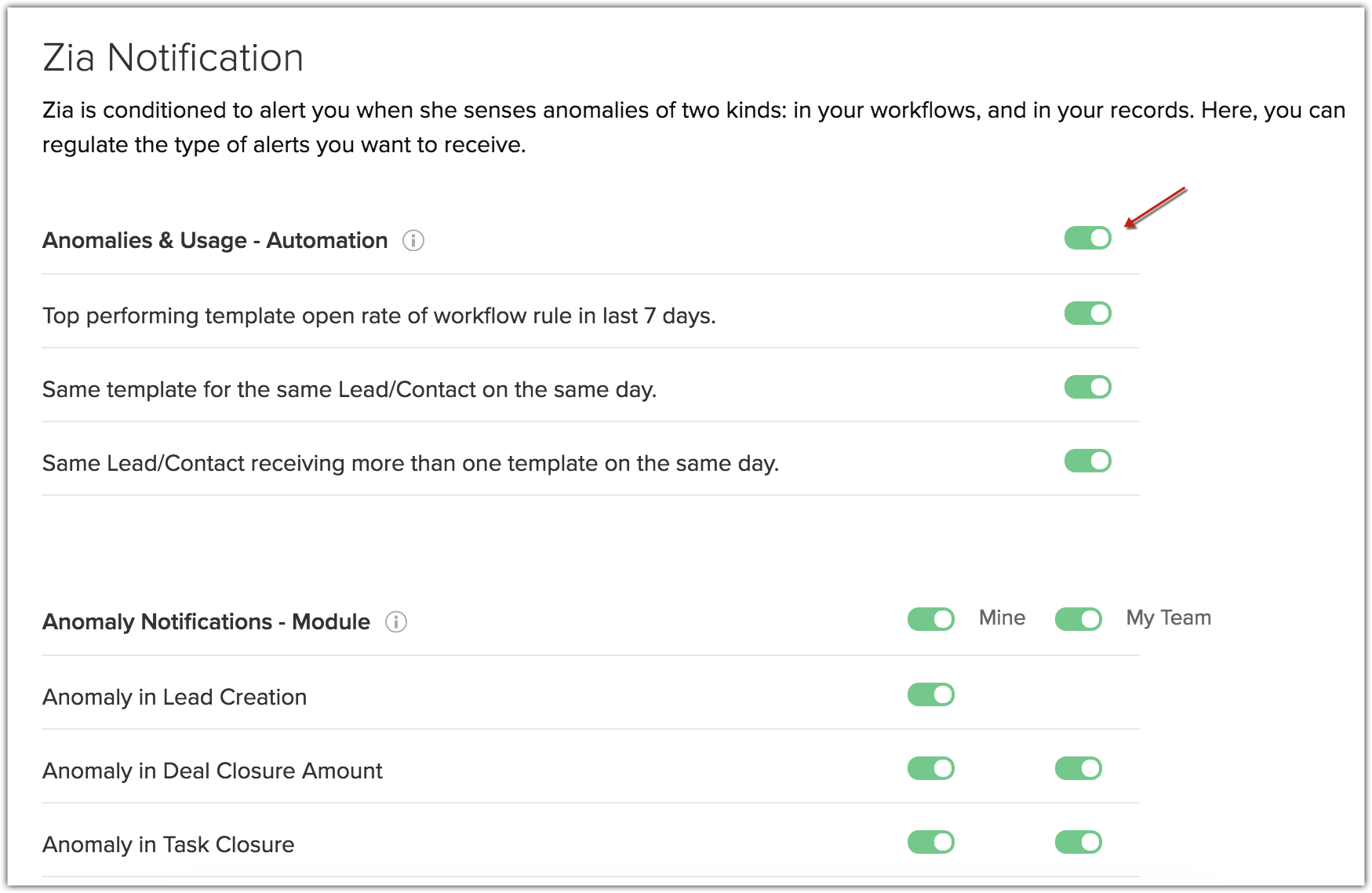
- In the Zia Notification page, toggle the button on/off to enable or disable the respective Zia Anomaly notifications.
SEE ALSO