Secure Help Center Access with Multilingual Captcha
Users who are not registered or signed in to the Help Center can also submit their queries to the support team. Due to a rise in automated bots, submission of spam tickets has increased, which leads to potential security risks and also impacts the work management strategy owing to incorrect case assignments. To address such issues, CAPTCHA is used to ensure that only valid, human-generated queries are submitted.
The captcha is available in multiple languages that address the needs of a global audience. For example, if an unregistered user from Portugal wants to submit a ticket, they can select Portuguese as their preferred language and complete the verification process easily.
This multilingual support not only improves usability but also enhances customer experience across diverse user groups.
Enabling captcha verification for the Help Center
From the Help Center Access Settings, the option to sign in using the captcha verification can be enabled. This adds a layer of protection by requiring unregistered users to complete an image-based or audio-based captcha before submitting a ticket.

Note: By default, the Show captcha for unregistered users in the add tickets form option is enabled on the access settings page.
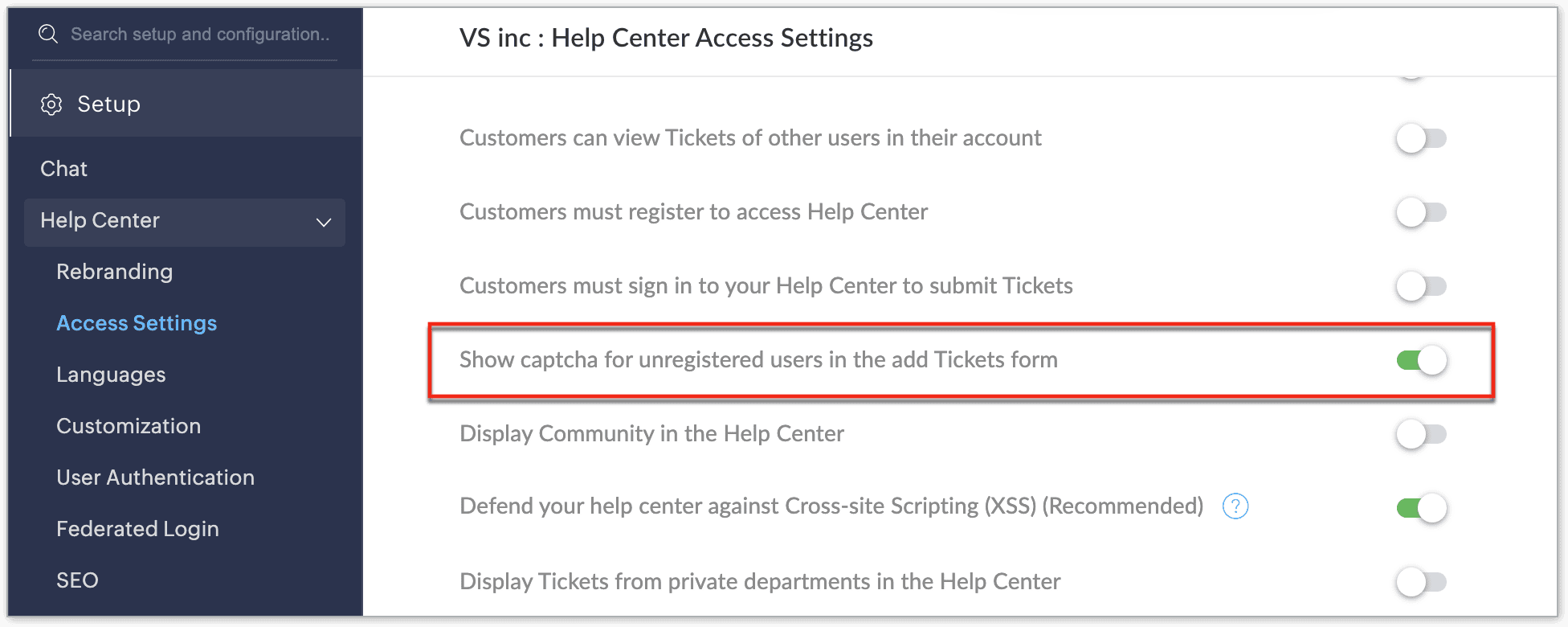
Image-based captcha
The image-based captcha requires users to view a set of images and select the correct answer from the given options. For example, users may be asked to identify specific animals in the displayed image. This helps confirm that submissions are made by humans and not automated bots.
Image-based captcha is supported in the following 52 languages.
- English (En)
- Afrikaans (Af)
- Arabic (Ar)
- Bulgarian (Bg)
- Bengali (Bn)
- Catalan (Ca)
- Chinese (Simplified) (Zh)
- Chinese (Traditional) - zh-tw
- Czech (Cs)
- Danish (Da)
- German (De)
- Greek (El)
- Spanish (Es)
- Persian (Fa)
- Finnish (Fi)
- French (Fr)
- French (Canada) - fr-ca
- Gujarati (Gu)
- Hindi (Hi)
- Croatian (Hr)
- Hungarian (Hu)
- Hebrew (He)
- Indonesian (Id)
- Italian (It)
- Japanese (Ja)
- Georgian (Ka)
- Kazakh (Kk)
- Khmer (Km)
- Kannada (Kn)
- Korean (Ko)
- Malayalam (ML)
- Marathi (Mr)
- Malay (Ms)
- Burmese (My)
- Norwegian Bokmål (Nb)
- Dutch (NL)
- Polish (PL)
- Portuguese (Pt)
- Portuguese (Brazil) - pt-br
- Romanian (Ro)
- Russian (Ru)
- Slovak (Sk)
- Slovenian (SL)
- Swedish (Sv)
- Tamil (Ta)
- Telugu (Te)
- Thai (Th)
- Turkish (Tr)
- Ukrainian (Uk)
- Urdu (Ur)
- Vietnamese (Vi)
Audio-based captcha
The audio-based captcha offers an alternative for those who prefer auditory input, especially useful for people with visual challenges. It presents a simple arithmetic calculation through an audio prompt, which users can listen to and provide an answer.
Audio-based captcha is supported in the following six languages.
- German (De)
- French (Fr)
- Italian (It)
- Russian (Ru)
- Turkish (Tr)
- Telugu (Te)
If any language other than the six supported ones is selected in the help center, the audio captcha will be played in English by default.