QuickNav - A Navigation Assistant
What is QuickNav?
QuickNav is a search and navigation assistant in Zoho Directory that provides admins with a fast and centralized way to locate users, contacts, apps, and more. Actions like resetting passwords, checking MFA status, assigning apps, or managing devices usually require navigating through multiple sections. QuickNav makes this simple by allowing you to find and complete these tasks from a single search interface, without leaving your current context.
How to access QuickNav?
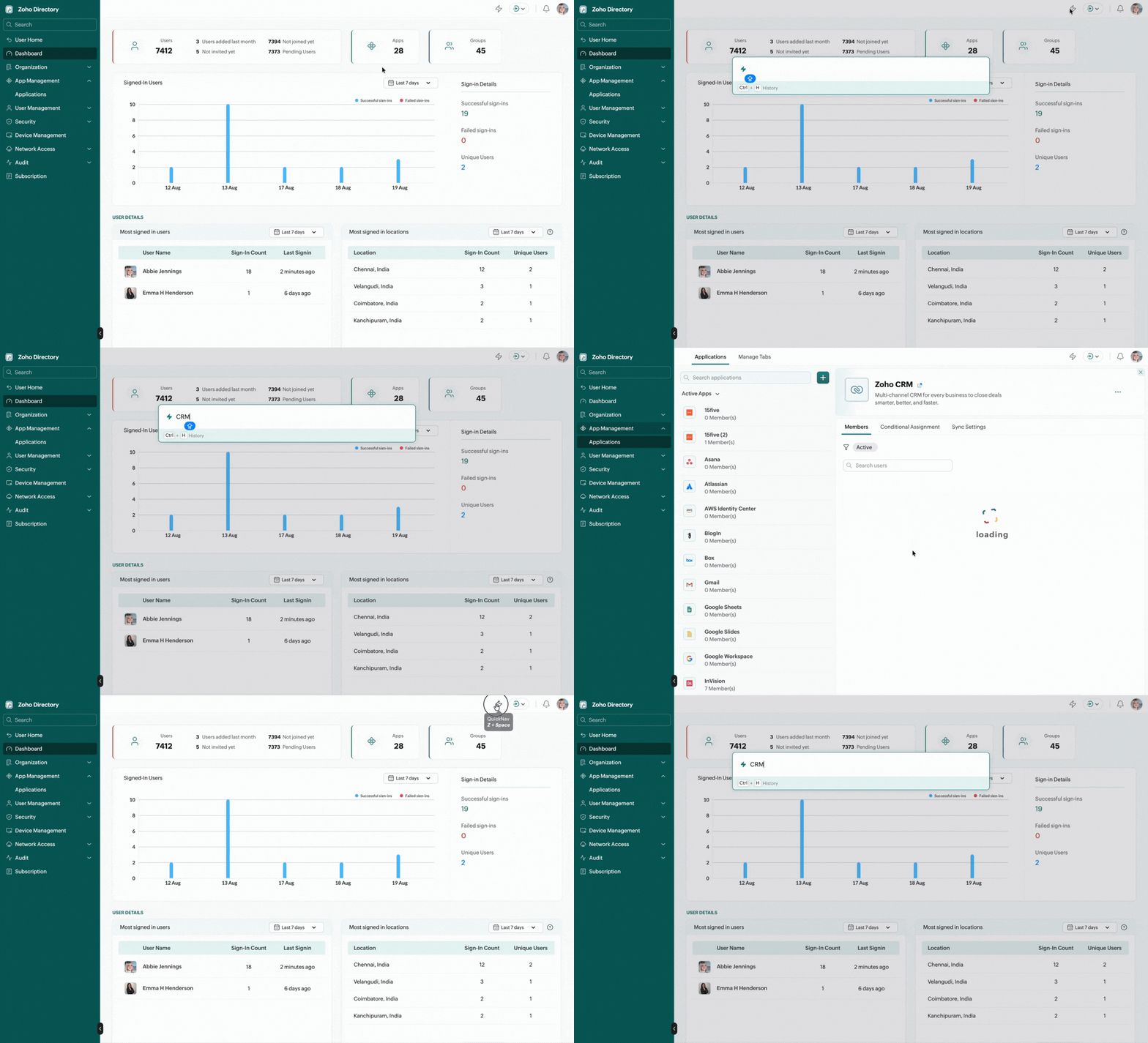
To launch QuickNav, press Z+Space bar keys, or click the icon  in the top right menu.
Type your query and press Tab to move across the filters (Apps, Users, and more). Use the Up and Down Arrow keys to navigate through the results, then press Enter/Return to select the desired result.
Features
- Quick access: Use QuickNav search bar to instantly locate:
- Users
- Apps
- Groups
- Security Policies
- Contact search: Type @ followed by a contact's name to connect with people.
- History: Press Cmd + H (Mac) or Ctrl + H (Windows) to view recent searches.
- Act directly from QuickNav: Search apps, users, and groups, select the desired result to preview and perform actions on them.
- Actions that can be performed:
- Users: View profile, assign applications, reset password, reset MFA
- Apps: Assign users, view application info, open application
- Groups: Assign users, assign application, view group info