Elementor Pro
What is Elementor Pro?
Elementor Pro is a visual website builder plugin for WordPress that provides an intuitive drag-and-drop editor, 100+ pre-designed templates and blocks, advanced design features, and more.
How to connect Elementor Pro to Zoho Flow
Installing the Zoho Flow Plugin in WordPress
Log in to your WordPress account.
- In the left panel, navigate to Plugins and click Add new.
- Search for Zoho Flow and click Install now.
Creating a connection in Zoho Flow
- Create a new flow in Zoho Flow.
- Select the required trigger or action. If you select a trigger, click Next.
- If there are no existing Elementor Pro connections in your account, click Connect. Otherwise, click New.
Alternatively, you can create a new connection by navigating to Settings, then Connections. Click Create connection and choose Elementor Pro. - Enter a connection name.
- You will need the API key, as well as the Base URL of your WordPress website to proceed.
- Follow the steps below to copy the API key and Base URL from your WordPress account and paste them in the respective fields.
- Click Authorize.
Finding the API key
- Log in to your WordPress account.
- Navigate to Zoho Flow on the sidebar menu.
- Click Elementor Pro, then + New API key.
- Provide a label for this API key and click Generate.
- Copy the API key and the Base URL values and paste them into the API key and Base URL fields in Zoho Flow.
Alternatively, you can find the Base URL using the steps below.
Finding your WordPress website's Base URL
- In a new browser tab, log in to your WordPress admin dashboard.
- In your WP Admin dashboard, navigate to Zoho Flow on the left panel, then Settings.
- Copy the Base URL (without the '/' slash at the end, if it is there).
Triggers in Zoho Flow
Form submission added
Use this trigger to automate actions immediately after a user submits a form, such as sending notifications, updating databases, or redirecting to a thank-you page.
Troubleshooting tips and tricks
Why do I get the error 'Elementor Pro says null' when turning on the flow?
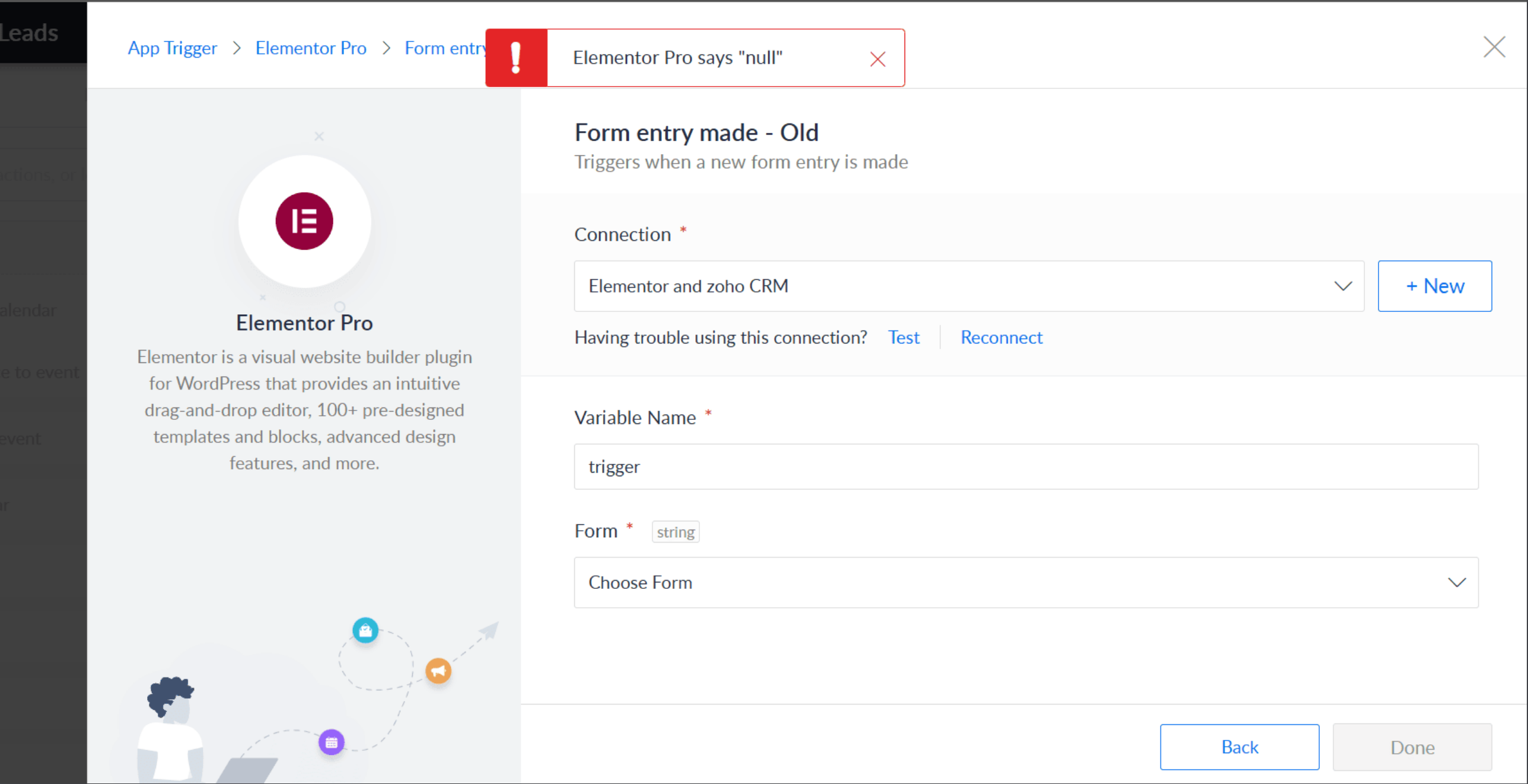
The error may be due to a security-related error. Please verify the following:
Confirm with your hosting provider that there are no restrictions causing this issue.
Ensure the API Key and Base URL entered when creating the connection are correct and valid.
Why are Elementor form submissions showing in the form logs but not triggering the flow?
This could be caused by security plugins or other plugins blocking Zoho Flow. Try disabling these plugins and check with your hosting provider, as they might be preventing Zoho Flow triggers from activating form submissions.
Why are some Elementor Pro forms not showing up in Zoho Flow?
To solve this, follow the instructions below.
- Ensure the Elementor Pro is set to Collect Submissions (along with other actions like 'Email') in the Elementor Pro settings.
- Manually submit the form that's not appearing.
- Reconnect the Elementor Pro connection in the flow trigger, and check if the form shows up.
If the above steps don't work, try using a webhook trigger. This involves configuring the form to send submission data directly to Zoho Flow using a webhook URL through the webhook action in Elementor Pro.