Jira Cloud
What is Jira Cloud?
Jira Cloud is project management software for agile teams. With features such as backlog prioritization, issue tracking, and sprint planning, you can plan and execute your projects effectively.
How to connect your Jira Cloud account to Zoho Flow
- Select the trigger or action required. If you select a trigger, click Next.
- If there are no existing Jira Cloud connections in your account, click Connect. Otherwise, click New connection.
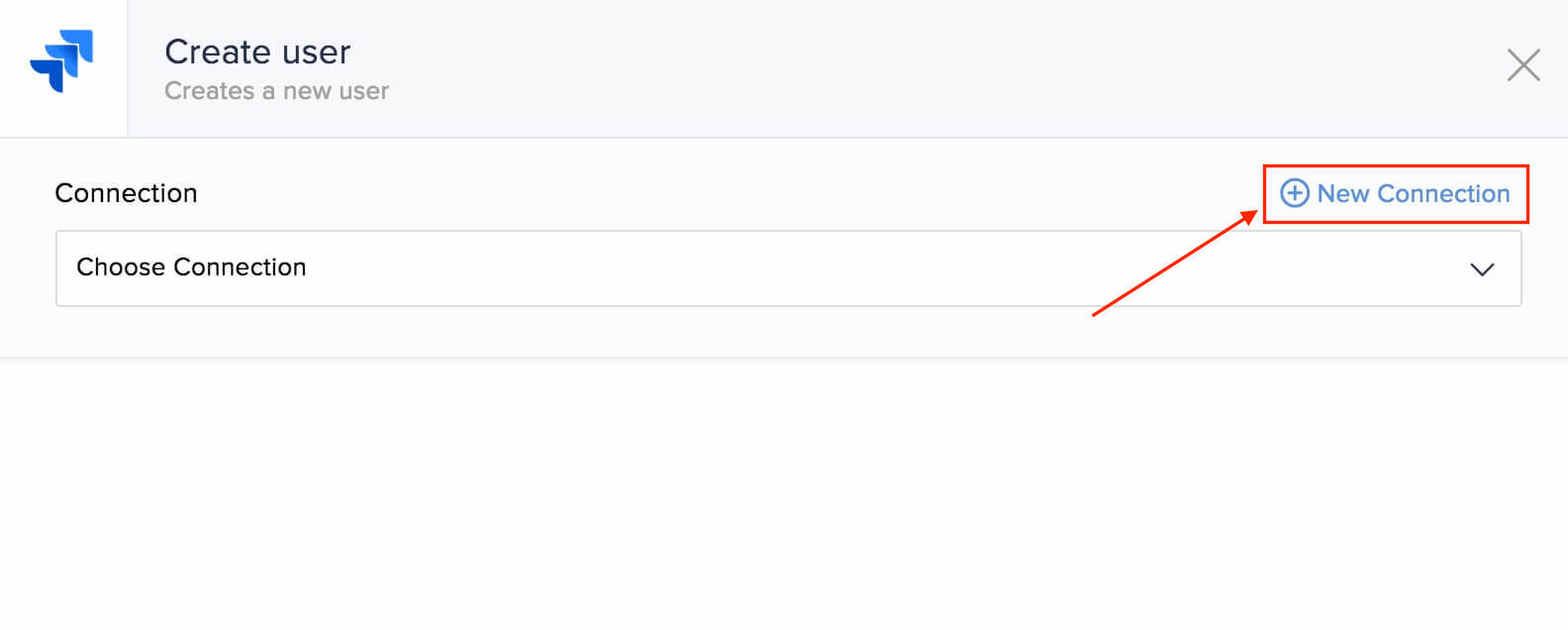
- Alternatively, you can create a new connection by navigating to Settings, then Connections. Click Create connection and choose Jira Cloud.
- Enter a connection name and user email.
- To get an API token, navigate to https://id.atlassian.com/manage/api-tokens and click API Tokens, then Create API token. Enter a label to identify the token and click Create.
Your subdomain will be available in your Jira Cloud URL. For example, if you access your Jira Cloud account using https://example.atlassian.net/, then example is your subdomain. - Click Authorize to allow Zoho Flow to access your account.
API documentation
Triggers and actions available in Zoho Flow
Triggers
New comment
This trigger lets you sync comments between your helpdesk software and Jira Cloud, or add notes when a new comment is added.
New issue
Use this trigger to create a ticket in your helpdesk software and notify the team on chat when a new issue is created.
New or updated work log
Sync work logs to your time tracking or resource management software using this trigger.
New project
Create new spreadsheets, deals in CRM software, or folders in document management software when a new project is created.
Updated issue
This trigger lets you update details of the specific ticket or add to notes when the details of an issue are updated.
Updated issue status
Use this trigger to caution respective teams via email if the issue status is updated to a specific value and needs immediate attention.
Actions
Create issue
Create issues based on form submissions, social media posts, or tagged emails.
Create user
This action lets you create users in your Jira Cloud account when new employee is added in your HR management software or a new agent is added in helpdesk software.
Update issue
Use this action to update the details of an issue based on updates in tickets, spreadsheet rows, or tasks.