QuickBooks
What is QuickBooks?
QuickBooks is cloud accounting software that lets you manage expenses, create invoices, and track inventory.
How to connect your QuickBooks account to Zoho Flow
- Select the required trigger or action. If you select a trigger, click Next.
- If there are no existing QuickBooks connections in your account, click Connect. Otherwise, click New connection.
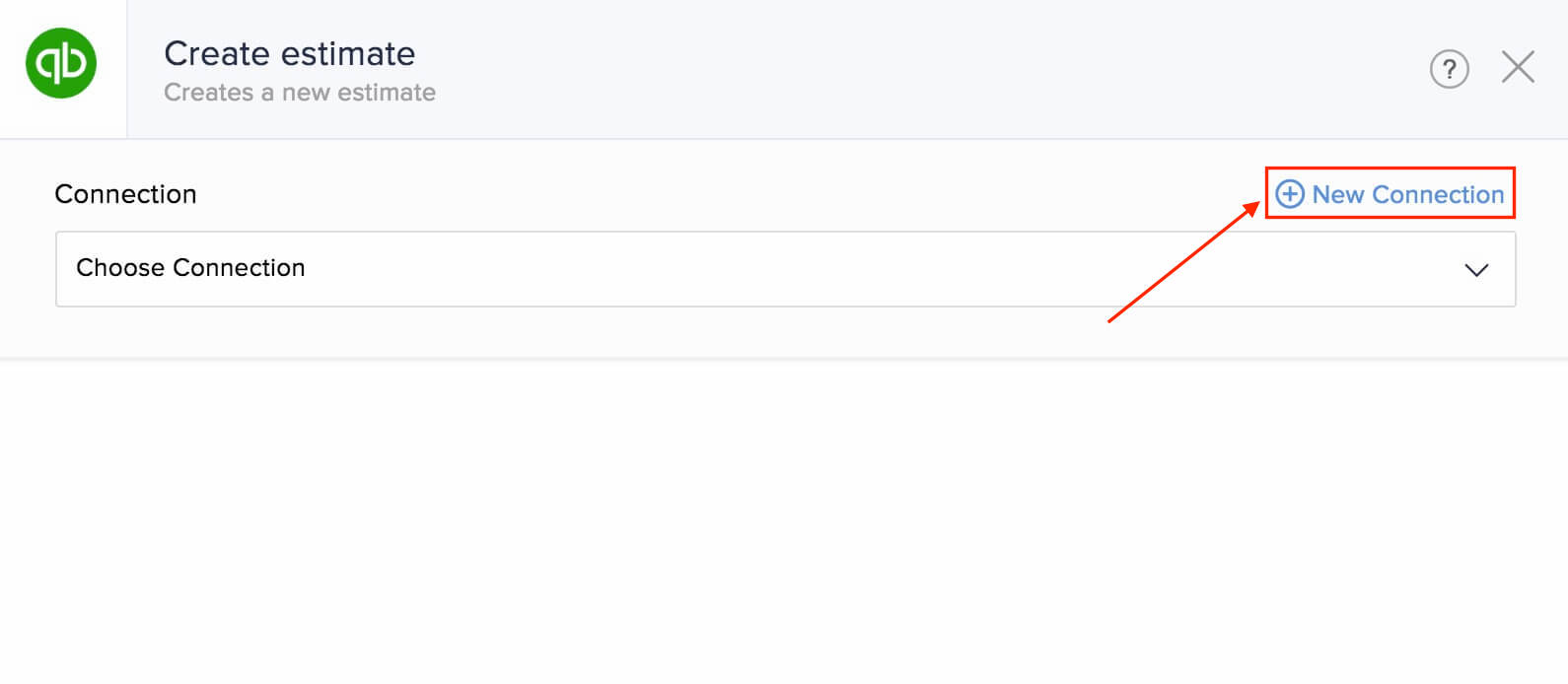
- Alternatively, you can create a new connection by navigating to Settings, then Connections. Click Create connection and choose QuickBooks.
- Enter a connection name, then click Authorize.
- Sign in to your QuickBooks account and click Connect to allow Zoho Flow to access your account.
API documentation
Triggers and actions available in QuickBooks
Triggers
New account
This trigger allows you to create accounts in CRM or helpdesk software when a new QuickBooks account is created.
New customer
Use this trigger to keep customer data updated across your CRM, marketing database, and QuickBooks accounts.
New estimate
Add contacts from estimate to your mailing list, add estimate details to a spreadsheet, or create a task when an estimate is generated.
New invoice
When a new invoice is created, use this trigger to email your customer, calculate and update current inventory stock, or add data to your reporting system.
New sales receipt
Record sales in a spreadsheet and add the associated contact to your mailing list with this trigger.
New vendor
This trigger lets you add data to CRM, send an onboarding email, and let your team know about new vendors in chat.
Payment received
Use this trigger to send a confirmation email to the customer, create a task, and update the invoice status when a payment is received.
Actions
Create bill - Account based
Generate bills for accounts based on new bookings, deals, and time sheet entries.
Create bill - Item based
Create item based bills for new orders in your store or signed documents from customers.
Create customer
This action lets you create a new customer based on data from sign-up forms, tickets, or emails.
Create estimate
Use this action to create an estimate when a deal or project is created.
Create inventory item
Use this action to create an item in QuickBooks every time a new item is added in your inventory management software.
Create invoice
This action allows you to create invoices based on orders, accepted estimates, or when a deal is closed.
Create non-inventory item
Create non-inventory items based on form entries, appointments, or emails.
Create sales receipt
Create sales receipts based on meetings in remote assist software, new expenses, or spreadsheet rows using this action.
Create service item
Use this action to create service items from new modules in your CRM account or appointment types in your scheduling software.
Create vendor
Create vendors from purchase orders, CRM entries, or form approvals.
Fetch category
This action lets you fetch category details for more details about a specific category.
Fetch customer
Fetch the details of a customer to send personalized emails or product recommendations.
Fetch invoice
Use this action to get all details about a particular invoice.
Fetch item
Fetch an item to check if it exists, and then create or update the item details.
Send estimate
Use this action to send estimates when deals are updated or tasks are created.
Send invoice
Send invoices at periodic intervals or based on the status of orders in your ecommerce store.
Send sales receipt
Send sales receipts to customers based on ticket or task updates with this action.