Rebrandly
What is Rebrandly?
Rebrandly is a custom URL shortener that lets you share branded links. You can create or import links in bulk, turn links on or off, and track clicks based on different parameters.
How to connect your Rebrandly account to Zoho Flow
- Select the required trigger or action. If you select a trigger, click Next.
- If there are no existing Rebrandly connections in your account, click Connect. Otherwise, click New connection.
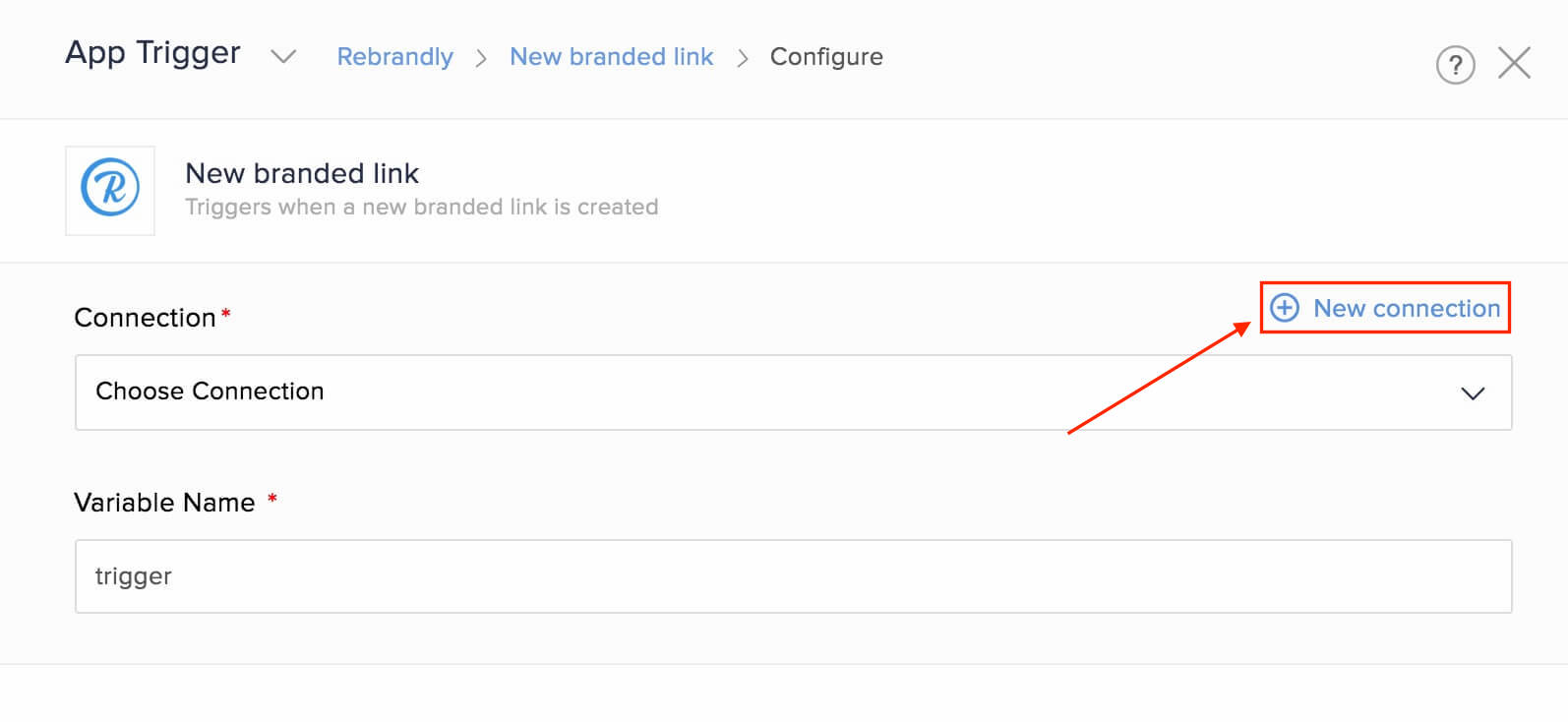
Alternatively, you can create a new connection by navigating to Settings, then Connections. Click Create connection and choose Rebrandly. - Enter a connection name, then click Get API key. A new browser tab will open.
- In your Rebrandly account, click New API key.

Copy and paste the value in your flow configuration. - Click Authorize.
API documentation
If you experience any Rebrandly-related errors in your flows or if you wish to learn more about the Rebrandly API, the API documentation can be found here.
Triggers and actions available in Rebrandly
Triggers
Click goal reached
Use this trigger to make an announcement in your team collaboration tool, or send an email to your team when a click goal is reached.
New branded link
When a new branded link is created, use this trigger to add a spreadsheet row, or send it as a message in team chat.
Actions
Create branded link
Create branded links based on starred messages in chat, new tasks, or every time a social media post is made from a specific account.
Fetch branded link
This action lets you fetch a branded link before updating it.
Update branded link
Use this action to update branded links based on tagged emails or form entries.