TSheets
What is TSheets?
TSheets is time-tracking software that you can use to view real-time reports, build employee schedules to manage payroll, and set up overtime alerts.
How to connect your TSheets account to Zoho Flow
- Select the required trigger or action. If you select a trigger, click Next.
- If there are no other TSheets connections in your account, click Connect. Otherwise, click New connection.
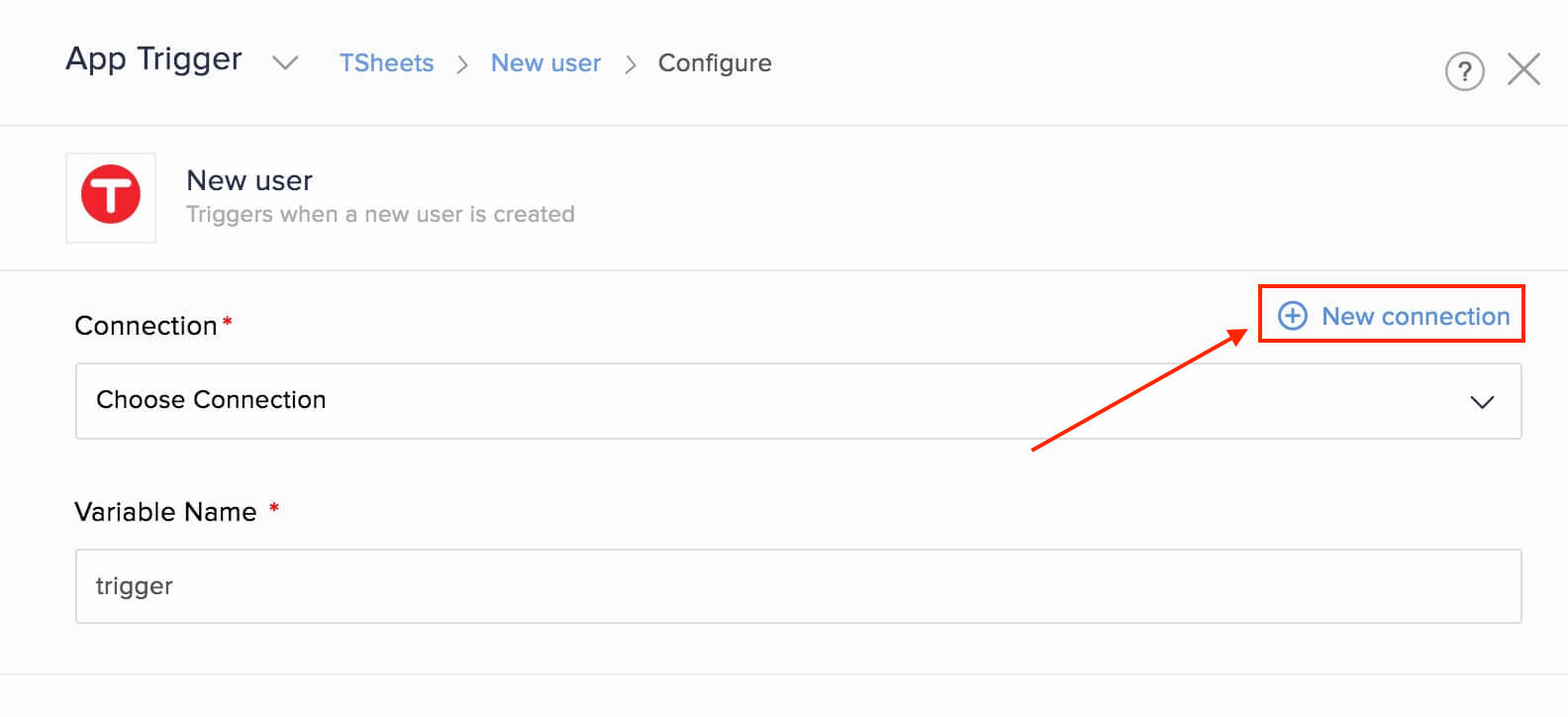
Alternatively, you can create a new connection by navigating to Settings, then clicking Connections. Click Create connection and choose TSheets. - Enter a Connection name and click Authorize.
- Enter your TSheets credentials in the pop-up.
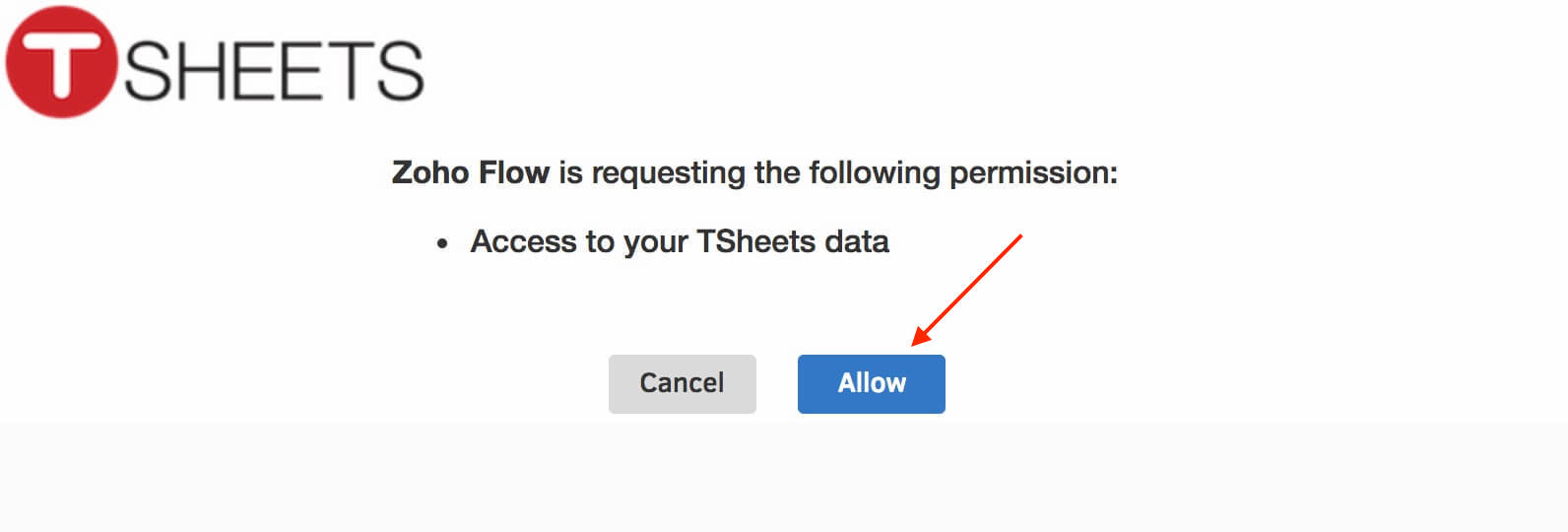
- Click Allow to authorize Zoho Flow to access your account.
API documentation
Triggers and actions available in Zoho Flow
Triggers
New job
Notify your team through chat, create tasks, or add tickets to keep track of new jobs.
New or updated timesheet entry
Create or update tasks, spreadsheet rows, and expense reports, based on new or updated timesheet entries.
New timesheet entry
This trigger lets you manage budgets, create invoices, and send emails when a new timesheet entry is created.
New user
Use this trigger to sync user data with your accounting, ticketing, and CRM software.
Actions
Create timesheet entry
Create timesheet entries based on calendar events, form entries, or spreadsheet rows.
Create user
This action lets you create users based on new contacts in your payroll or expense reporting applications.
Fetch job code
Use this action to fetch more details about a job code.
Fetch payroll report
Fetch the details of the payroll report to get more details.
Fetch user
Fetch user details to check if the user exists in your TSheets account.