Zoho Creator
What is Zoho Creator?
Zoho Creator is a development platform that helps you launch custom, mobile-ready apps without requiring coding skills. You can build new apps or install pre-built ones, customize what users see, and manage databases.
How to connect your Zoho Creator account to Zoho Flow
- Select the trigger or action required. If you select a trigger, click Next.
- If there are no existing Zoho Creator connections in your account, click Connect. Otherwise, click New connection.
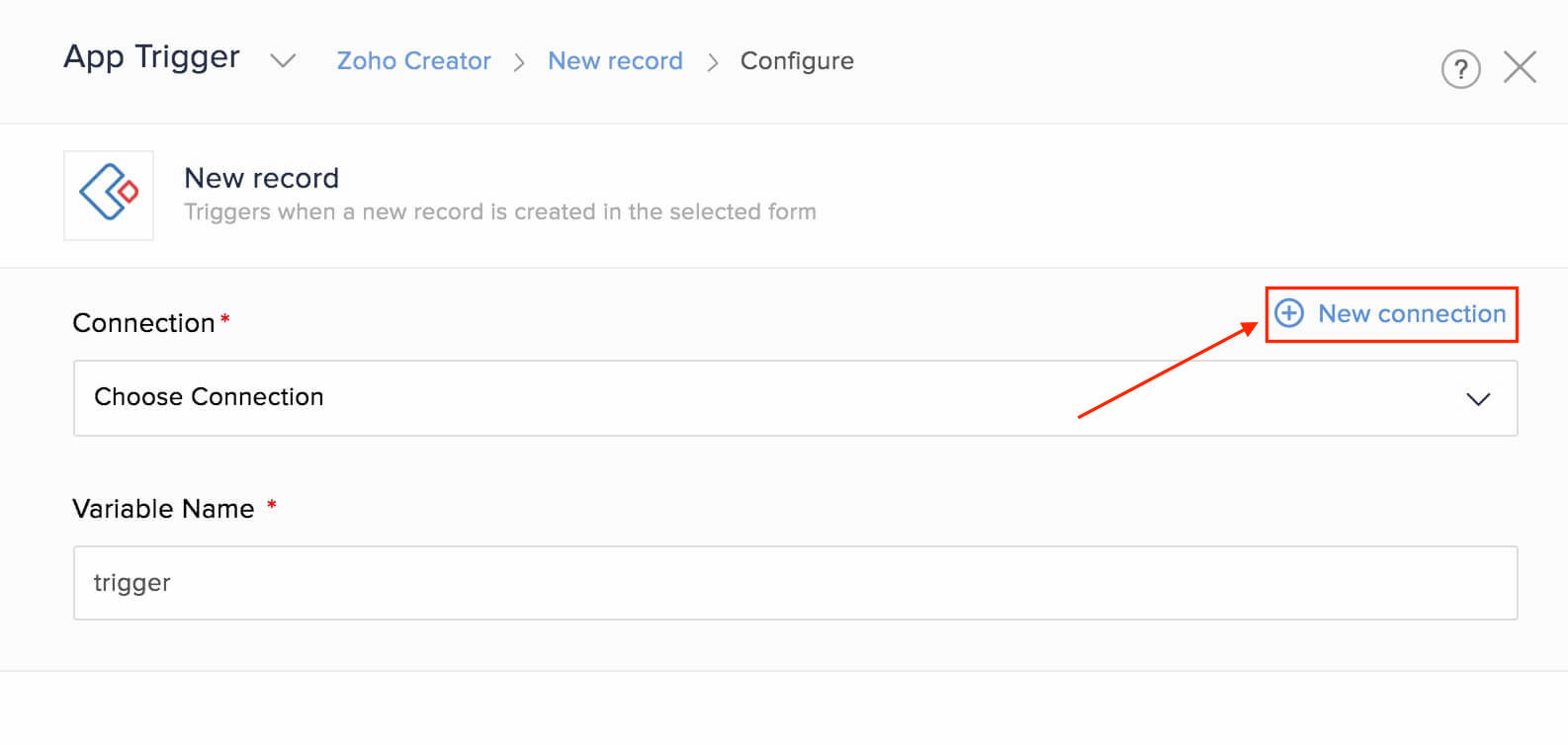
Alternatively, you can create a new connection by navigating to Settings, then Connections. Click Create connection and choose Zoho Creator. - Enter a connection name and click Authorize.
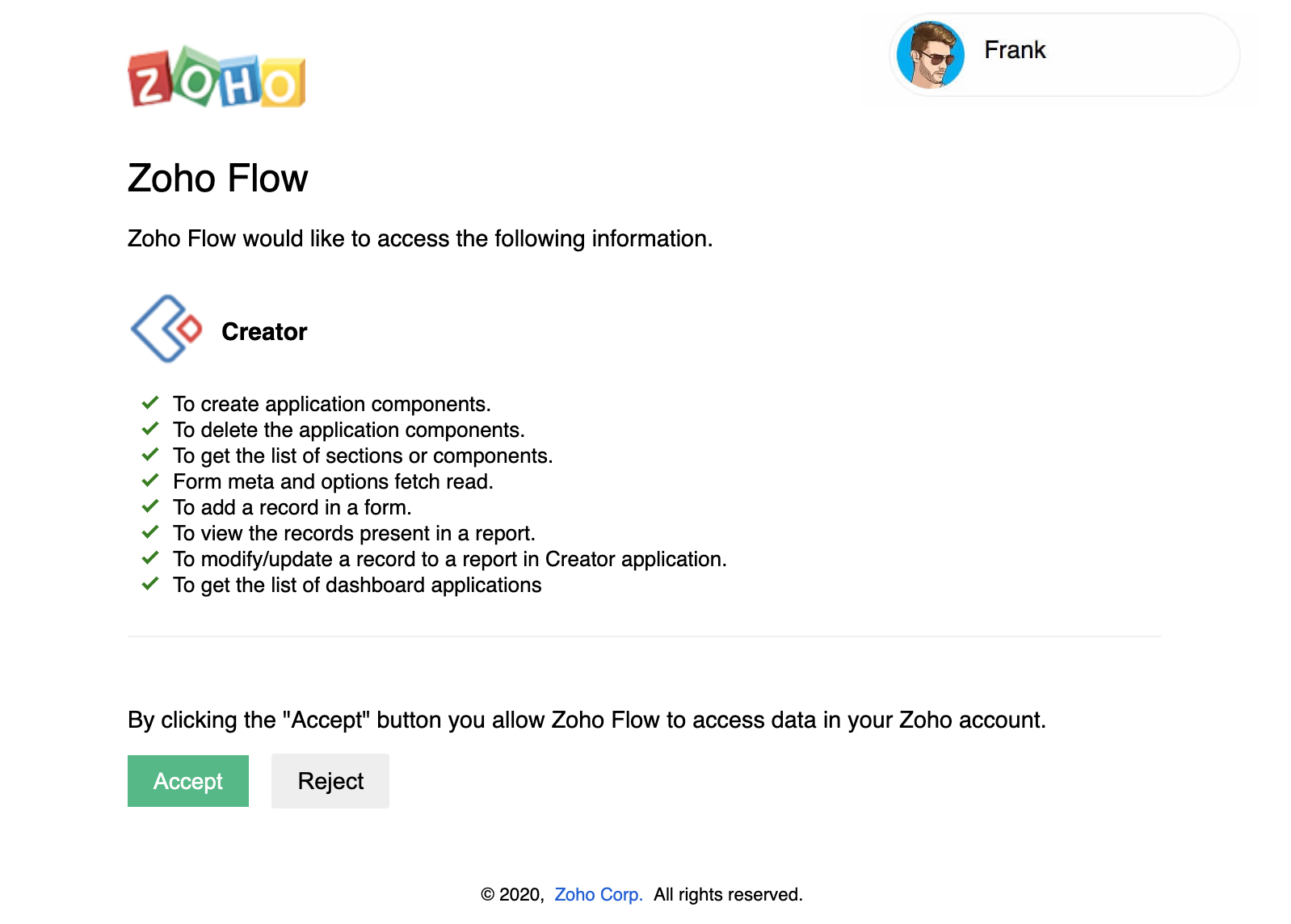
- Click Accept and allow Zoho Flow to access your account.
API documentation
If you experience any Zoho Creator-related errors in your flows or if you wish to learn more about the Zoho Creator API, the API documentation can be found here.
Triggers and actions available in Zoho Flow
Triggers
New record
Use this trigger to send confirmation emails, add data to spreadsheet, or add rows to reports when a new record is created.
Updated record
This trigger allows you to update data in other apps and be notified via chat when an existing record is updated.
Actions
Create record
Create records in your application based on spreadsheet rows, emails, or tasks.
Fetch record
Fetch a record to check if it is available and update it.
Update record
Use this action to update a record based on updates in your CRM, inventory, or other applications.
Note:
- While mapping values for multi-select and checkbox fields, separate values using a comma.
- "Custom value for Lookup" field will only accept Record ID.
- In Fetch record action, to search for a record using a sub-field, configure the formula to ${variablename.mainfield.subfield}. For example, if your trigger variable name is fetchrecord, and you need to search for a record using City from Address, use the formula ${fetchrecord.address.city}.
Common problems
- The flow does not trigger when a record is created or updated
If a record is created or updated through Deluge, Creator does not support triggering. You must create or update the records manually to trigger your flow.