Zoho Forms
What is Zoho Forms?
Zoho Forms is a form builder solution that helps you create, share, and collect data through forms for all your business needs. You can also create custom data reports, configure email notifications, assign tasks and approvals to your team mates, and personalize your customer follow-up process.
How to connect your Zoho Forms account to Zoho Flow
- Select the trigger, then click Next.
- If there are no existing Zoho Forms connections in your account, click Connect. Otherwise, click New connection.
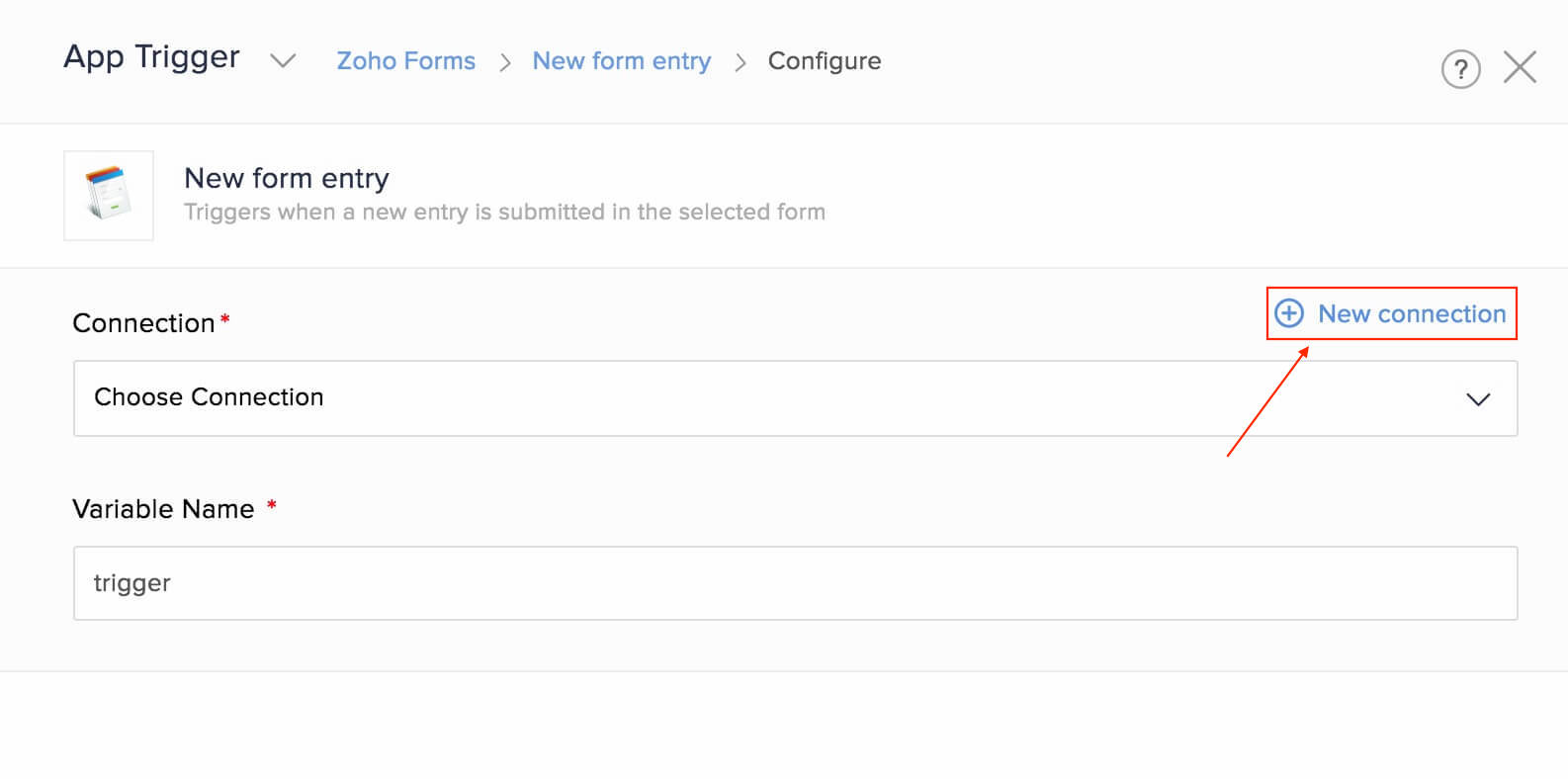
- Alternatively, you can create a new connection by navigating to Settings, then Connections. Click Create connection and choose Zoho Forms.
- Enter a connection name, then click Authorize.
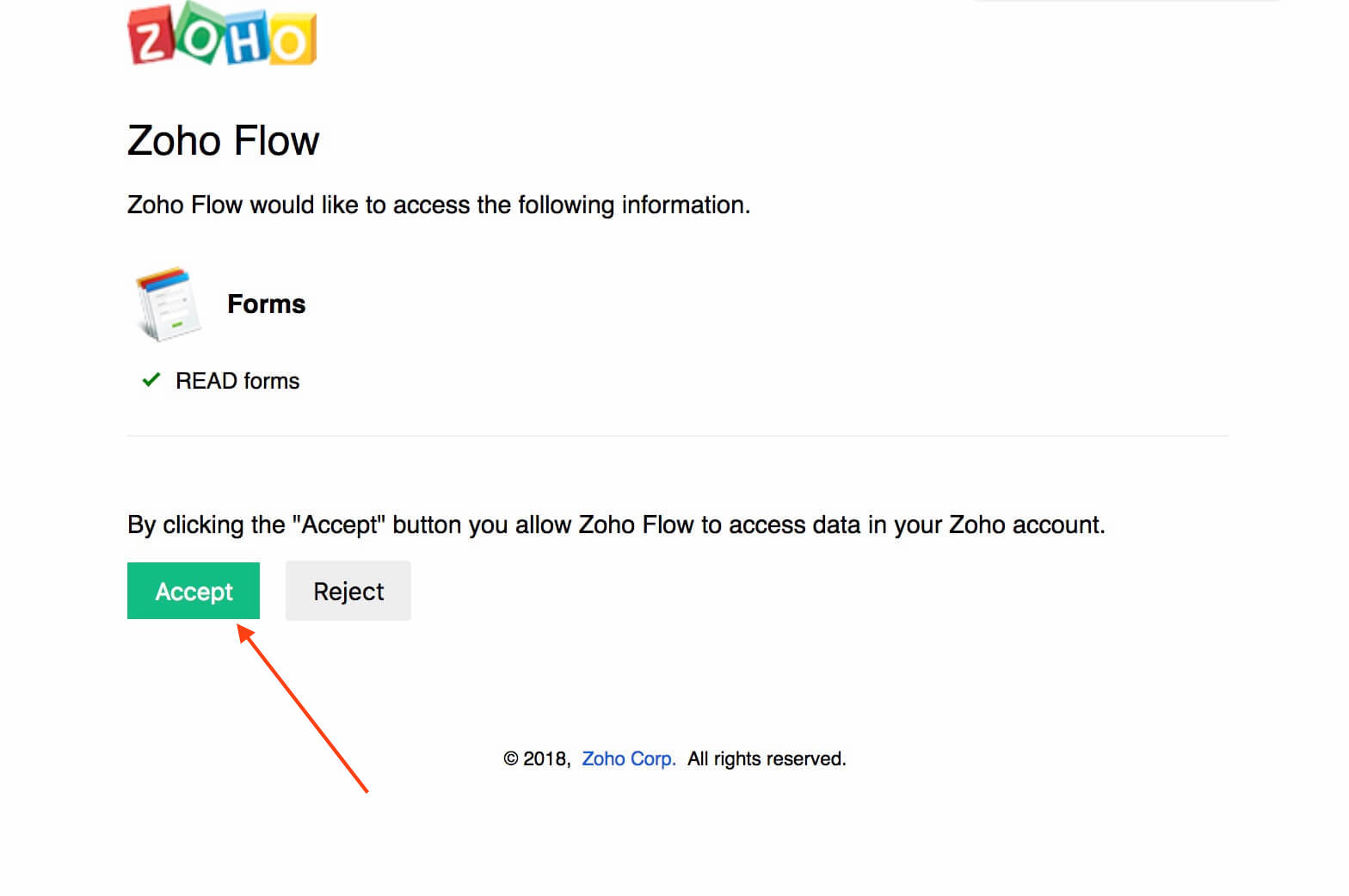
- Click Accept to allow Zoho Flow to access your account.
Triggers and actions available in Zoho Flow
Triggers
New form entry
Use this trigger to create tickets, add tasks, or track sign-ups using form submissions.
Actions
None, for now.
What does a date or date-time field followed by 'pretty' mean?
The date or date-time values from Zoho Forms come in two formats. For example, if you have a date field called Start date in your form, Zoho Forms returns Start date and Start date (Pretty) for each entry.
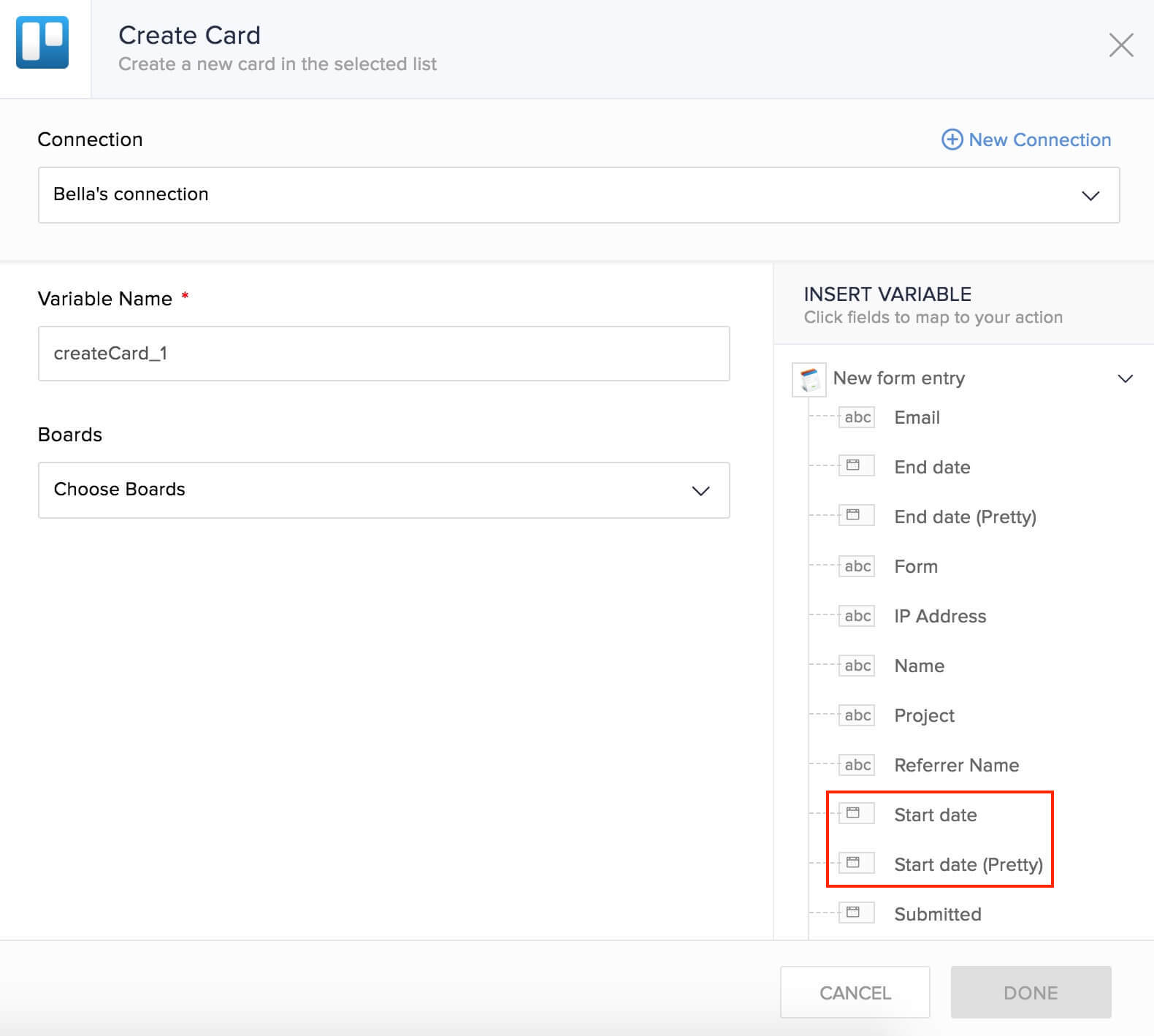
The field Start date is date in ISO 8601 format (E.g.: 2019-01-06T22:08:51.000-08:00).
Fields that contain 'pretty' are in human-readable form. Zoho Forms provides these fields in dd-MMM-yyyy HH:mm:ss format. In this example, Start date (Pretty) would be 06-Jan-2019 22:08:51.