Zoho Analytics Integration
Zoho Analytics is a self-service Business Intelligence (BI) and data analytics software that lets you analyze your data, create stunning data visualizations, and discover hidden insights in minutes.
With the Zoho Forms - Zoho Analytics integration, you can set up an advanced analytics and analyze key performance metrics from your data in Zoho Forms.
Integration Setup
To set up the data import or synchronization process between Zoho Forms and Zoho Analytics,
- Log in to your Zoho Analytics account.
- Under Workspaces, click
in the top-right corner.
- Search for Zoho Forms and click the same.
- You will see an Import wizard with the steps to set up data import or synchronization process between Zoho Forms and Zoho Analytics. Click Next.
- Enter a Workspace Name for your identification to distinguish between any other imports that you have created. You can optionally provide a Workspace Description.
- Select the desired forms for which you wish to import data under Forms and the respective form fields under Fields.
- You can setup a time interval to schedule the data import and synchronize the data from Zoho Forms under How Often.
- Click Create.

Initial data import will take from a few minutes to a couple of hours depending on the volume of data in your form. You will be notified via email once the process is completed. Accessing the workspace before the data import for the selected forms is completed will not show any data (i.e., empty tables).
Learn more about data synchronization.
Learn more about data synchronization.
Analyze and create reports and dashboards over your Zoho Forms data.
Here is an example of how the data would look like.
 Note: This integration is supported only in our paid plans.
Data synchronization
Data synchronization in this integration means the process of maintaining consistency between the Zoho Forms data and the data imported to Zoho Analytics.
If you are a Basic plan user of Zoho Analytics, you can synchronize your data once every day. If you are a user of the Standard plan or above, you can choose to synchronize your data at one of the hourly intervals mentioned below:
- 3 Hours
- 6 Hours
- 12 Hours
- Every day
You can edit the Zoho Forms synchronization setting if you are the administrator of the Zoho Forms Analytics account. To do so,
- Open the corresponding Zoho Forms Analytics Workspace in Zoho Analytics.
- Click Data Sources on the left panel.
- Click the Edit Setup link and modify the settings as required.
To synchronize your data instantly,
In the Data Sources page, click the Sync Now link inline with the Synchronizations Done option. The data will get instantly synchronized.
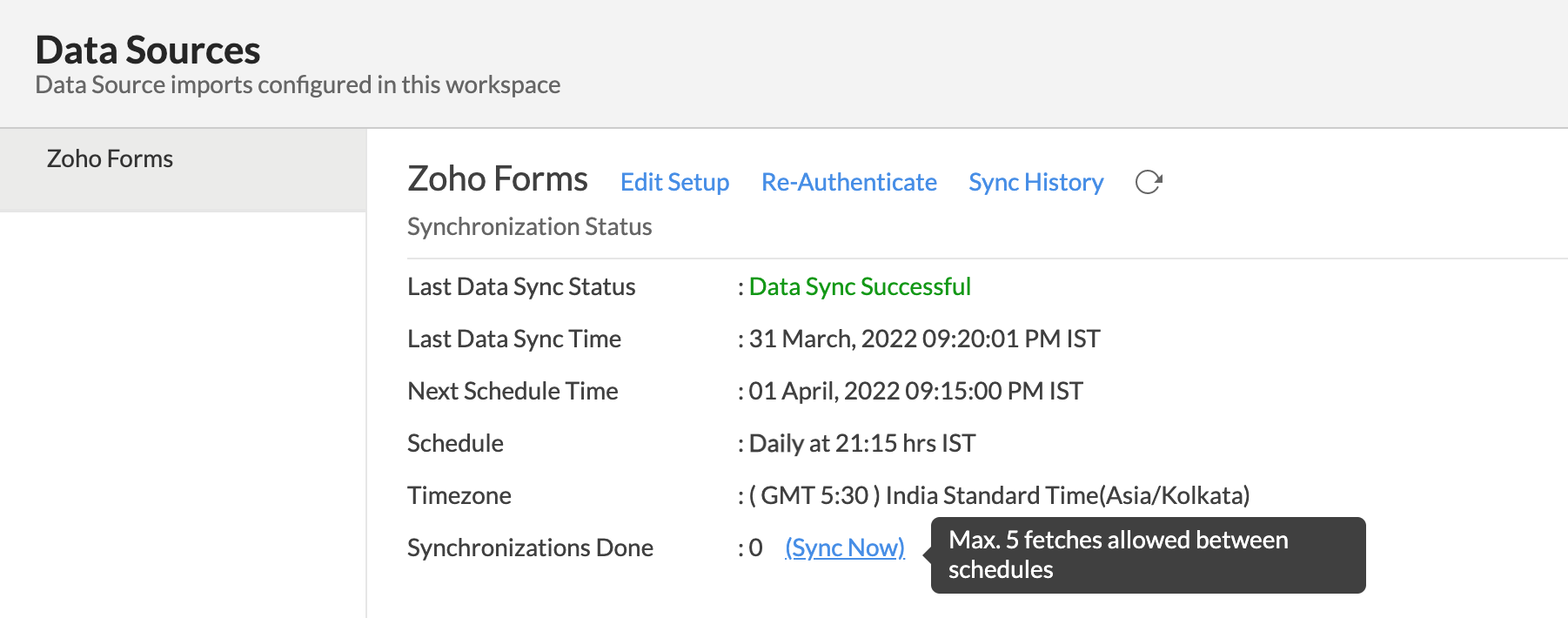
Note: This option can be used up to five times between the schedule.