Automate Venue Bookings with the Day Availability Field in Zoho Forms
The manager of The Grand Hall event venue wants to automate their booking process. He needs to ensure that once a specific date is booked for a full-day event like a wedding or corporate party, that date is instantly removed from the available options for all other potential clients. The logic is simple:
- If a date is booked once, the availability for that day is reached, and the date must be marked as unavailable for future respondents.
This control over the booking calendar is achieved by using the Day Availability Field.
Watch a quick video to understand how to configure this
Watch a quick video to understand how to configure this
Form Building
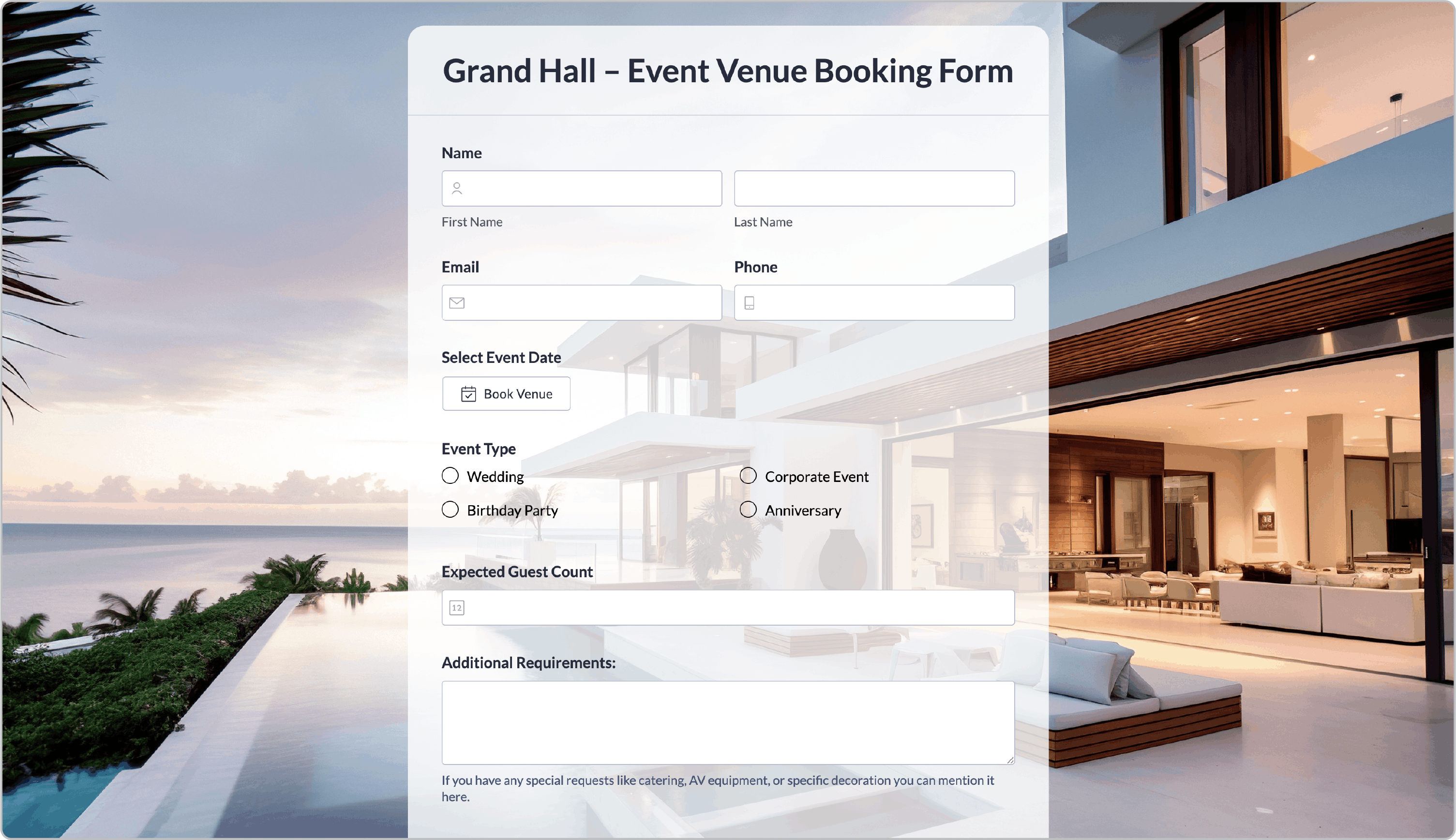
The manager creates a form to capture necessary client and event details, adding the Day Availability field from the Availability section to manage the booking calendar.
Slot Availability
To configure the logic, the manager navigates to the Slot Availability settings for the field:
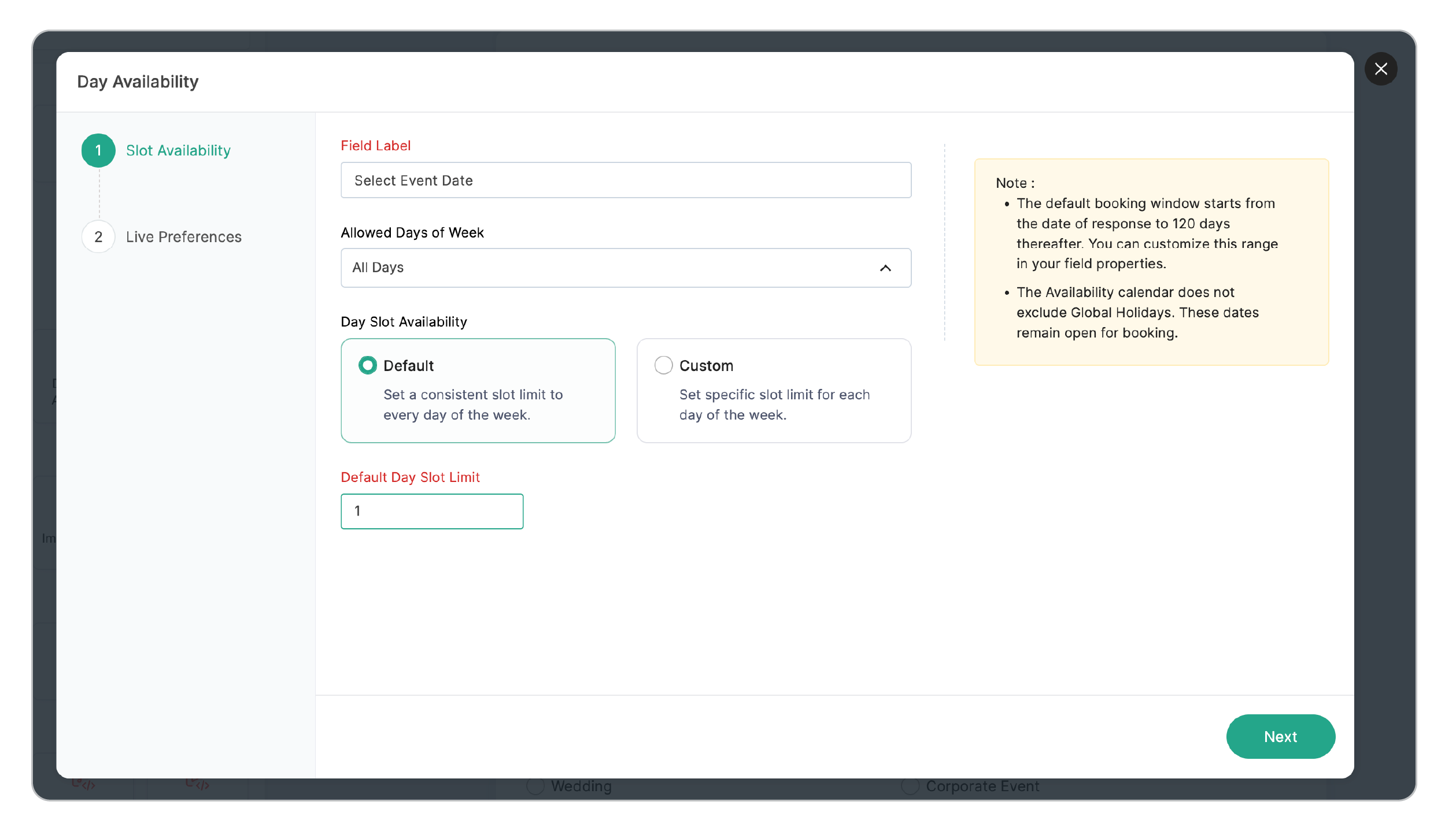
Field Name: Sets the field name as Select Event Date.
Allowed Days of Week: Selects all days of the week to ensure clients can book for any date.
Day Slot Availability: Chooses the Default option to set a uniform booking rule for the entire week.
Default Day Slot Limit: Sets the value to 1 to ensure the system only accepts a single booking per calendar day.
Live Preferences
The manager then customizes the user-facing settings:
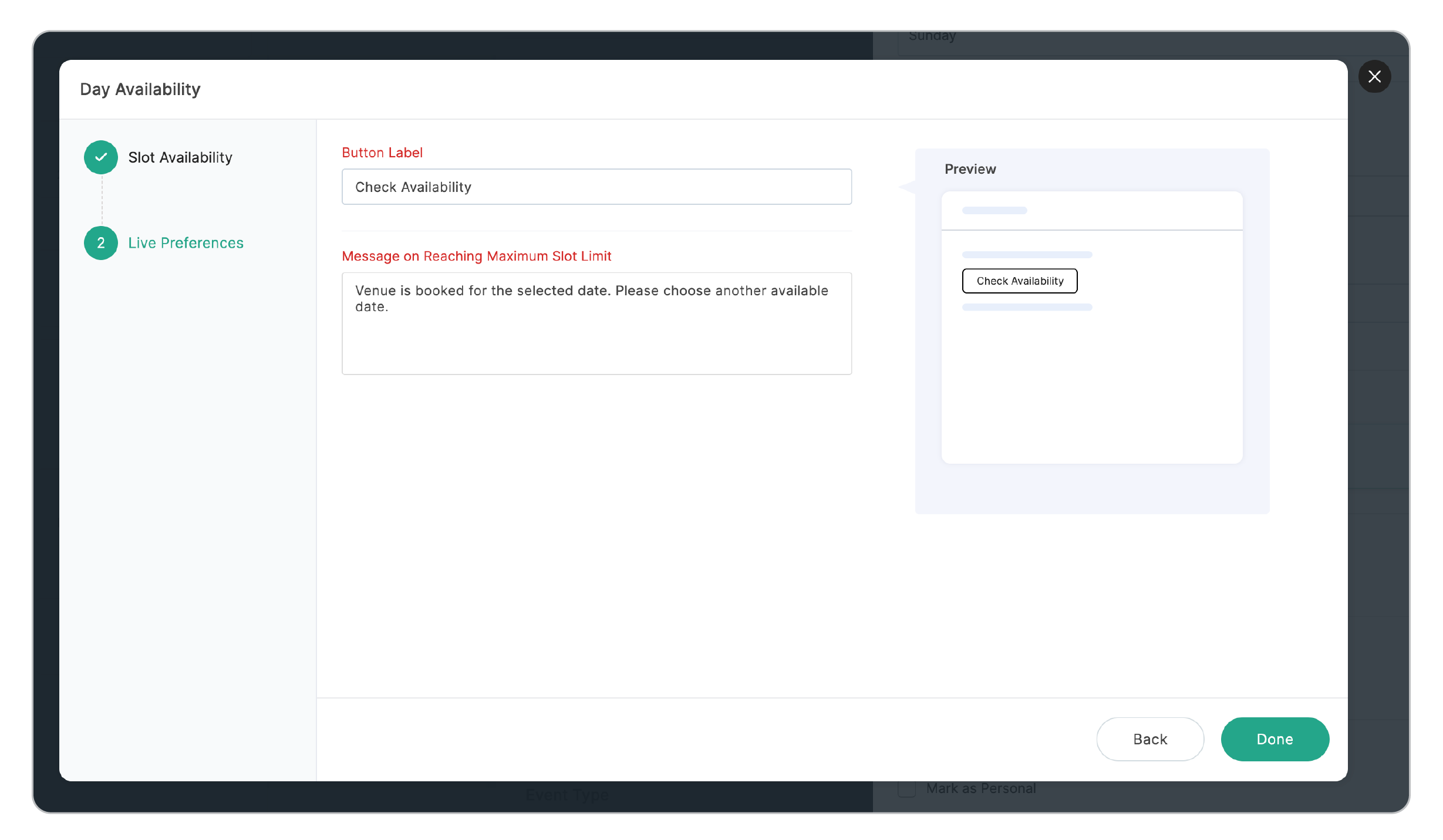
Button Label: Sets the button text as Book Venue.
Message on Reaching Slot Limit: Enters a notification as: "Venue is booked for the selected date. Please choose another available date."
How this Works
- A potential client fills in the form and selects Sunday, November 23rd, 2026 for their corporate event.
- Upon submitting the form, the Day Slot Limit of 1 for November 23rd is reached.
For all subsequent respondents, November 23rd becomes unavailable on the calendar, preventing double-bookings.
By implementing the Day Availability field with a limit of 1, the venue manager has automated the process of managing single-day bookings, ensuring accurate real-time calendar management and providing a seamless experience for everyone booking their venue.