After setting up UTM Tracking, why do I see forms.zohopublic.com/referral as the source or medium instead of the UTM parameters configured?
Use the Advanced UTM Tracking code provided in Zoho Forms to track the source along with the form submission. Refer to help for more details.
Case 1 : If you are redirecting your form to the default Thank You page,
Case 1 : If you are redirecting your form to the default Thank You page,
- In your form builder, navigate to Settings > General > Thank You page & Redirection.
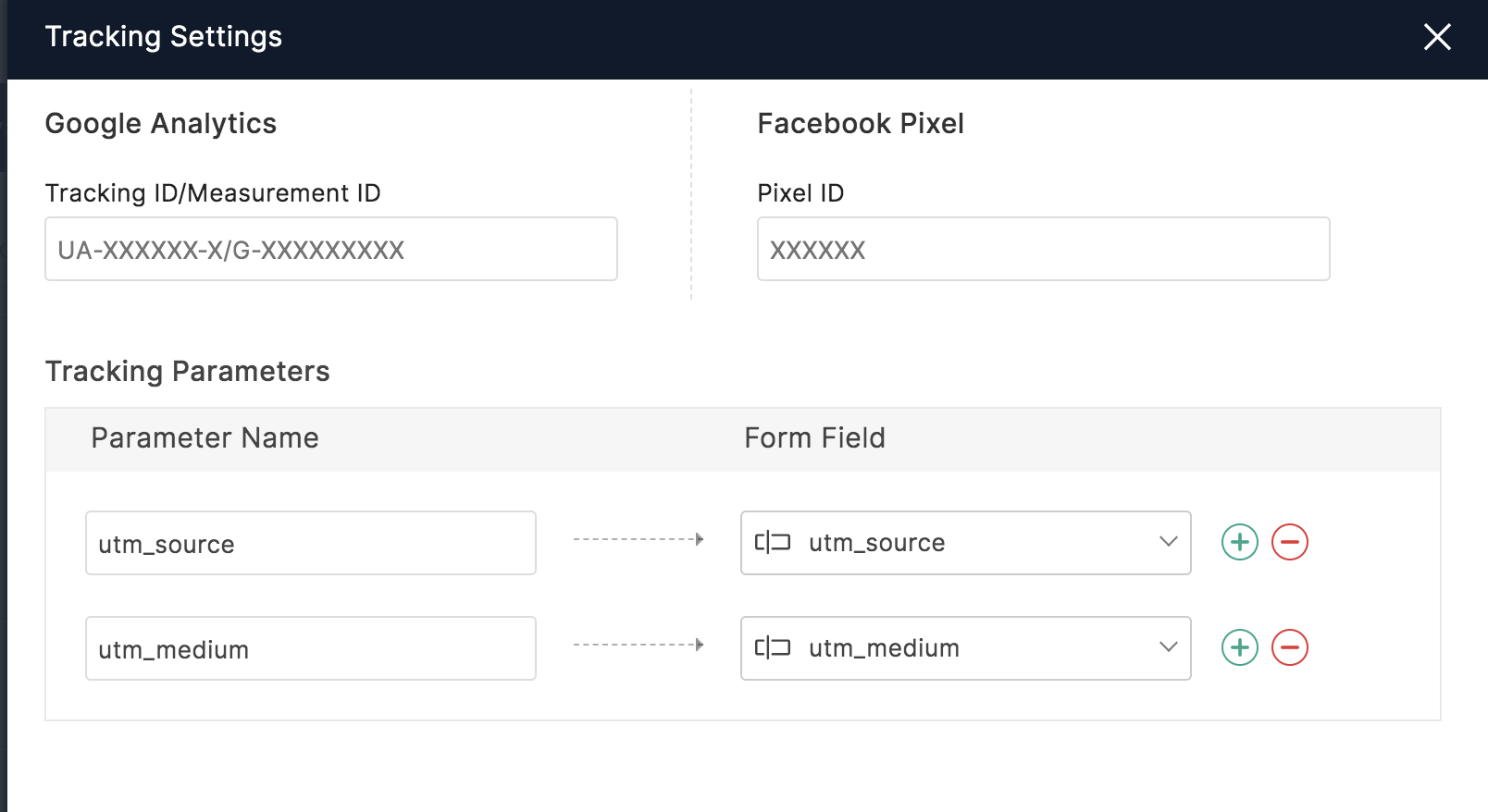
- Select Add Google Analytics.
- Click +Tracking Parameters as shown to map the UTM parameters.
Case 2 : If you are redirecting your form to a custom Thank You page,
- In your form builder, navigate to Settings > General > Thank You page & Redirection > Redirect To.
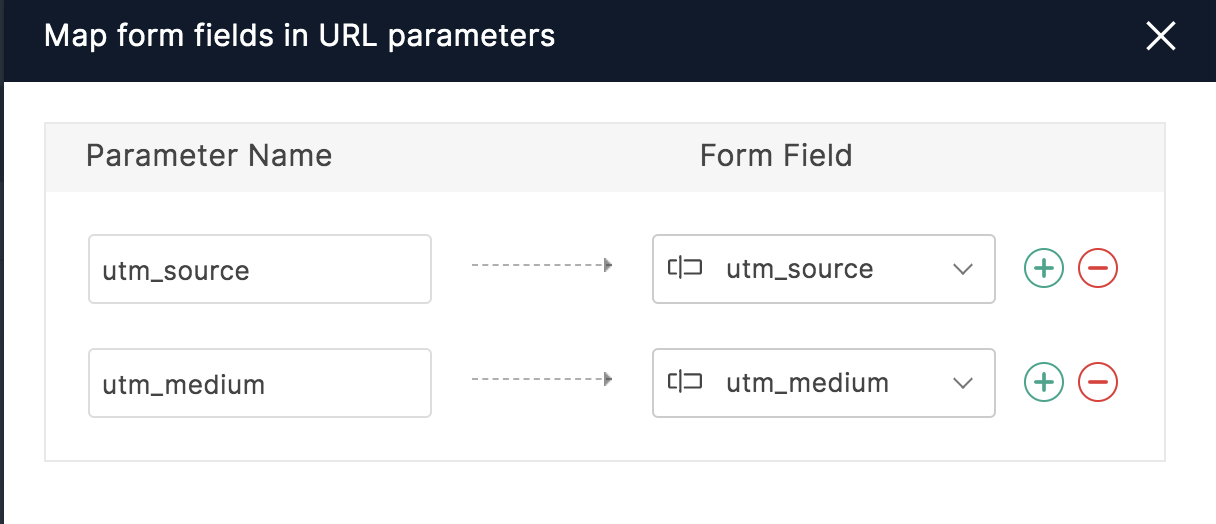
- Select the Prefill field values in website URL option and map form fields in URL parameters as shown.