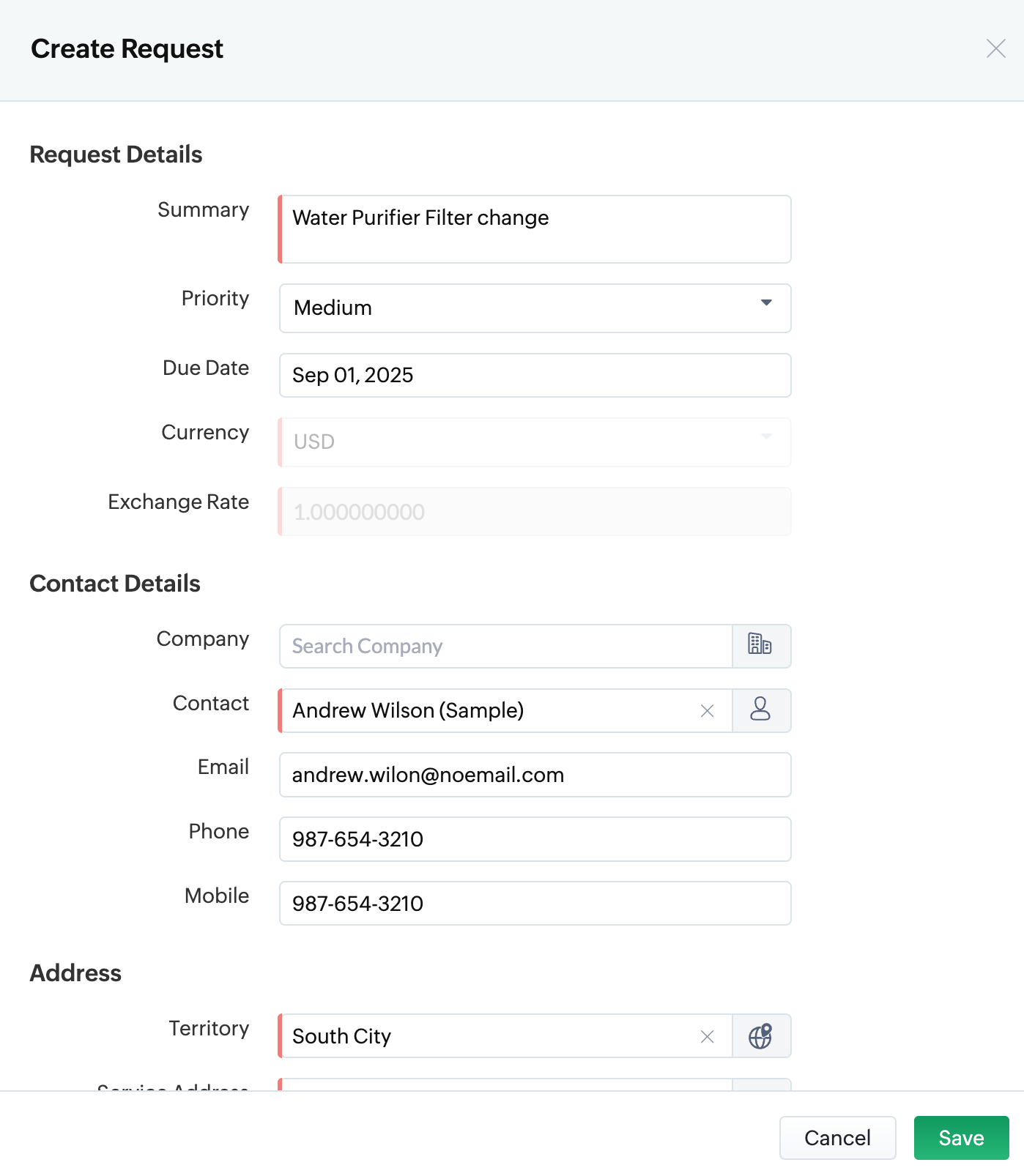
How do I create a new Request in Zoho FSM?
Creating a New Request in Zoho FSM
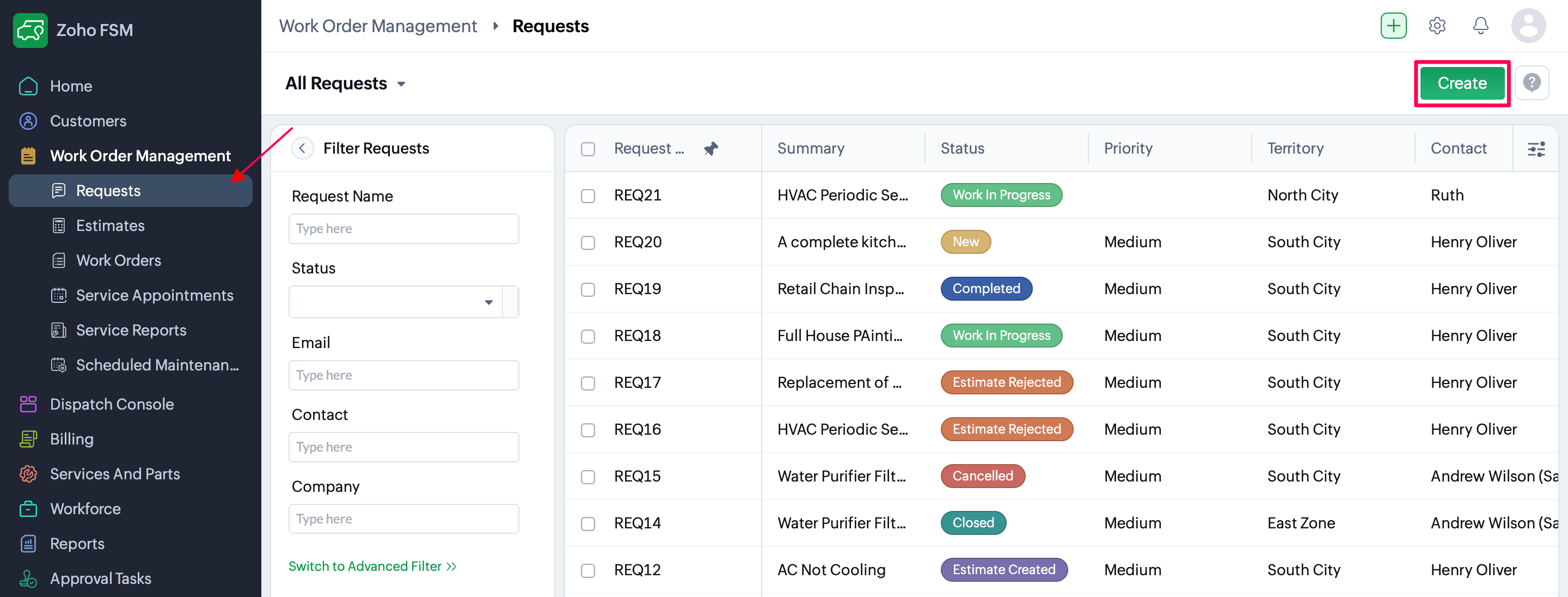
- Go to the Requests under Work Order Management → click Create.
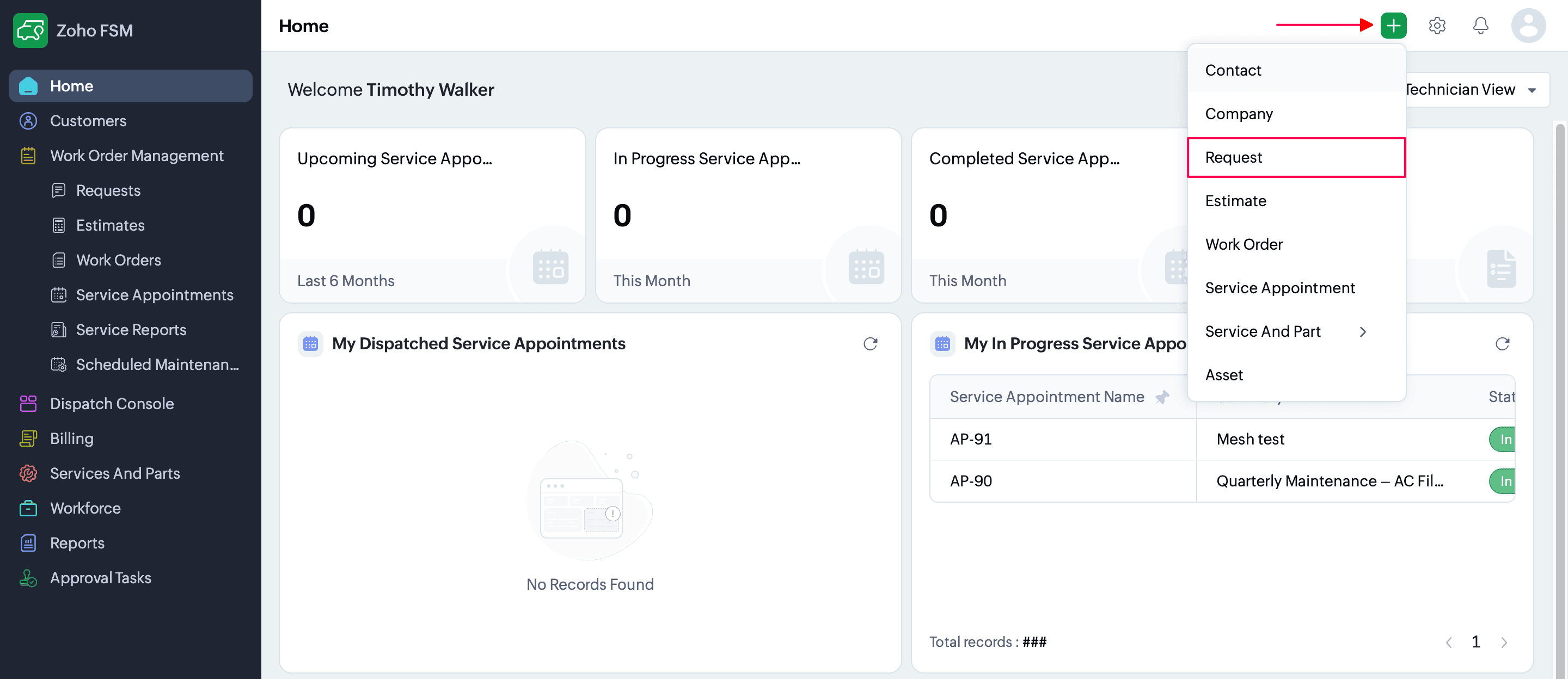
(or)
From the top bar, click the (+) Create button → select Request.
- Fill in the details, including:
- Request Details: Summary, Priority, Due Date, Currency, Exchange Rate
- Contact Details: Company, Contact, Email, Phone, Mobile, Address, Territory
- Service & Billing Address
- Preferences: Preferred Date(s), Time, and Preference Notes
- Finally, click Save to create the Request.