How do I track the status of a Work Order in Zoho FSM?
You can track the Work Order status from the Work Order details page. The timeline displays all updates and actions related to the work order in chronological order.
To view the status of the Work Order, check the Work Order Status section in the left pane of the work order details page.
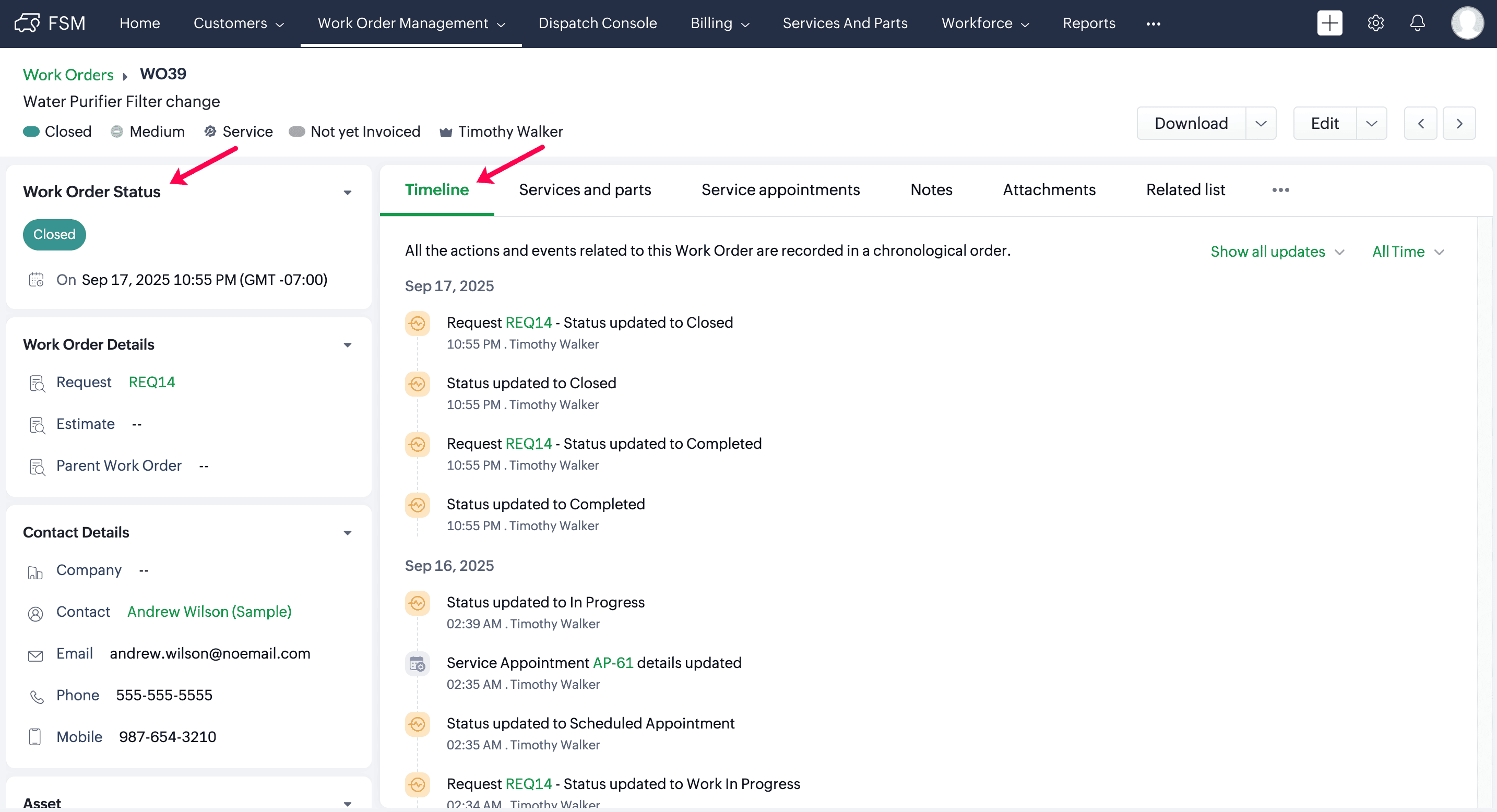
The possible statuses of a Work Order are:
Status | Meaning |
New | Work Order is created and not yet scheduled. |
Scheduled Appointment | Service Appointment is created and scheduled (may be dispatched, accepted, or rejected). |
In Progress | Field agent has started work for the Service Appointment. |
Completed | All related Service Appointments are completed. |
Closed | Work Order is manually closed after completion. |