Manage Subscription
You can easily manage your subscription in Linkthread, including upgrading or downgrading your plan at any time.
Available plans in Linkthread
Linkthread currently offers two plans:
- Free Plan
- Basic Plan
To understand the features included in each plan, you can refer to the plan comparison page.
How to upgrade subscription
To upgrade your Linkthread subscription:
- Click your profile picture in the top-right corner of the Zoho Social dashboard.
- Click Upgrade plan under Subscription, to move to a higher plan.
- Choose your billing cycle (Monthly or Yearly) using the toggle.
- Add additional Bios or Users as add-ons (Optional) then click Proceed.
- Review your order and enter your billing details.
- Choose your payment method (Credit Card or PayPal).
- Click Make Payment to complete the purchase.
What happens when you upgrade?
When you upgrade to the Basic Plan, you will gain access to additional features and capabilities. For a detailed comparison, refer to the plan comparison page.
Your billing cycle will begin from the date of purchase. For example, if you upgrade on March 25th, your next billing date will be April 25th (for monthly plans).
How to downgrade subscription
To downgrade your subscription:
- Click your profile picture in the top-right corner of the Zoho Social dashboard.
- Click Manage Plan under Subscription
- Click Downgrade to switch to a lower plan.
Cancel subscription
To cancel your subscription:
- Click your profile picture in the top-right corner of the Linkthread dashboard.
- Click Manage Plan under Subscription
- Click Cancel Subscription.
Once cancelled, your subscription will remain active until the end of the current billing cycle, after which your account will be moved to the Free Plan.
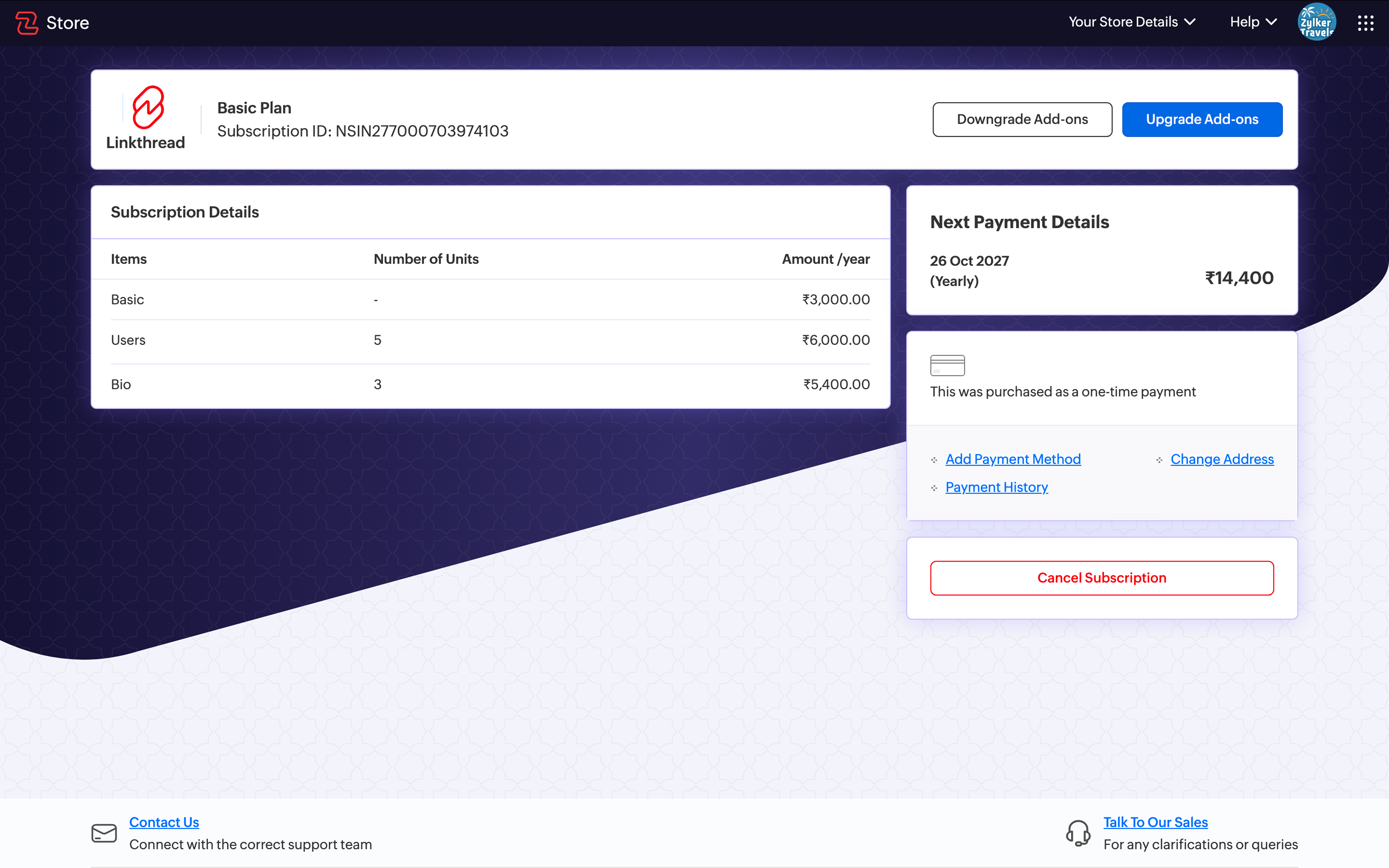
Types of downgrade
There are two options available when downgrading your subscription:
- Cancel Subscription:
This will stop the next billing cycle. You can continue using the current plan until the end of the billing period, after which your account will be moved to the Free Plan. - Downgrade Immediately:
Your plan will be switched to the Free Plan right away, and access to paid features will be removed instantly.
What happens when you downgrade?
When you downgrade from the Basic Plan to the Free Plan, access to certain features will be restricted. Any features not available in the Free Plan will automatically revert to their default settings on your bio page.
For example, if you were using a custom theme, your page will switch back to the default theme after downgrading. These changes will be reflected on your published bio page.

Note:
- All features not available in the Free Plan will return to their default state.
What is a default state?
A default state refers to the standard settings your bio page reverts to when you move from the Basic Plan to the Free Plan. When you downgrade, any features that are not available in the Free Plan will automatically switch to predefined default settings.
Upgrade again
If you upgrade back to the Basic Plan after downgrading, you will regain access to all previously restricted features. Any configurations or data you had set up earlier, such as custom themes or settings will be restored and available for you to use again.
What happens to analytics and other data when you upgrade again?
When you upgrade from the Free Plan back to the Basic Plan, your previously available data is restored. Your analytics data is retained, including the data collected while you were on the Free Plan. Once you upgrade, you can continue viewing and using your data without starting over.
Refund policy for immediate downgrade
If you choose Downgrade Immediately from the Basic Plan to the Free Plan and have questions regarding a refund, you can contact support@zoholinkthread.com. (support@eu.zoholinkthread.com for EU DC) Refund requests are reviewed on a case-by-case basis and are subject to Zoho Social's applicable terms and conditions.