Email Campaign Reports
Once you send out email campaigns, you can check their performance from the report section. This document will help you navigate through the report section and understand different terminologies you'll find there.

Note:
Some of the metrics in your email campaign report (open rate, total opens, click rate, total clicks, and click-through rate) will be affected by the bot filter setting. When the bot filter is enabled, these metrics will exclude bot generated activities and vice versa.
To view the reports of email campaigns,
- Click Marketing Campaigns in the left panel, then select Email.
- Click the email name for which you want to see the report. You'll be taken to the Reports screen.
Understanding the terms in email campaign reports
Given below is a table of terms and their descriptions that you'll find in the reports section.
Terms | Descriptions |
Sent | Number of emails sent |
Delivered | Number of emails delivered |
Opened | Number of emails opened |
Clicked | Number of times a URL in your email campaign was clicked. |
Bounced | Number of emails that were not delivered. This includes both hard and soft bounces. A hard bounce occurs when an email cannot be delivered permanently due to an invalid email address, domain issues, the recipient blocking your email address, or similar reasons. A soft bounce occurs due to temporary email delivery failures such as email server issues, the recipient's inbox is full, or similar reasons. |
Open rate (when the bot filter is enabled) | The open rate is the percentage of recipients who opened your email campaign out of the total number of contacts to whom the campaign was delivered. |
Open rate (when the bot filter is disabled) | The open rate is the percentage of recipients, including bots, who opened your email campaign out of the total number of contacts to whom the campaign was delivered. |
Reliable opens | Reliable opens show the number of contacts who opened your email. Each recipient is counted only once, regardless of how many times they open the email. |
Apple MPP opens | The percentage of email opens affected due to Apple's Mail Privacy Protection (MPP) feature, introduced in iOS 15 and later versions. As part of MPP, email content is preloaded in Apple Mail servers. As a result, the email is marked as opened even if a recipient has not actually opened it. |
Bot opens | Percentage of email opens triggered by bots and other automated systems, rather than actual recipients. |
Total opens (when the bot filter is enabled) | Total opens include the number of times your recipients have opened the email campaign. |
Total opens (when the bot filter is disabled) | Total opens include the number of times your recipients, bots, and other automated systems have opened the email campaign. |
Reply rate | Reply rate is the percentage of recipients who sent a reply to your email out of the total number of recipients to whom the email was delivered. |
Unique replies | Unique replies is the number of individual recipients who sent a reply to your email out of the total number of recipients to whom the email was delivered. Individual recipients' replies will be marked only once, no matter the number of times they reply. |
Auto-replies | Auto-replies shows the number of automated email responses generated by your recipients’ email systems. For example, out-of-office emails, vacation emails, and so on. |
Click rate (when the bot filter is enabled) | Click rate is the percentage of recipients who clicked a link in your email out of the total number of recipients to whom the email was delivered. |
Click rate (when the bot filter is disabled) | Click rate is the percentage of recipients, including bots, who clicked a link in your email out of the total number of recipients to whom the email was delivered. |
Total clicks (when the bot filter is enabled) | Total clicks are the total number of clicks received for your email campaign, including multiple clicks by the same recipient. |
Total clicks (when the bot filter is disabled) | Total clicks are the total number of clicks, including bots received for your email campaign, including multiple clicks by the same recipient. |
Reliable clicks | Reliable clicks refer to the number of individual recipients who have clicked a link in your email campaign. Each recipient is counted only once, regardless of how many times they click the link. |
Bot clicks | The number of times recognized bots and other automated systems have clicked a link in your email campaign. |
Click-through rate (when the bot filter is enabled) | Click-through rate is the percentage of recipients who clicked a link in your email out of the total number of recipients who opened it. |
Click-through rate (when the bot filter is disabled) | Click-through rate is the percentage of recipients, including bots, who clicked a link in your email out of the total number of recipients who opened it. |
Spam reports | Spam reports refer to the number of times recipients mark your email as spam out of the total number of emails you've sent. |
Note:
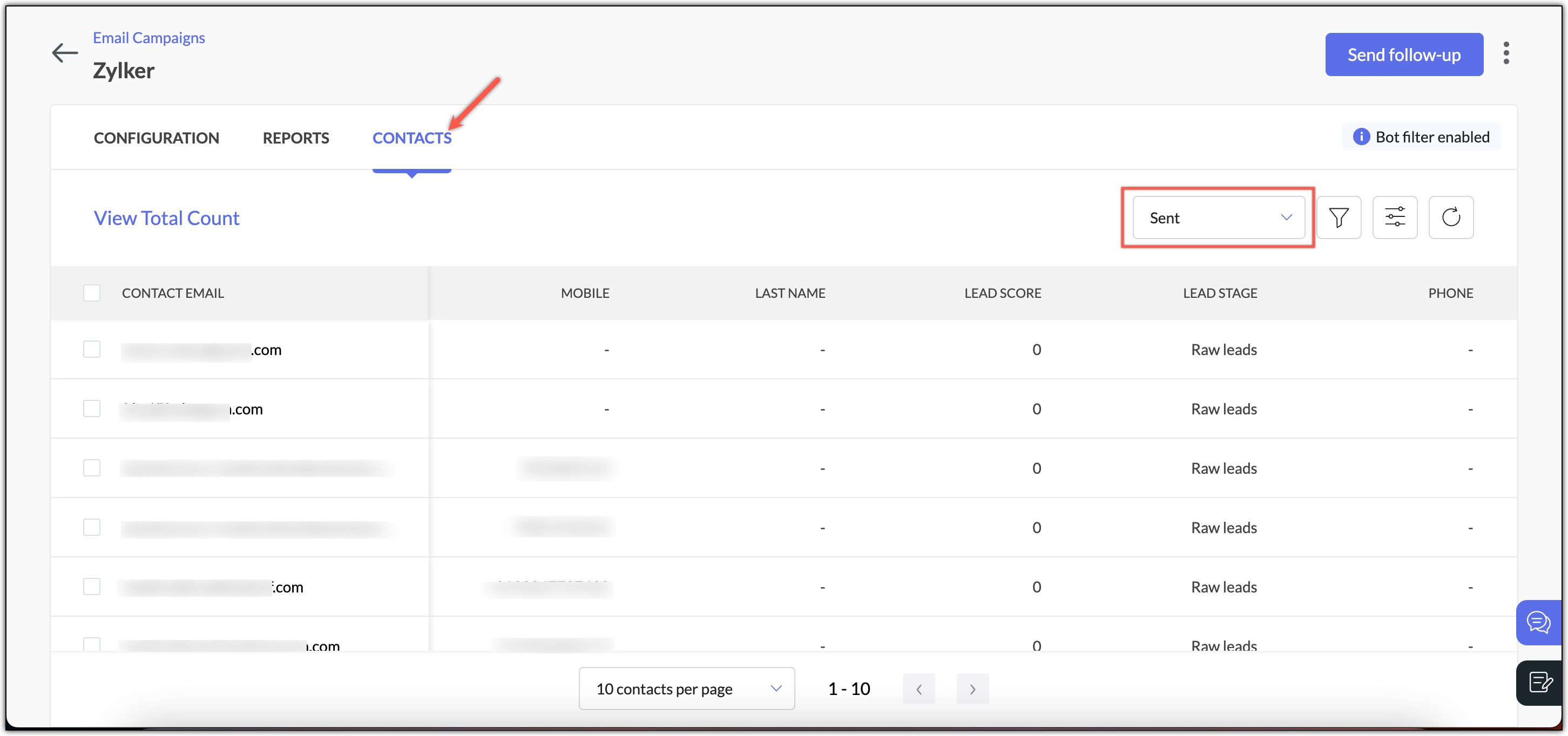
In the Contacts tab within the Reports section, you can use the filter option to view the contacts that fall under each of these metrics.