DLT Registration on Jio Trueconnect
Entity registration
The steps are as follows:
- Visit the Jio DLT platform and click Register.
- Choose Register as Principal Entity and choose No for Are you already registered as Principal Entity.
- Enter the following organization details then click Next.
- Organization name
- Category (Govt or Non-Govt)
- Organization type
- PAN/TAN number
- Upload the relevant document based on the previous option
- GST details of your organization
- Organization address
- Enter your personal details under the Personal Details section, such as your name, email address, mobile number, password for this platform, a letter for DLT registration from Competent Signatory and proof of authority for the said letter. Click Next.
- Verify all your details and click Submit.
After completing, a success message with the request ID will be displayed. You will also receive acknowledgement of successful submission of request via email and SMS. You will be notified via email and SMS once your registration is approved.
Header registration
The steps are as follows:
- Visit the Jio DLT platform and login as Principal Entity using the credentials obtained from the Entity registration process.
- Click Header SMS and select SMS Registration.
- Enter the required fields:
- Header type (Promotional to send marketing bulk SMS)
- Choose a category based on the type of your business and the industry it falls under.
- Enter the necessary header or sender ID. Promotional headers must be six-digit numbers. The first number will vary based on your industry. You can choose a number that will represent your company.
- Click Submit after entering your header. You'll receive a message saying the registration is successful.

Note:
- If your header value is already registered, you need to enter a different combination of the six-digit header.
- It might take a few days for your header to get approved. You can sign in to your Jio Trueconnect DLT portal and check the status of your header approval.
Content template registration
The steps are as follows:- Visit the Jio DLT platform and login as Principal Entity using the credentials obtained from the Entity registration process.
- Click Template and choose Content Template Registration.
- Enter the required fields:
- Choose a category based on the type of your business and the industry it falls under.
- Select the type of communication. For promotional messages, the option Promotion is preferable to choose.
- Select Consent ID if you've created one. This step is optional.
- Select SMS/VOICE as the Template Type.
- Enter the name of the template. Please enter a relevant name, as generic names like "Header 1" will be rejected.
- Choose header from the dropdown. You can choose more than one header.
- Enter the content or SMS message template. Ensure that you enter your brand name or company name in the template, or else it might be rejected. You can enter variable values by using {#var#}.
- Click Submit once you have filled out all the data. Click Confirm to submit your content template registration.
You will also receive acknowledgement of successful submission of request in a popup and via email and SMS.
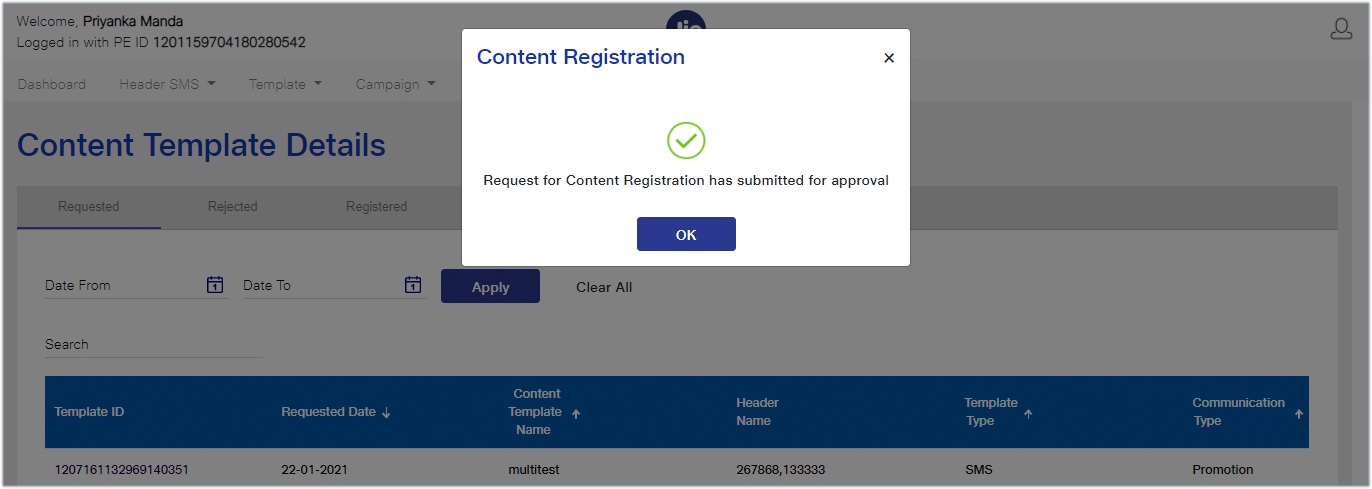
You will be notified via mail and SMS once your registration is approved. You will receive an approval SMS message after your content template is approved. After this, you can use the template for sending promotional SMS messages.