Online meeting integration with Zoho Bookings
Zoho Bookings is online booking software that helps small businesses manage appointments with customers and clients efficiently. With the online meeting integration of Zoho Meeting in Zoho Bookings, you can create and share booking links with your clients and customers to let them book appointments with you at their convenience. You can use booking slots to engage your leads and customers or to provide services online through live meetings.

Both admin and member can configure this integration settings.

The 'Zoho Bookings' integration is supported across all Meeting editions of Zoho Meeting.
Key benefits
- Deliver one-on-one services
- Convenient booking slots for clients and customers
- Live interaction through audio, video, and screen sharing
- Provide services globally
- Cut travel costs
Enabling the integration
1. Log in to Zoho Bookings.
2. Click Integration from the top-right corner > Video conferencing.
3. Click Enable on the Zoho Meeting suggestion.
4. You will be redirected to provide permission. Click Accept.
Zoho Meeting will be added to the Integrations under Video Conferencing.
Using the integration - Scheduling online meeting sessions
After you enable the integration, you can make any service you create in the form of online meetings.
1. Log in to Zoho Bookings, then click the + sign in the top-right corner.
2. Select Service, then fill in the details of the service you intend to provide.
3. Enter the required details and select the preferred meeting mode as Zoho Meeting.
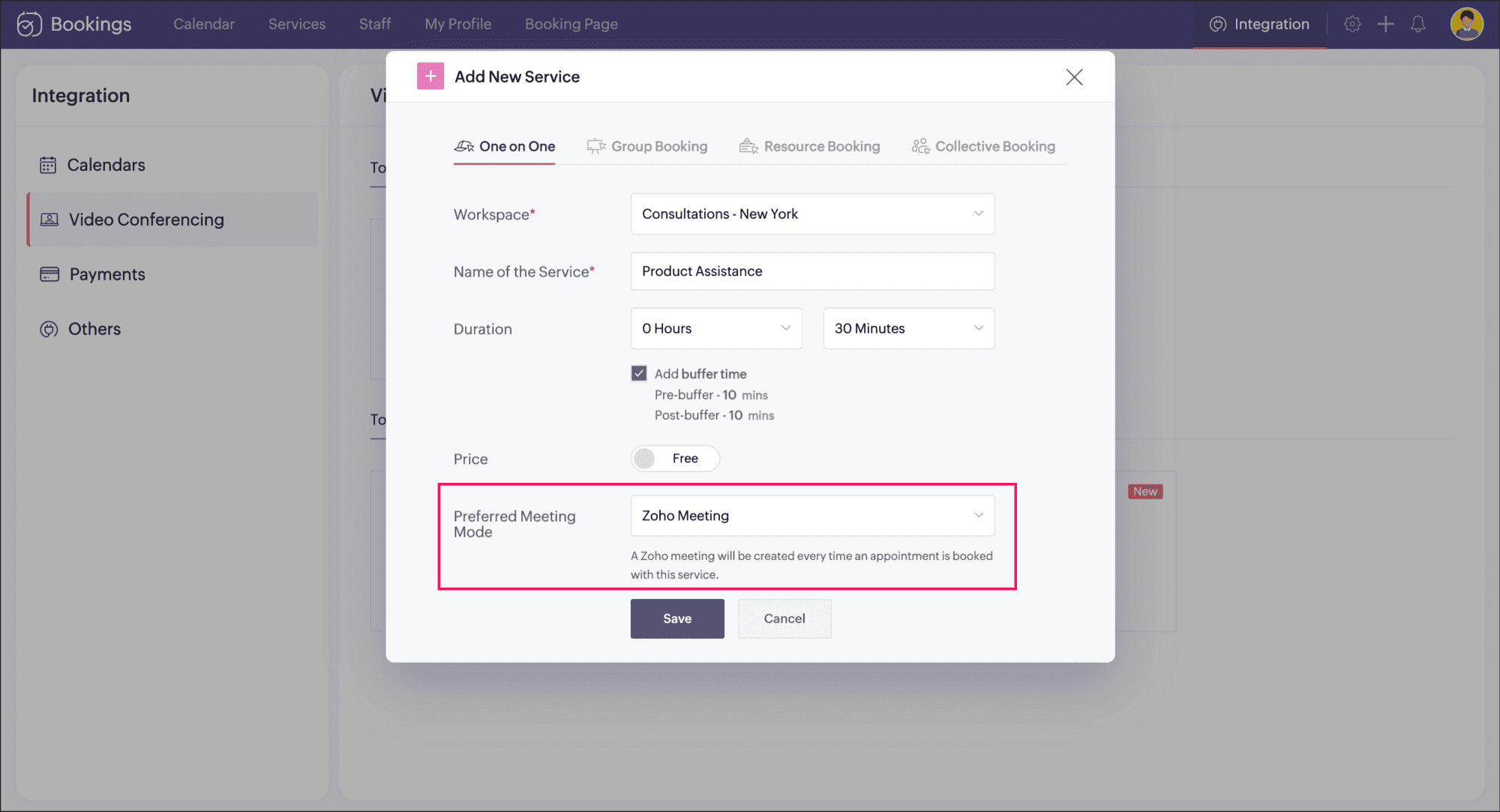
5. Click Save to proceed. A service will be created with "Zoho Meeting" as the preferred meeting mode.
You can also choose to add Zoho Meeting to an existing service by editing the preferred meeting mode and selecting "Zoho Meeting" from the drop down.
Copy and share the Service Booking URL with your customers or embed the link as a widget on your web page. For every appointment booked by a customer online, an online meeting will be created in your Zoho Meeting account.
Enabling email notifications for bookings
Zoho Bookings sends a default email to your staff and your customers whenever an online meeting booking is made (if you have enabled notifications). Notifications can also be sent for modifying bookings. However, to trigger this email you need to enable notifications for the related workspace
1. In your Zoho Bookings account, click the icon  in the top right corner.
2. Select Workspaces, then click the workspace in which you have created services with online meeting facility.
3. Select Notifications and enable Email for staff and/or customers based on your preferences.
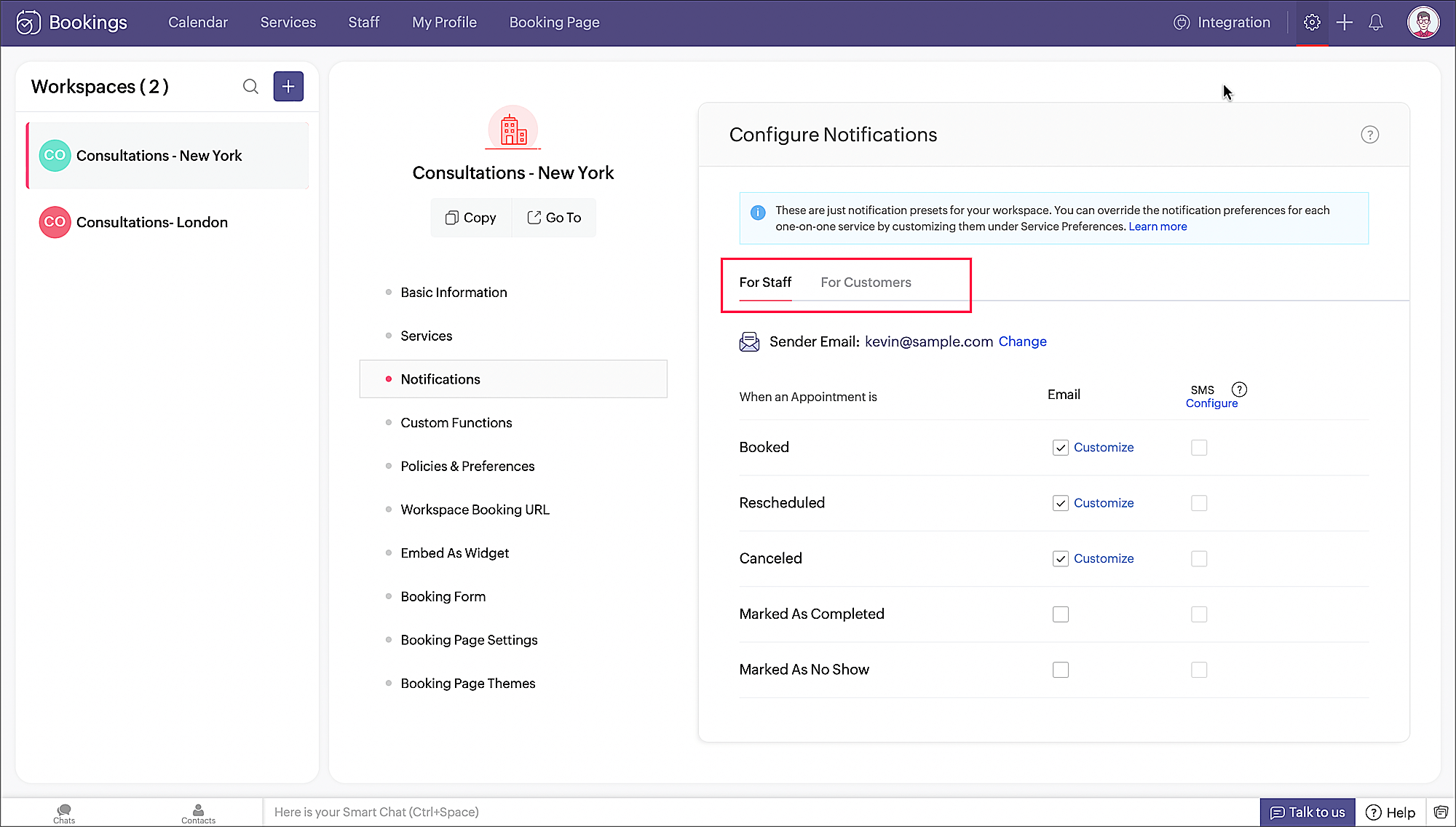
4. Once this is configured, every time a booking is made, an email will be triggered to the staff and the customer based on your configuration.
Email notification for staff:
Email notification for customer: