Access control for Dashboards & KPI
You can configure who can or cannot view a particular Dashboard in Motivator.
1. Click DASHBOARDS on the top bar
2. Choose Manage from the drop down
2. Click Share link besides each dashboard
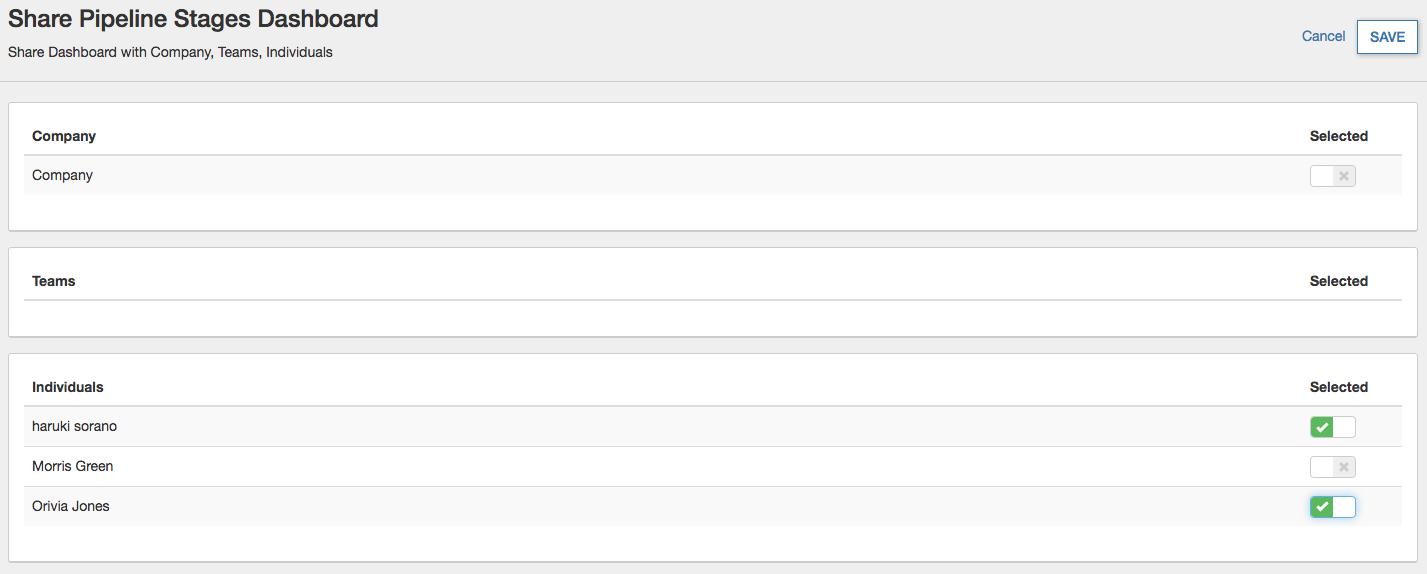
3. Turn on/off button for each Company/Teams/Individuals
If you want to hide some items (KPI/Dashboards/Contests) in a Dashboard for particular people, please create a new dashboard without those KPIs and share it to them.
1. Click DASHBOARDS on the top bar
2. Choose Manage from the drop down
2. Click Share link besides each dashboard
3. Turn on/off button for each Company/Teams/Individuals
If you want to hide some items (KPI/Dashboards/Contests) in a Dashboard for particular people, please create a new dashboard without those KPIs and share it to them.
Notes:
You need an Admin profile in CRM to do this operation.