How to check KPI for individual user/employee
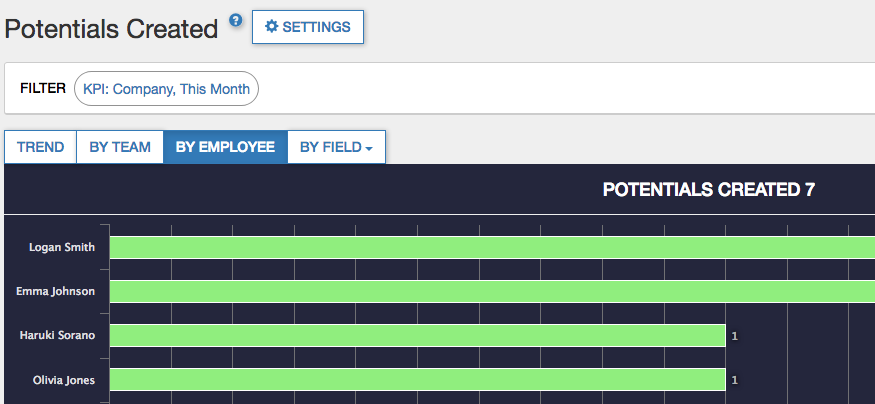
To breakdown a single KPI by users
1. Click the KPI tile in the dashboard page. You will be taken to the chart page for the KPI
2. Click BY EMPLOYEE button
To filter a whole dashboard for a single user
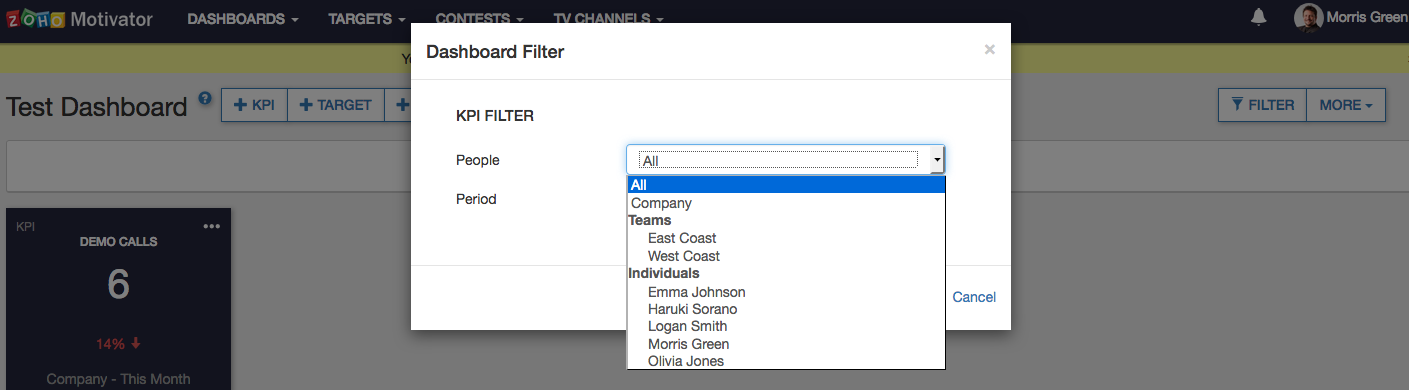
1. Click on FILTER on the top right of the dashboard page. Dashboard Filter dialog will open.
2. Choose the user from People drop down
1. Click the KPI tile in the dashboard page. You will be taken to the chart page for the KPI
2. Click BY EMPLOYEE button
To filter a whole dashboard for a single user
1. Click on FILTER on the top right of the dashboard page. Dashboard Filter dialog will open.
2. Choose the user from People drop down