Prerequisites
Roles required:
Organization Owner/Admin
To add a Zoho app:
The steps vary for the three User Interface versions supported in Zoho One. Select the UI version you use from the tabs below and proceed with the steps that follow.
One Experience UI
Sign in to Zoho One , then click Admin Panel icon  on the top-right corner.Click Portals on the left menu, then click the Apps tab.
Click Add Application.
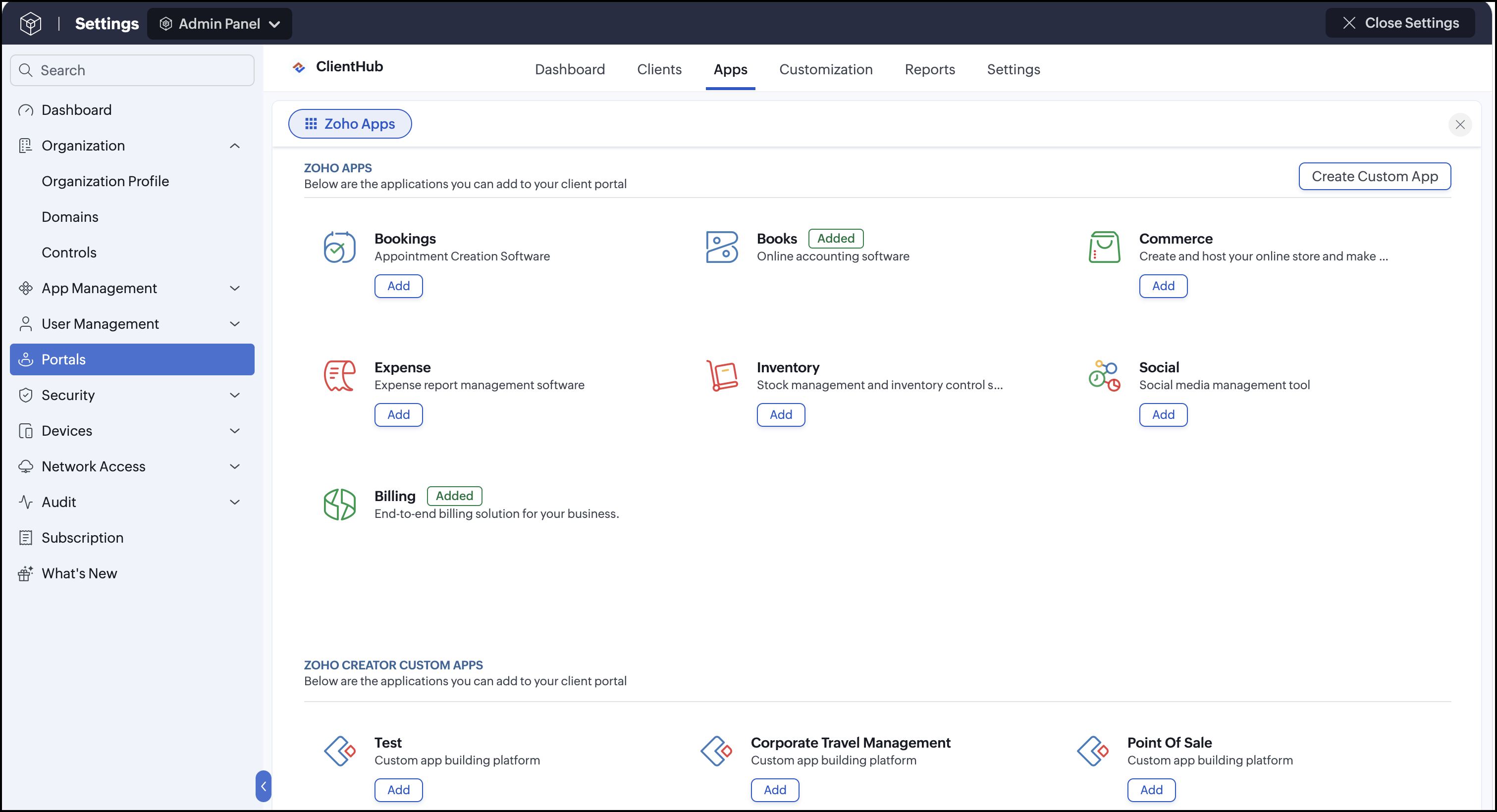
Choose a Zoho application, then click Add.
If you have one or more existing accounts in the app, you will be prompted to choose one or Create a New Account. This is an irreversible choice, and you cannot change the added account later without reaching out to support@zohoone.com.
Enabling the option to remove the added account will possibly affect
the preset account's settings. For instance, if you add the Mail app and
then decide to remove it, all the operations or integrations performed
concerning the app will collapse on an organizational basis, and it
might be difficult to track changes. Therefore, the added account can be
unlinked only for valid reasons and only by the support staff.
If
you're trying to create a new Zoho Sites, Zoho Mail, or Zoho Backstage
account, you will be asked to enter a domain name and set up mail
hosting. Similarly, if you're trying to create a new account in any of
the FinancePlus apps, you will be asked to choose a currency.
The application will be added, and you can start assigning clients to the application.
Spaces UI
Sign in to Zoho One , then click Directory Settings icon  on the top-right corner.Click Portals on the left menu, then click the Apps tab.
Click Add Application.
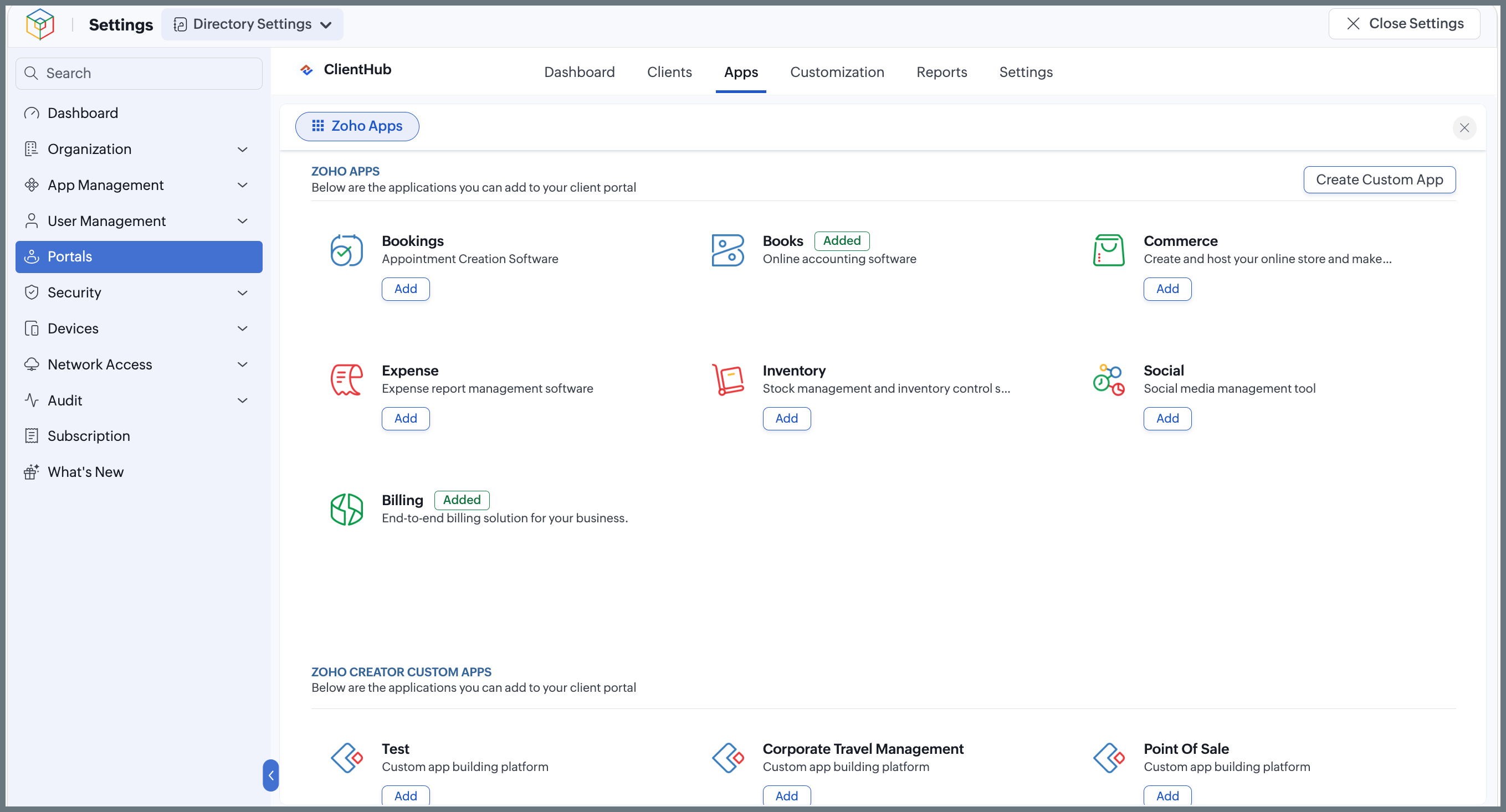
Choose a Zoho application, then click Add.
If you have one or more existing accounts in the app, you will be prompted to choose one or Create a New Account. This is an irreversible choice, and you cannot change the added account later without reaching out to support@zohoone.com.
Enabling the option to remove the added account will possibly affect
the preset account's settings. For instance, if you add the Mail app and
then decide to remove it, all the operations or integrations performed
concerning the app will collapse on an organizational basis, and it
might be difficult to track changes. Therefore, the added account can be
unlinked only for valid reasons and only by the support staff.
If
you're trying to create a new Zoho Sites, Zoho Mail, or Zoho Backstage
account, you will be asked to enter a domain name and set up mail
hosting. Similarly, if you're trying to create a new account in any of
the FinancePlus apps, you will be asked to choose a currency.
The application will be added, and you can start assigning clients to the application.
Unified UI
Sign in to Zoho One , then click Directory in the left menu.
Go to Portals, then click the Apps tab.
Click Add Application.
Choose a Zoho application, then click Add.
If you have one or more existing accounts in the app, you will be prompted to choose one or Create a New Account. This is an irreversible choice, and you cannot change the added account later without reaching out to support@zohoone.com.
Enabling the option to remove the added account will possibly affect
the preset account's settings. For instance, if you add the Mail app and
then decide to remove it, all the operations or integrations performed
concerning the app will collapse on an organizational basis, and it
might be difficult to track changes. Therefore, the added account can be
unlinked only for valid reasons and only by the support staff.
If
you're trying to create a new Zoho Sites, Zoho Mail, or Zoho Backstage
account, you will be asked to enter a domain name and set up mail
hosting. Similarly, if you're trying to create a new account in any of
the FinancePlus apps, you will be asked to choose a currency.
The application will be added, and you can start assigning clients to the application.