Configure sign-up
Prerequisites
Roles required:
Organization Owner/Admin
To configure sign-up:
The steps vary for the three User Interface versions supported in
Zoho One. Select the UI version you use from the tabs below and proceed
with the steps that follow.
One Experience UI
Spaces UI
Unified UI
One Experience UI
1. Sign in to Zoho One, then click Admin Panel icon  on the top-right corner.
2. Click Portals on the left menu, then click on the Settings tab.
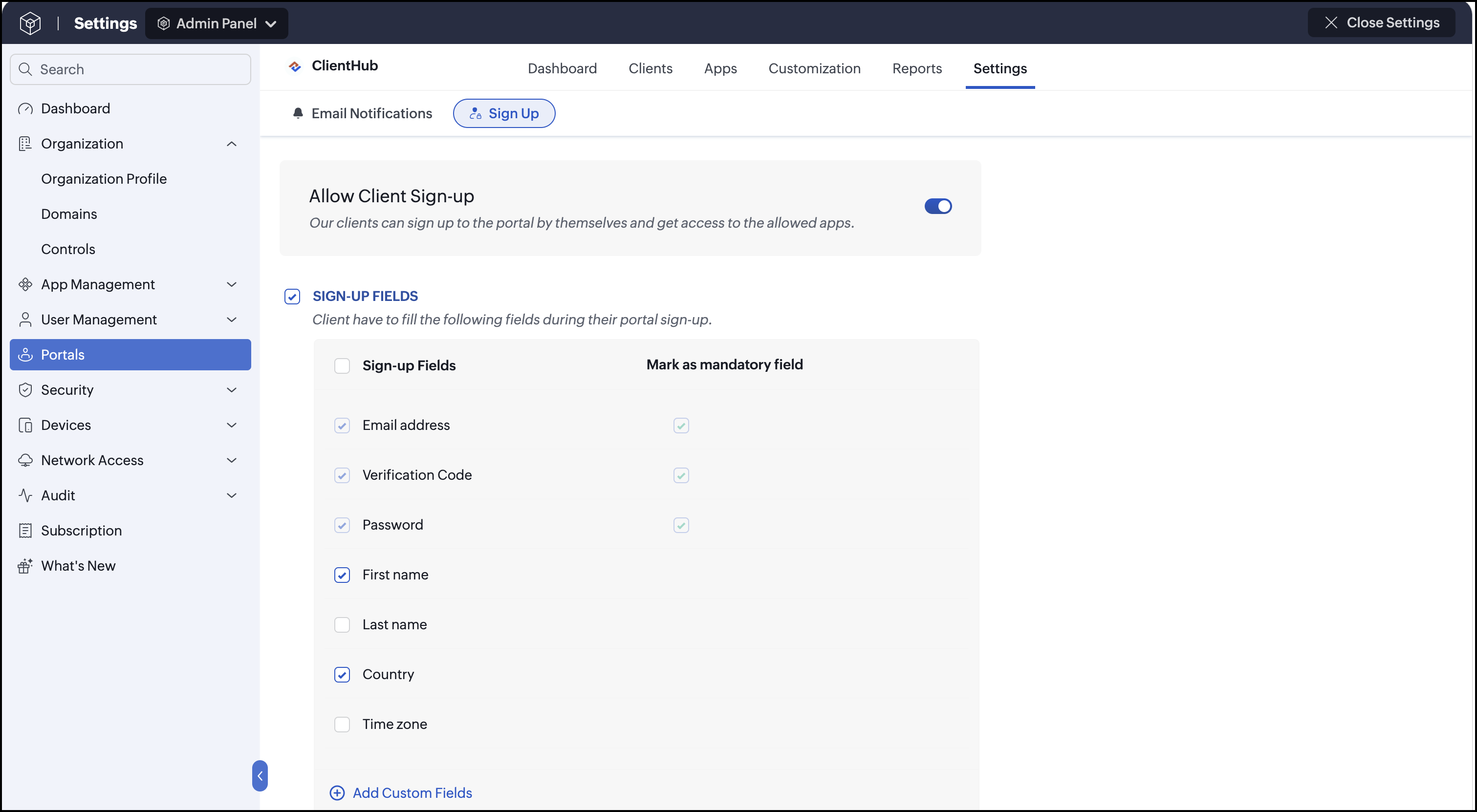
3. Click Sign-up, then enable Allow Client Sign-up toggle. By enabling the toggle, clients can sign up to the portal on their own and get access to the allowed apps.
4. In the SIGN-UP FIELDS, select the fields to be shown on the sign-up page. If the selected fields are mandatory, you can check the Mark as mandatory checkbox next to them. To add more fields, click Add Custom Fields.
5. Click CONDITIONAL SIGN-UP if you want to set conditions for sign-up. You can choose:
- A moderator to approve the sign-up requests when a client signs up.
- Domains to be auto-approved during sign-up.
- To approve clients automatically if their record already exists in the selected apps.
6. Click APPS TO BE ASSIGNED, then click Assign apps and choose an app. This app will be assigned automatically to all the signed-up clients.
7. Click Save.
Spaces UI
1. Sign in to Zoho One, then click Directory Settings icon  on the top-right corner.
2. Click Portals on the left menu, then click on the Settings tab.
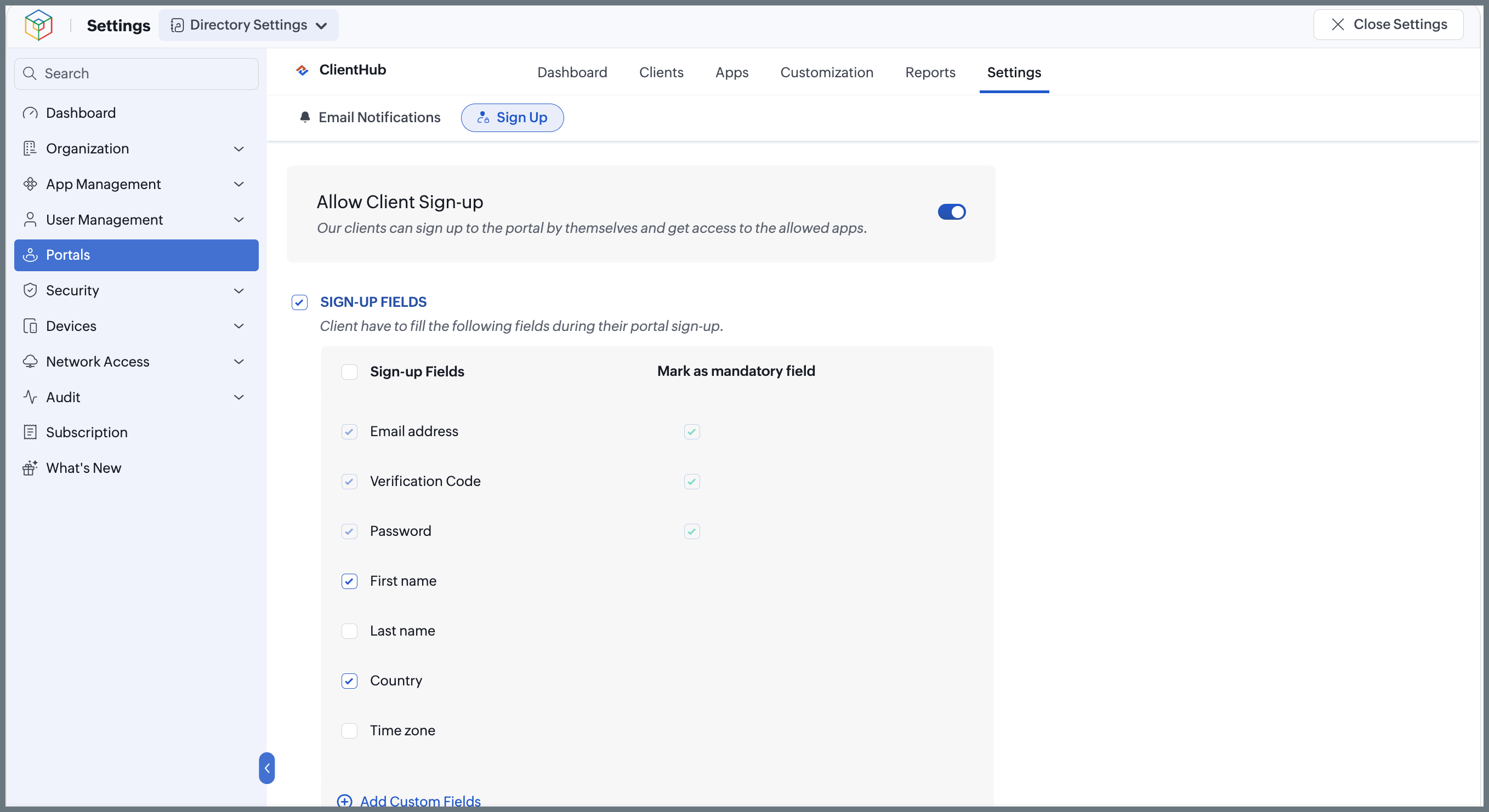
3. Click Sign-up, then enable Allow Client Sign-up toggle. By enabling the toggle, clients can sign up to the portal on their own and get access to the allowed apps.
4. In the SIGN-UP FIELDS, select the fields to be shown on the sign-up page. If the selected fields are mandatory, you can check the Mark as mandatory checkbox next to them. To add more fields, click Add Custom Fields.
5. Click CONDITIONAL SIGN-UP if you want to set conditions for sign-up. You can choose:
- A moderator to approve the sign-up requests when a client signs up.
- Domains to be auto-approved during sign-up.
- To approve clients automatically if their record already exists in the selected apps.
6. Click APPS TO BE ASSIGNED, then click Assign apps and choose an app. This app will be assigned automatically to all the signed-up clients.
7. Click Save.
Unified UI
1. Sign in to Zoho One, then click Directory in the left menu.
2. Go to Portals, then click on the Settings tab.
3. Click Sign-up, then enable Allow Client Sign-up toggle. By enabling the toggle, clients can sign up to the portal on their own and get access to the allowed apps.
4. In the SIGN-UP FIELDS, select the fields to be shown on the sign-up page. If the selected fields are mandatory, you can check the Mark as mandatory checkbox next to them. To add more fields, click Add Custom Fields.
5. Click CONDITIONAL SIGN-UP if you want to set conditions for sign-up. You can choose:
- A moderator to approve the sign-up requests when a client signs up.
- Domains to be auto-approved during sign-up.
- To approve clients automatically if their record already exists in the selected apps.
6. Click APPS TO BE ASSIGNED, then click Assign apps and choose an app. This app will be assigned automatically to all the signed-up clients.
7. Click Save.