Configure key in Thales CTM
1. Log in to the CipherTrust Manager Portal.
2. Click Access Management in the left menu, then click Users.
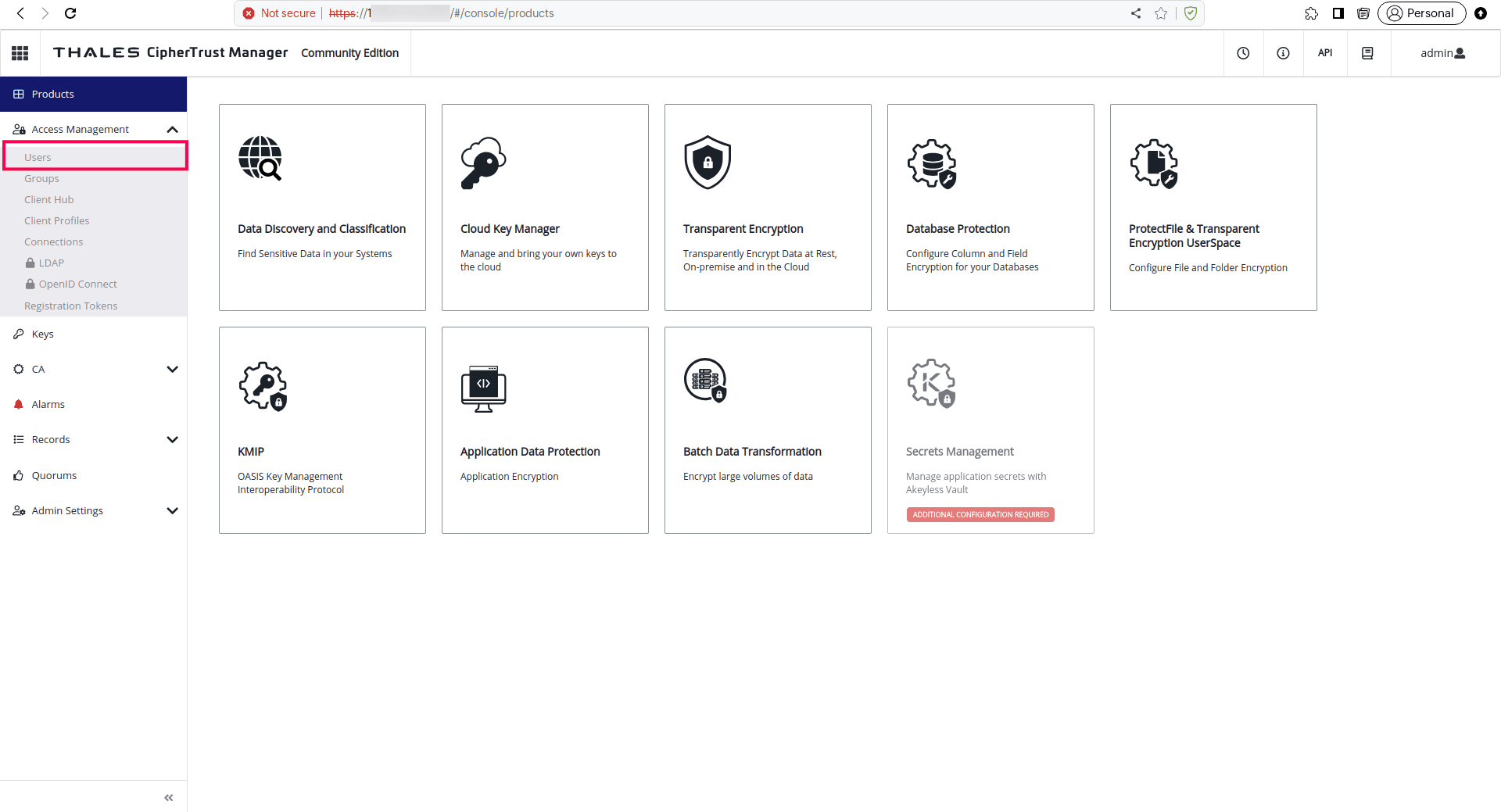
3. Click Add User and fill in the relevant details.

Note down the Username and Password to configure later in Zoho.
[Optional] Add the subdomain name in Zoho if the account is created under a subdomain.
4. Click Keys in the left menu, then click +Add Key.
5. Give a Key Name, select Encrypt and Decrypt under Key usage, then click Add Key.
6. Expand the Key Access section, select the newly added user from the dropdown menu, then click Update.
Note down the generated Key Id to use later.
REST APIs used for BYOK integration in Zoho One:
Generating JWT token:
https://{{CipherTrust Domain/IP address}}/api/v1/auth/tokens/
https://{{CipherTrust Domain/IP address}}/api/v1/auth/tokens/
Encrypt:
https://{{CipherTrust Domain/IP address}}/api/v1/crypto/encrypt
https://{{CipherTrust Domain/IP address}}/api/v1/crypto/encrypt
Decrypt:
https://{{CipherTrust Domain/IP address}}/api/v1/crypto/decrypt
https://{{CipherTrust Domain/IP address}}/api/v1/crypto/decrypt
Credentials required for integration:
- Username
- Password
- Sub-domain [Optional]
- CipherTrust Domain / IP address
- Key Id