Add a custom event goal to your variation
A custom event goal is a slightly more advanced method of tracking every single behavior of a visitor on the page you are testing. This includes watching a video, submitting a form, completing a payment, or any other event that could not be tracked using clicks or page views goals. To set up a custom event goal in your A/B test, you need to add the two line Javascipt code into the AJAX function of the success event in your testing URL. Whenever a user satisfies the event condition in your variation page, the added Javascript code will trigger a conversion in your A/B test report.

For example, say you want to test two different versions of your 'Sign Up' page in your website where visitors must fill in multistep forms to complete the sign up process. For such instances, you can add the custom event tracking code in the AJAX function of the Next button of each form page to track how many users actually visit both 'Form 1' and 'Form 2', how many visitors visit 'Form 1' but did not move on to 'Form 2' page, and ultimately the number of visitors who clicked the Submit button for conversions on your website. With these metrics, you can analyze if your variation page has outperformed your original form page, and identify which section of your form visitors drop out.
To create a custom event goal:
1. Go to the GOALS tab in your A/B test (or split URL test) and click + New Goal.
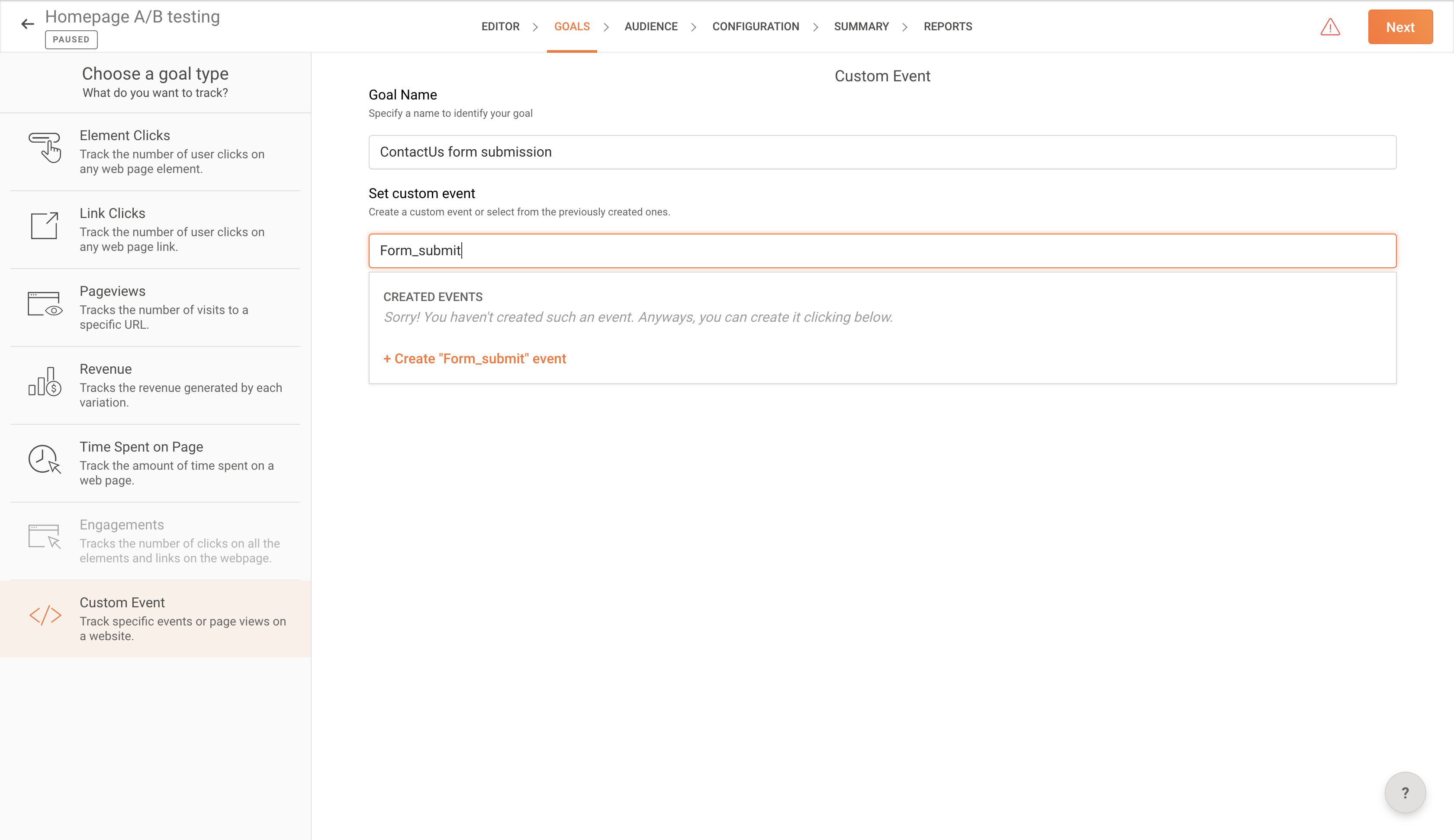
2. Choose Custom Event from the left pane, then enter a descriptive name for the goal in the text box.
3. In the Set custom event field, type in a name for your custom event and click +Create {event name} to create a new custom event or select from previously created events.
 Note: You will be able to access the same custom event from other experiments in PageSense.
4. PageSense will generate an event API code based on what you entered in this field. Copy and paste the API code to the exact <script> tag of your web page, depending on the event you would like to track.
For example, you want to track the users submitting the 'Contact Us' form on your website. Based on our example, the <script> tag should be placed inside the success response of the contact form of your web page.
The code snippet should appear as follows on your web page before and after the implementation of the 'form_success' custom event goal on your web page:
<code snippet before installation---> <code snippet after installation--->
<code snippet before installation---> <code snippet after installation--->
Whenever a visitor clicks on the Submit button on your contact form, Zoho PageSense will track the successful conversion on your web page.
5. Click Save and then Next to proceed with the remaining settings in your A/B or Split URL test.
You will be able to track these conversions and analyze your visitor metrics for the set goal on the REPORTS tab of your experiment.