Adding a subdomain name in web push notifications
The two-step and custom opt-ins in PageSense offer you the option to add your subdomain name, and to create a customized prompt that tells the users why they might want to subscribe to your website notifications, even before actually prompting for the permission. Adding the subdomain here means that you need to enter the name of your main domain (website name) to allow customers to recognize that the subscription prompt is shown from your business site, and not from anyone else.
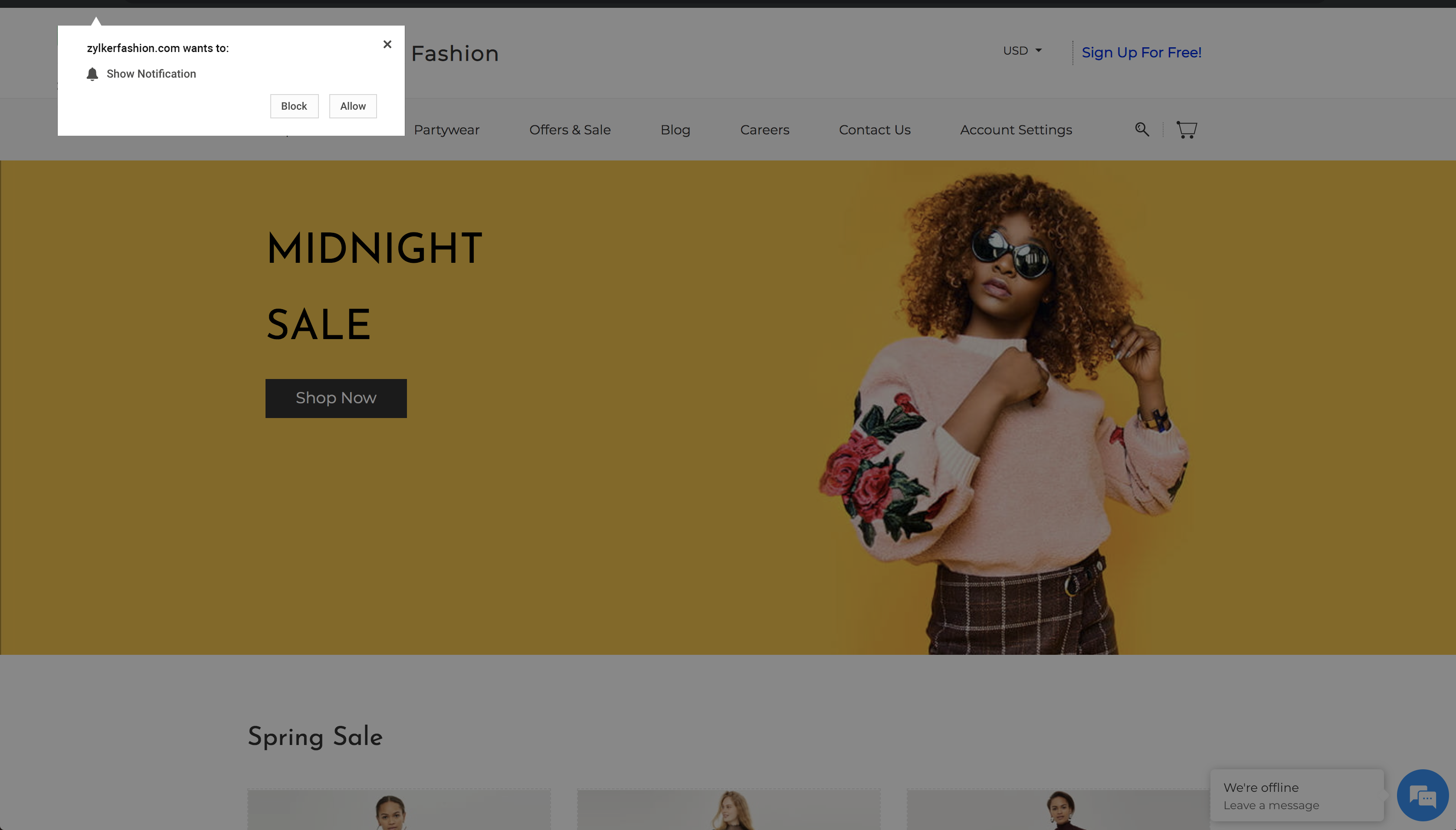
With a one-step opt-in, the native opt-in prompt is directly triggered on your website, and automatically fetches the name of your website to display on the subscription prompt as shown in the figure below. However, the two-step opt-in needs you to manually choose the website URL to be mapped with PageSense push notifications to send and subscribe to your notifications.
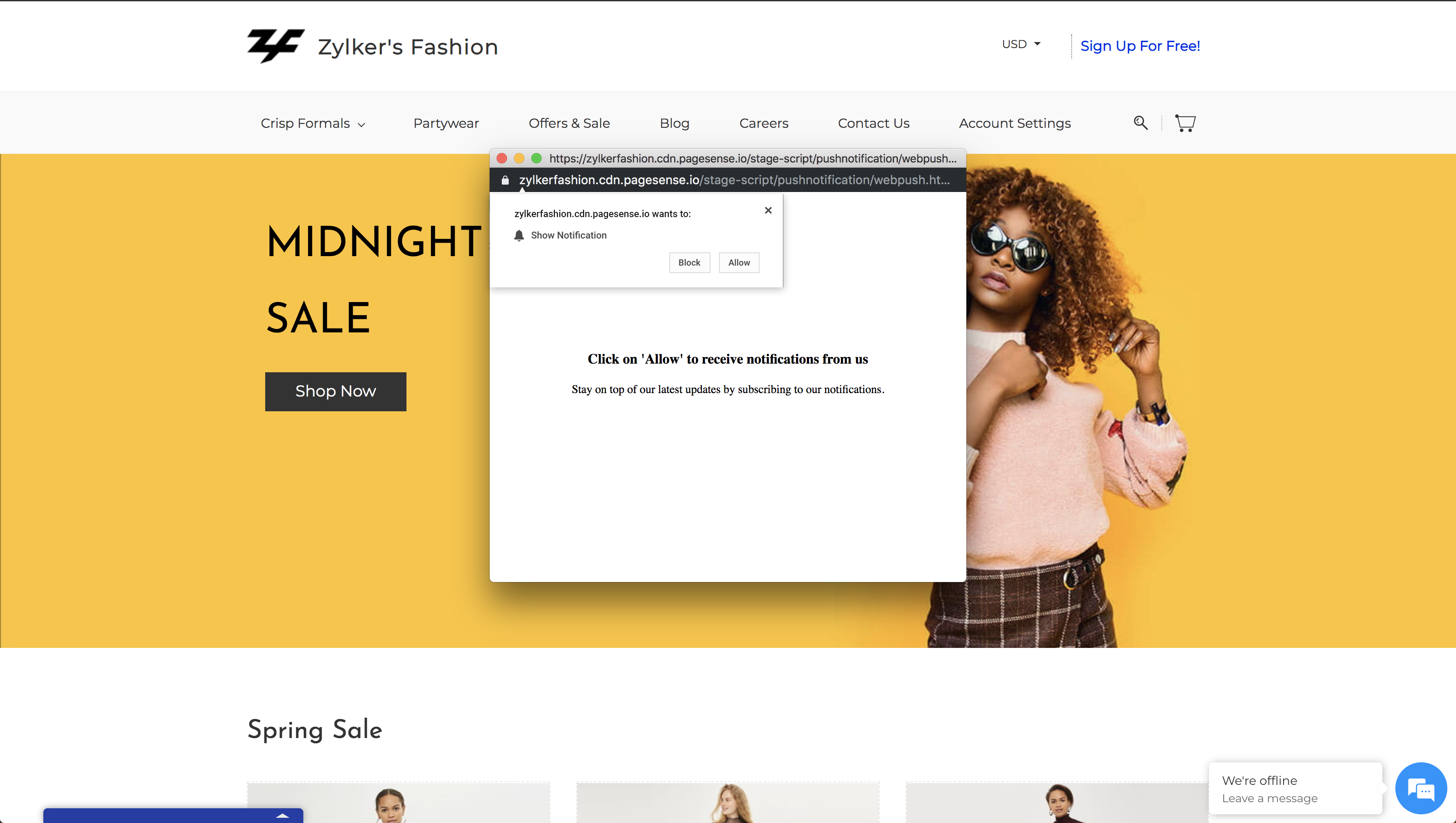
When you choose to implement the two-step (or custom) opt-ins in PageSense, you are creating a subdomain with us to send and subscribe for your push notifications from this domain. For example, if you choose your website URL as www.zylkerfashion.com, and the subdomain as zylkerfashion, your subdomain on PageSense will be zylkerfashion.cdn.pagesense.io, as shown in the figure below. In this example, zylkerfashion becomes the subdomain under the main domain pagesense.io that sends the opt-ins on your website.
With a one-step opt-in, the native opt-in prompt is directly triggered on your website, and automatically fetches the name of your website to display on the subscription prompt as shown in the figure below. However, the two-step opt-in needs you to manually choose the website URL to be mapped with PageSense push notifications to send and subscribe to your notifications.
When you choose to implement the two-step (or custom) opt-ins in PageSense, you are creating a subdomain with us to send and subscribe for your push notifications from this domain. For example, if you choose your website URL as www.zylkerfashion.com, and the subdomain as zylkerfashion, your subdomain on PageSense will be zylkerfashion.cdn.pagesense.io, as shown in the figure below. In this example, zylkerfashion becomes the subdomain under the main domain pagesense.io that sends the opt-ins on your website.