Troubleshooting Location Tracking : Xiaomi
 TURN OFF BATTERY SAVER:
TURN OFF BATTERY SAVER:
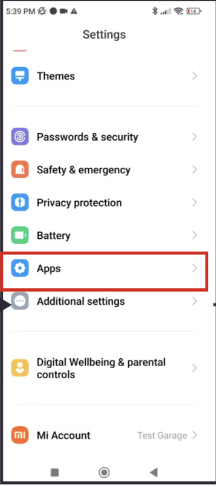
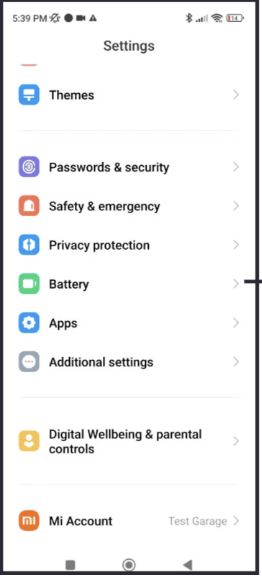
1. Settings -> Battery -> Turn off "Ultra battery saver" and set mode to "Balanced"
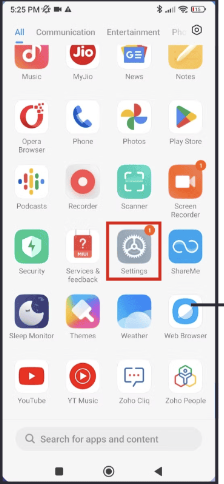
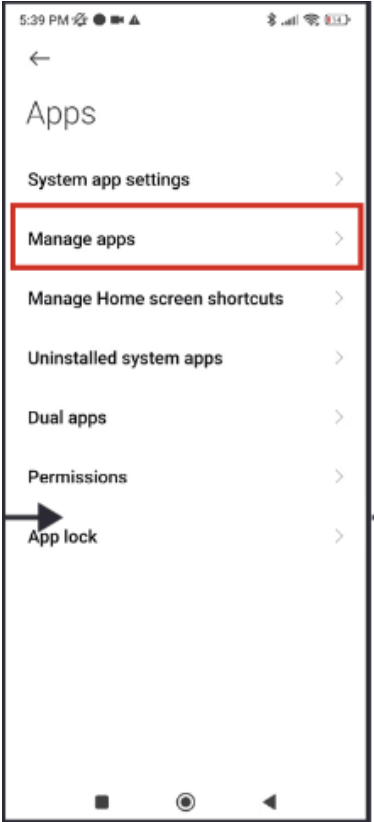
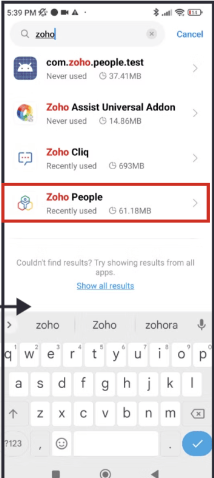
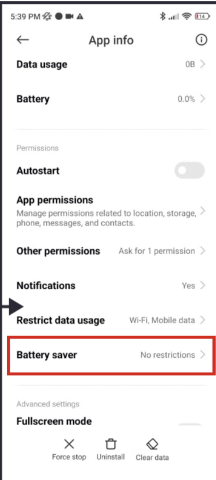
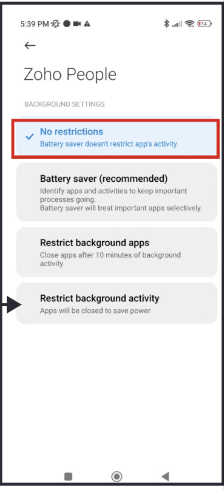
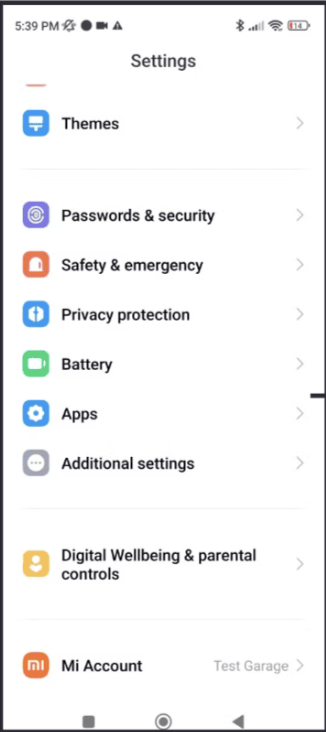
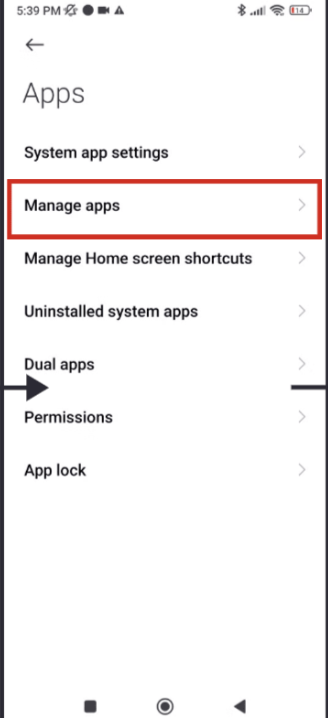
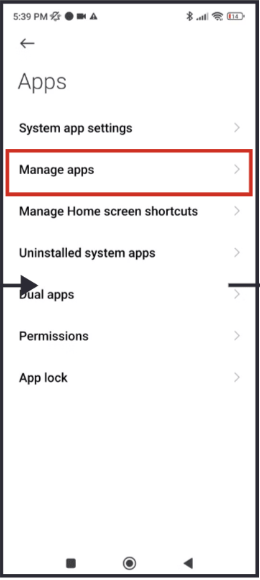
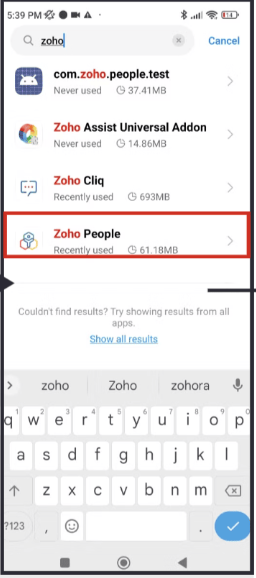
2.Settings->Apps->Manage apps->Zoho People ->Battery saver -> No restrictions
LOCATION PERMISSION :
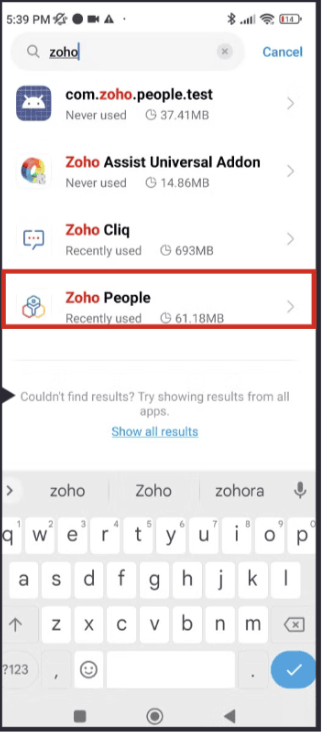
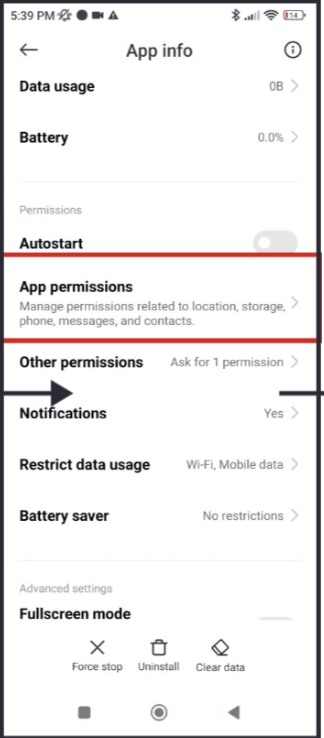
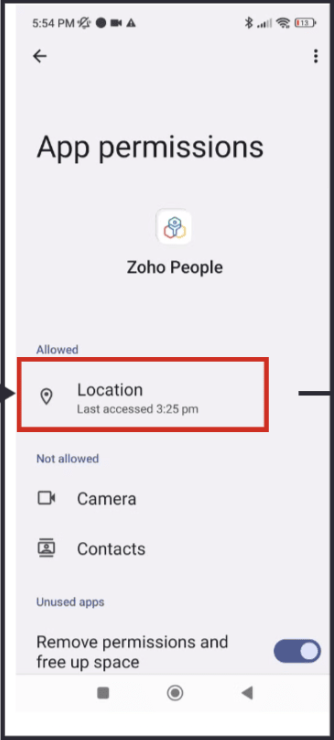
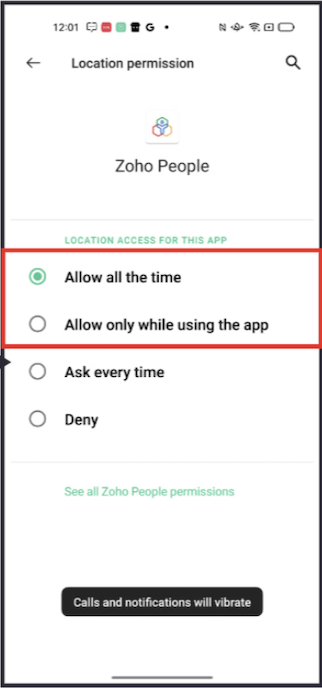
3. Settings-> Apps->Manage apps->Zoho people-> App permission ->Location->Allow all the time
NOTIFICATION :
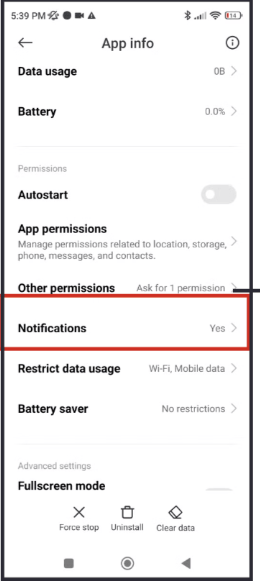
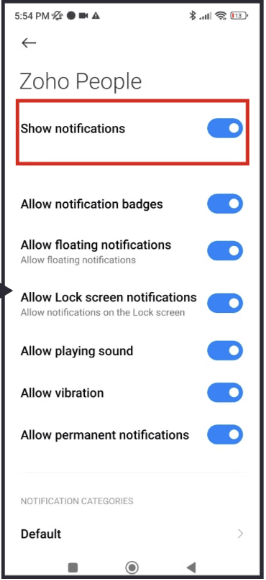
4. Settings-> Apps->Manage apps->Zoho people-> App permission ->Notification-> Enable "Show notification"
LOCATION PERMISSION :
NOTIFICATION :4. Settings-> Apps->Manage apps->Zoho people-> App permission ->Notification-> Enable "Show notification"