Accessbility in Zoho Projects | Online Help | Zoho Projects

Accessibility in Zoho Projects

In our endeavor to make the product more accessible to a wider audience, irrespective of environment and ability, Zoho Projects supports features that reduce effort when navigating the interface. These features aim to make the product more effective and accessible for users with varying visual, auditory, and sensory abilities.

Notes
This feature is only available in the standalone subscription of Zoho Projects. Not available in bundles such as Zoho One, Zoho CRM Plus, and Zoho Projects Plus. 

Benefits

  1. Make the product more inclusive by providing multiple options to interact with the interface.
  2. Improve product usability for all users.
  3. Adhere to legal requirements and regulations.
  4. Reduce friction for users when using the product.

Configure Accessibility Controls

Zoho Projects provides multiple ways for individuals to set accessibility based on their requirements. Users can access the feature controls from setup, from the sign-out page, and from the Quick access toolbar.

From Setup

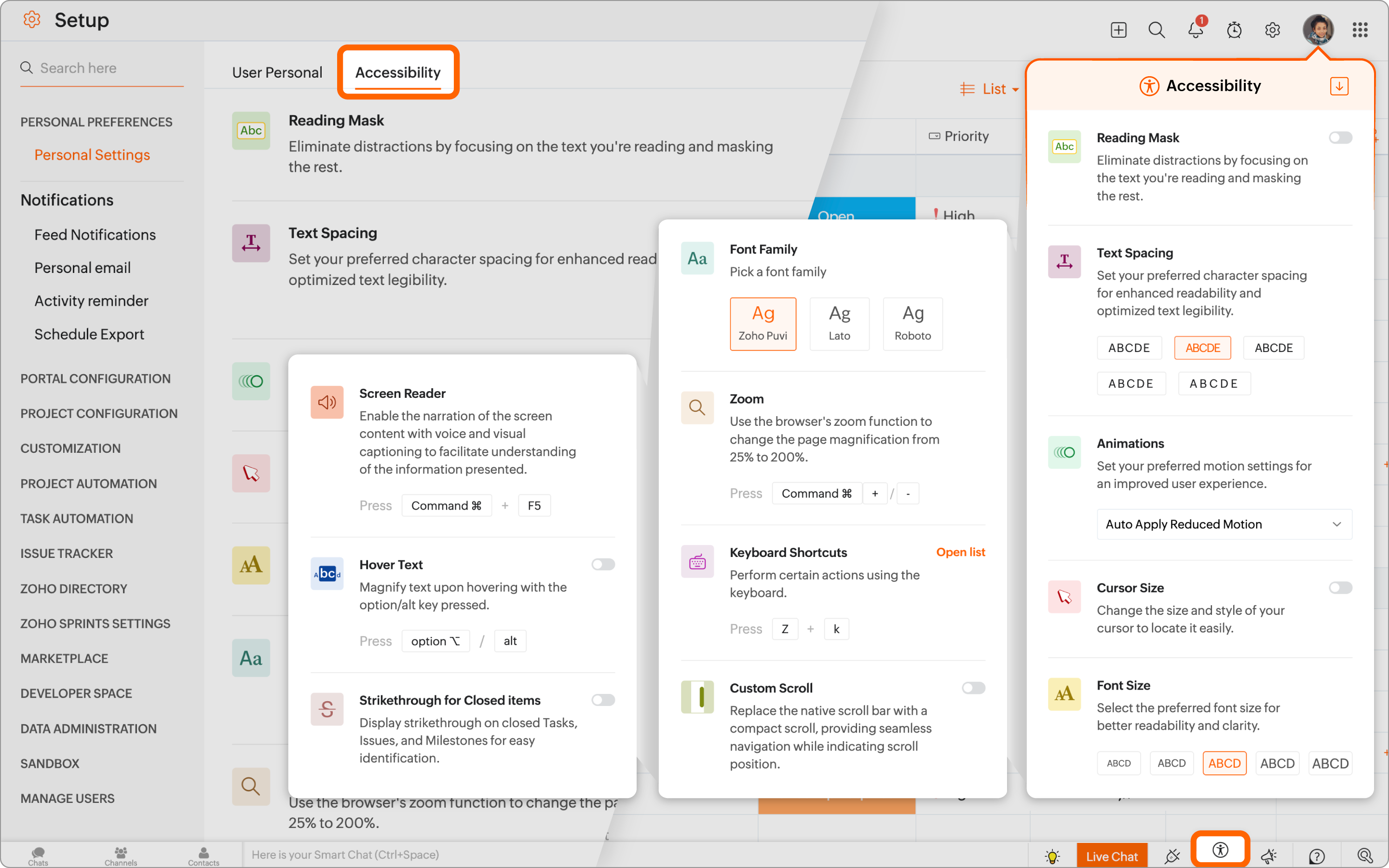
  1. Navigate to Setup  > Personal Preference > Personal Settings and click on the Accessibility tab.
  2. Enable the various accessibility settings based on requirement.

Quick Access from Toolbar

Users can quickly access these settings by clicking the accessibility icon .

From the Sign-out Page

Users can click on their profile picture in the upper-right corner and then click on the Accessibility button at the bottom.

Accessibility Features in Zoho Projects

Reading Mask

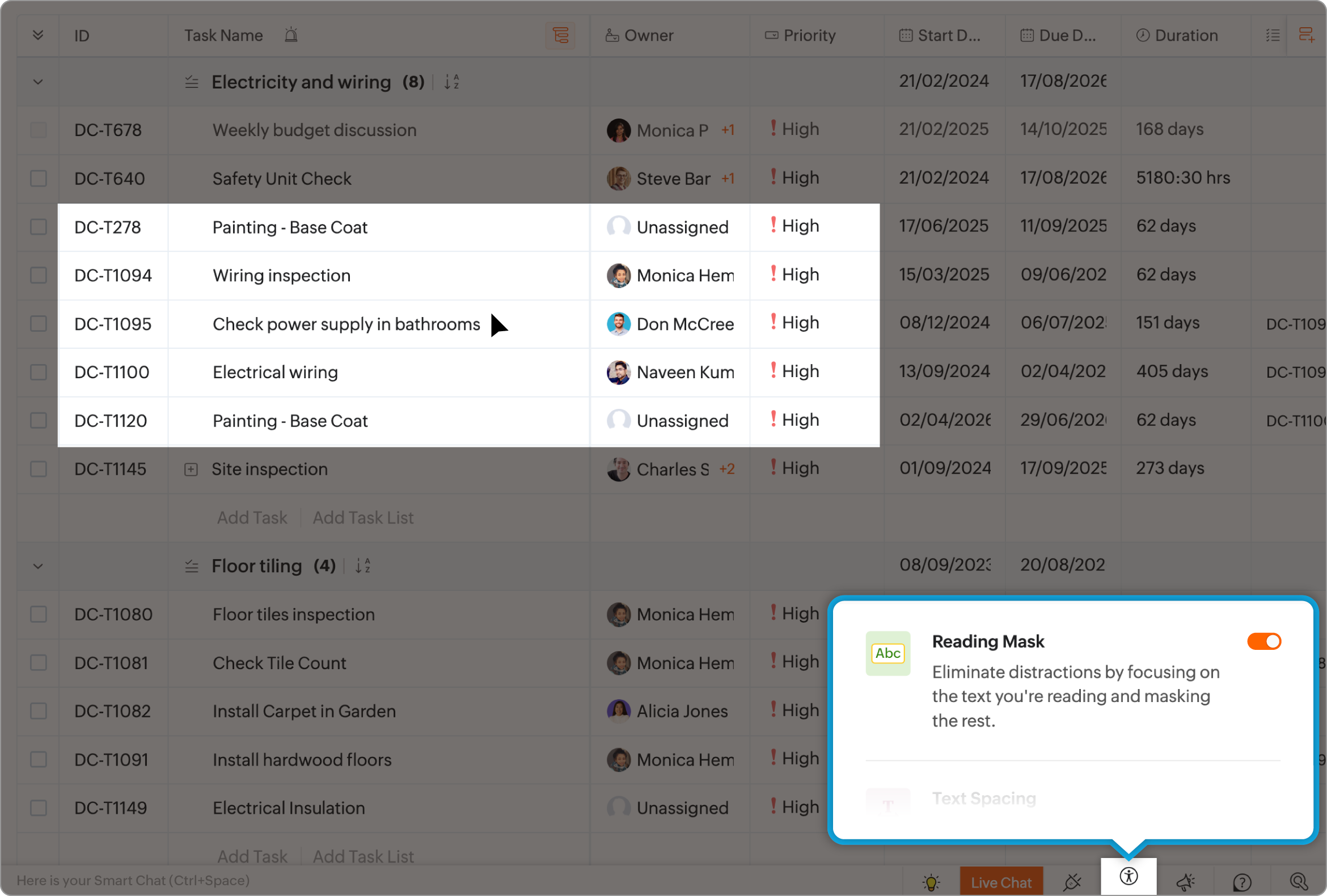
Reading Mask tints the screen and adds a focus box to an area. This reduces distraction and provides more focus. The Reading Mask is offered in 3 different sizes allowing users to select the level of focus. It can be moved around using the mouse or touch-pad.

Page Landmarks

Navigate through various sections of Zoho Projects using keyboard. Also, move through various elements on the screen quickly with the keyboard shortcuts. 


Text Spacing

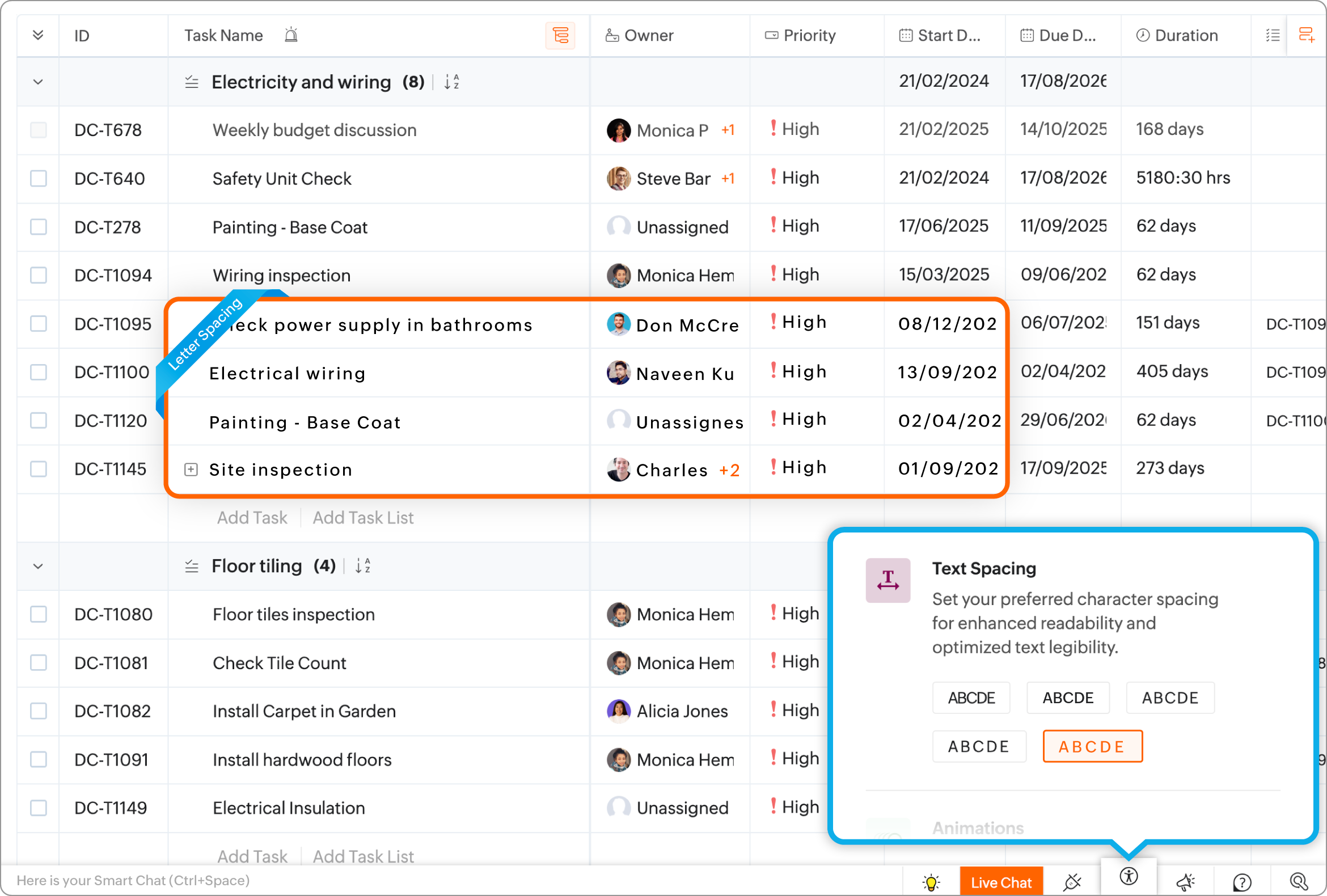
Users can set text spacing to suit individual reading style for improved legibility and reduced strain. The options range from very compact to more wider spacing for varying visual impact.

Animations

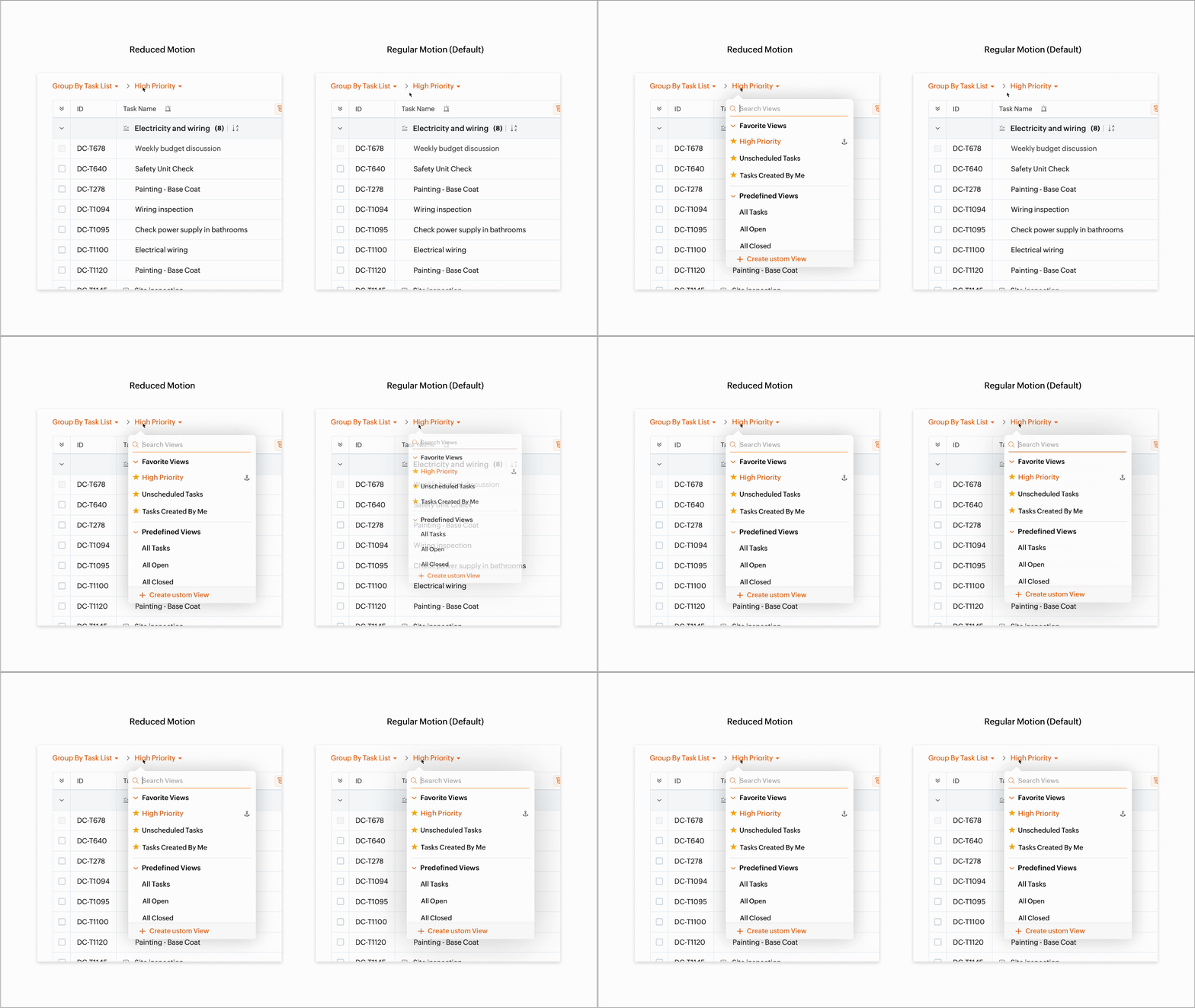
Animation control helps users sensitive to motion by minimizing or removing any sudden motion or animation on the screen. Users can retain or remove non essential animations to suit their preference. Zoho Projects also provides an option to set motion control based on the user's system setting if available.

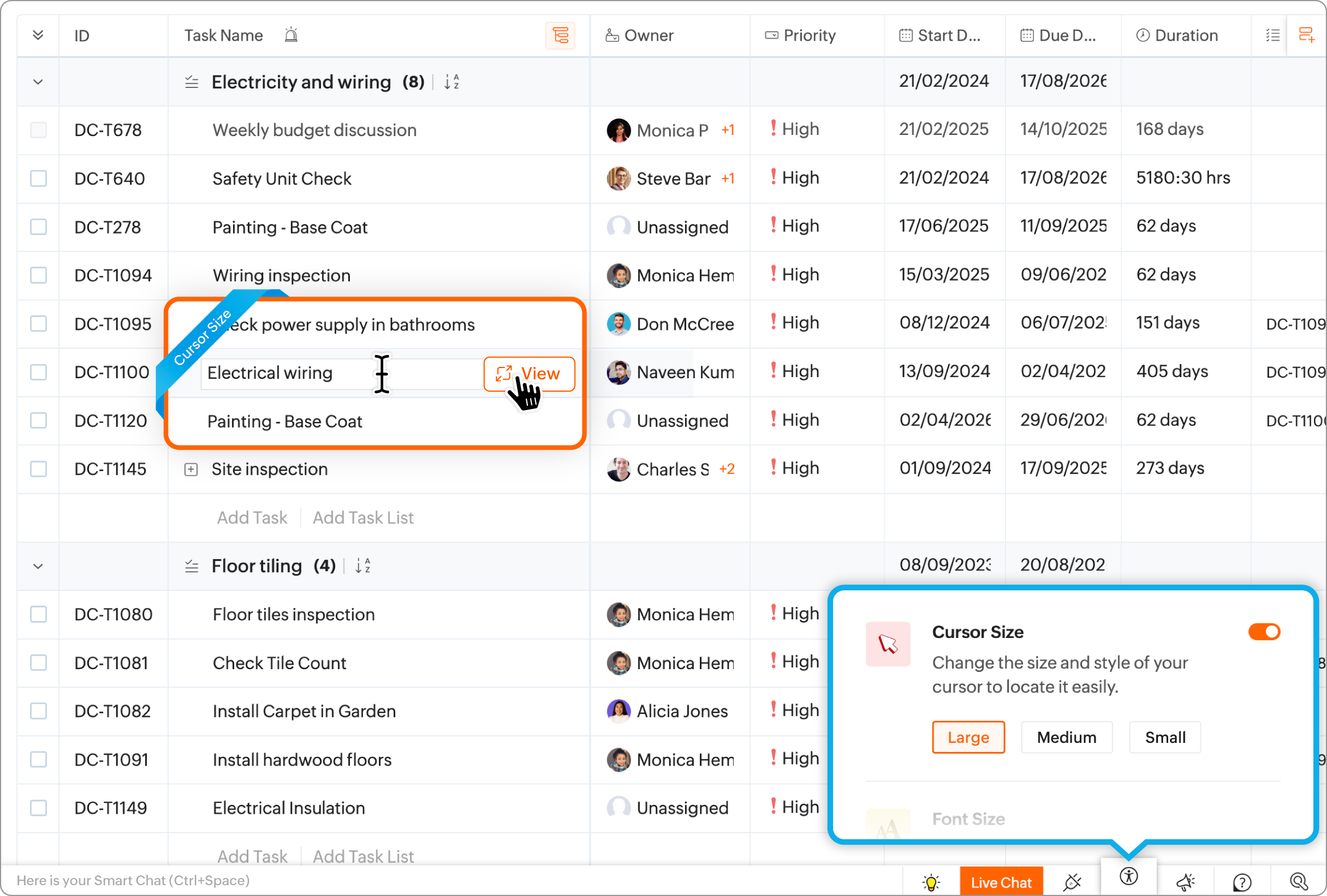
Cursor Size

Users can select a cursor size based on their preference. This provides enhanced visual cues about mouse movements. The larger cursor sizes provide more visibility of the mouse pointer on the screen.

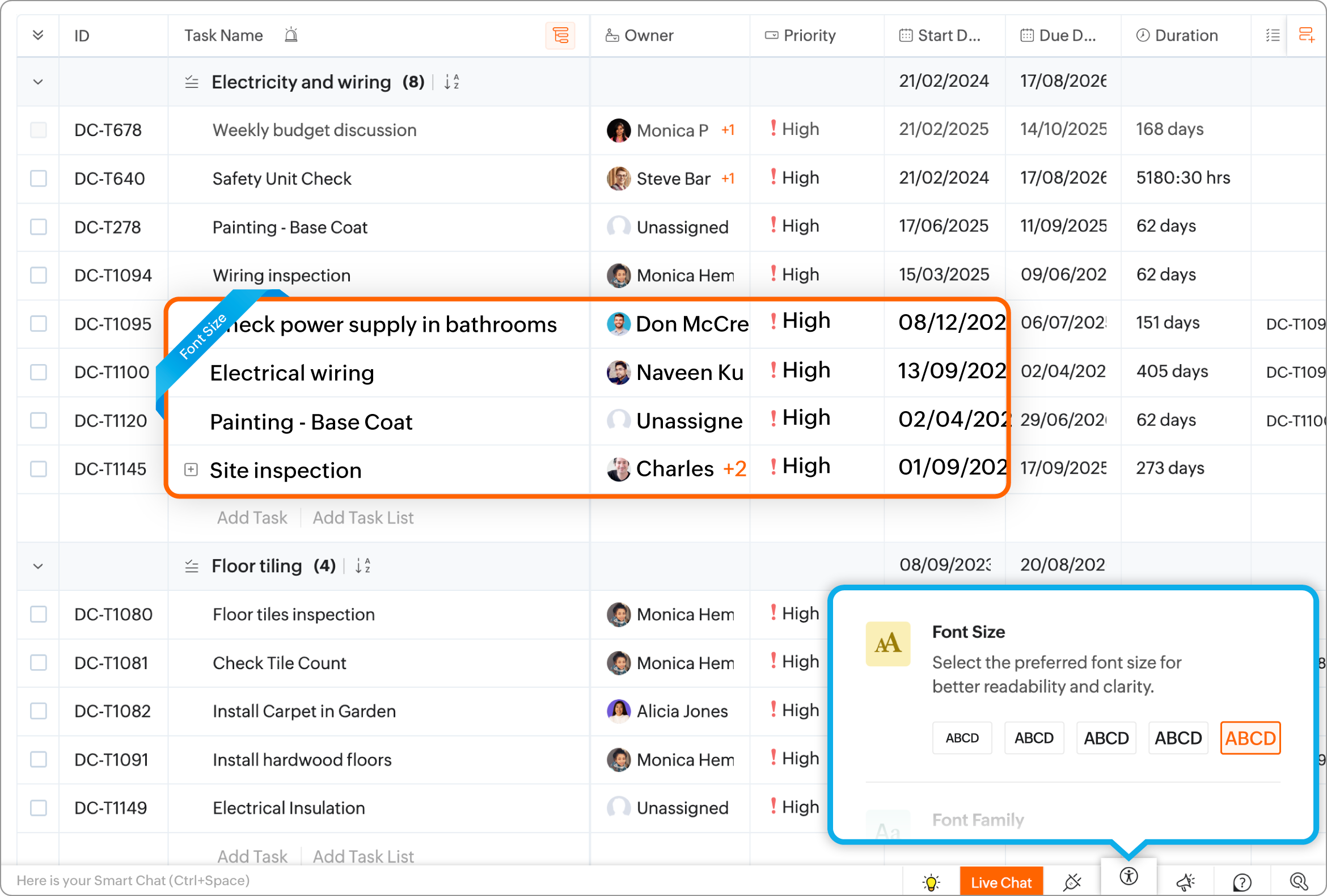
Font Size

This setting allows users to change the font size of the text on the screen, providing more control over their reading preference and clarity of text. The smallest font size provides a very compact view of the text on screen that becomes larger with increasing size.

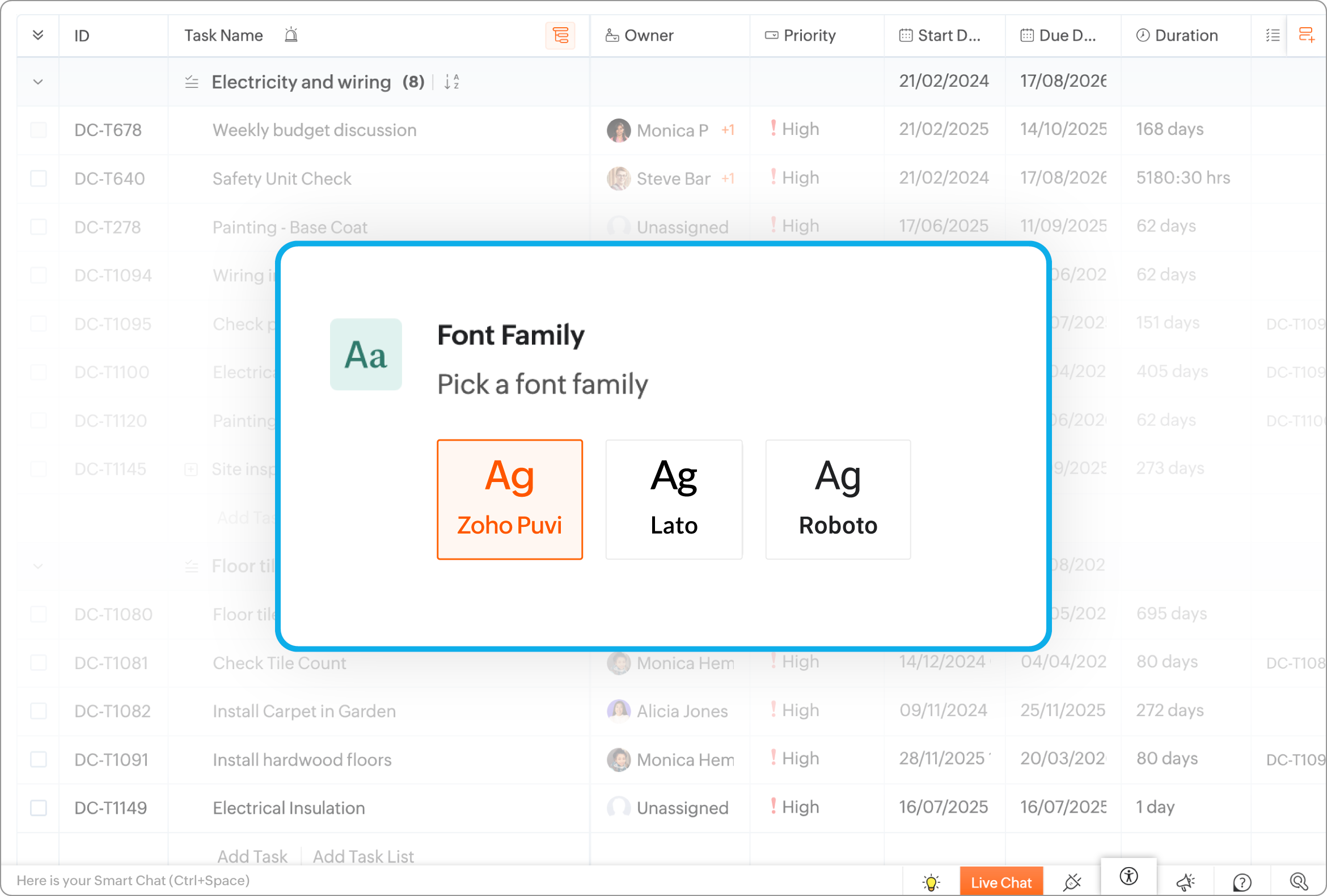
Font Family

The software is compatible with three different fonts, namely Zoho Puvi, Lato, and Roboto, to accommodate the preferences individual users.

Cell Border

This allows users to mark cells and borders based on their preference for easier identification of rows and columns. 

Text Editor Preferences

Set a defult font type and font size for the editors used in Zoho Projects.

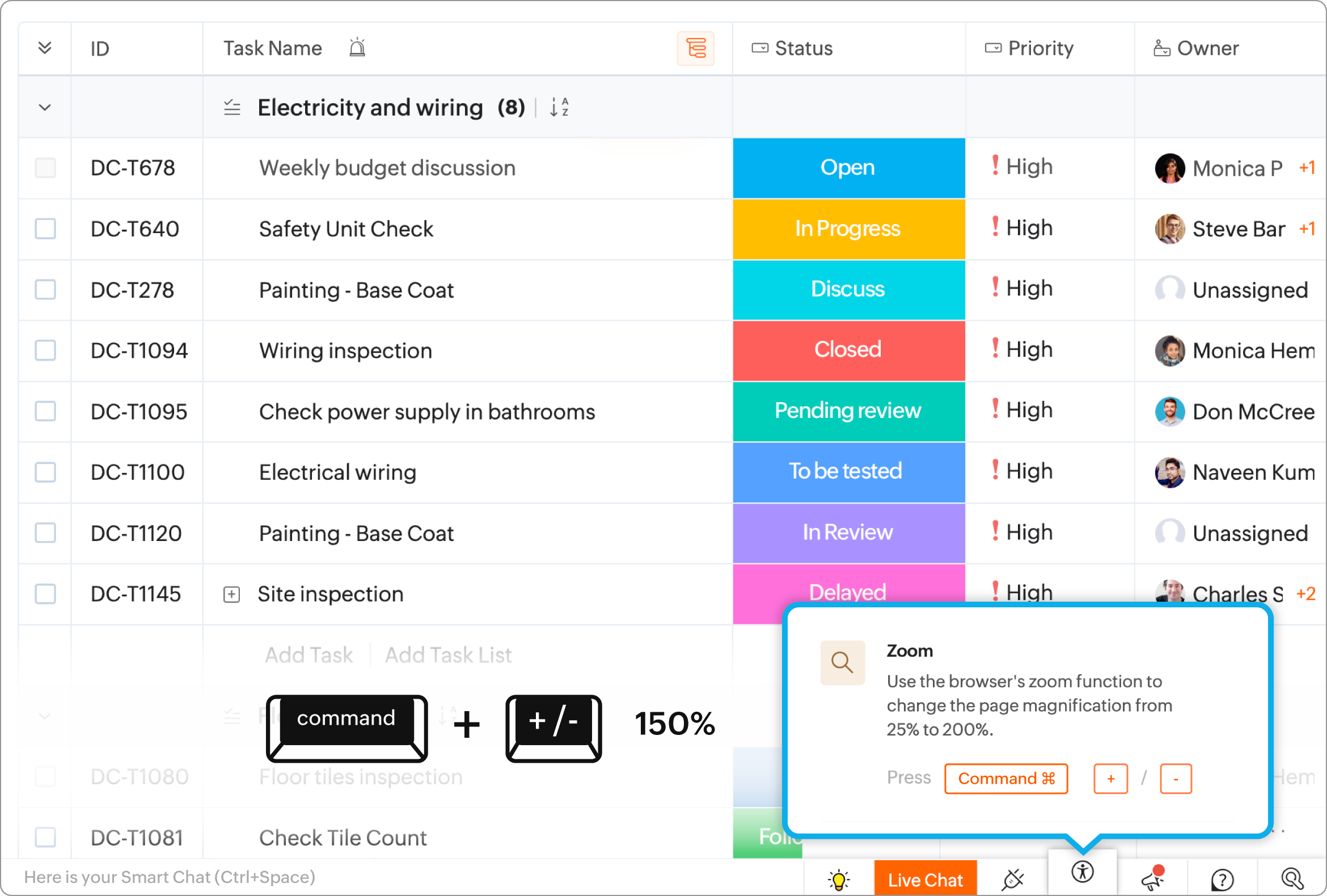
Zoom

This function enables users to magnify or shrink the view of the screen by a range of 25 percent to 200 percent by utilizing the zoom option available in the browser.

Keyboard Shortcuts

Keyboard shortcuts provide an alternative method of performing basic functions in Zoho Projects. This is useful for users who find it difficult to use a mouse or touch-pad.
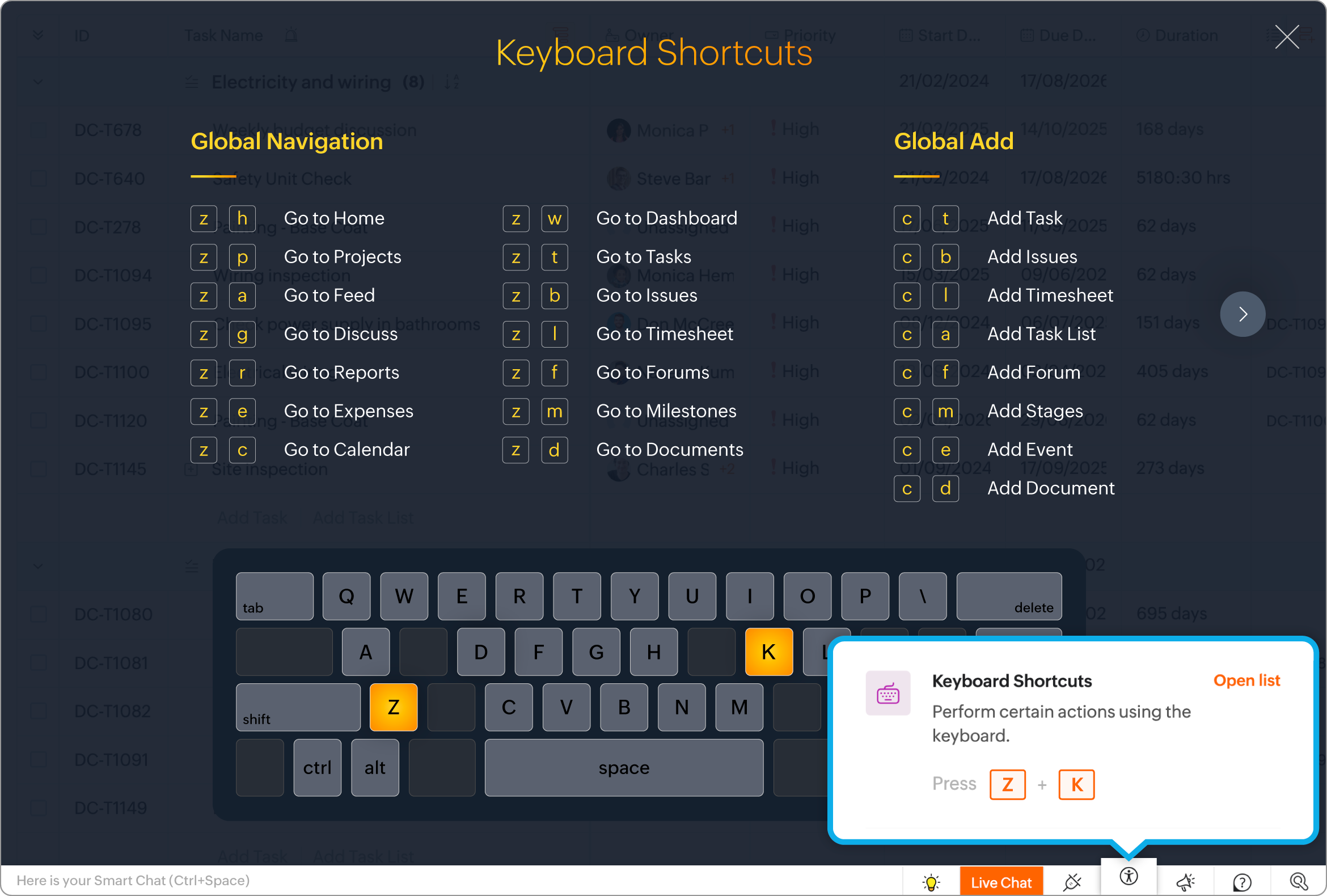

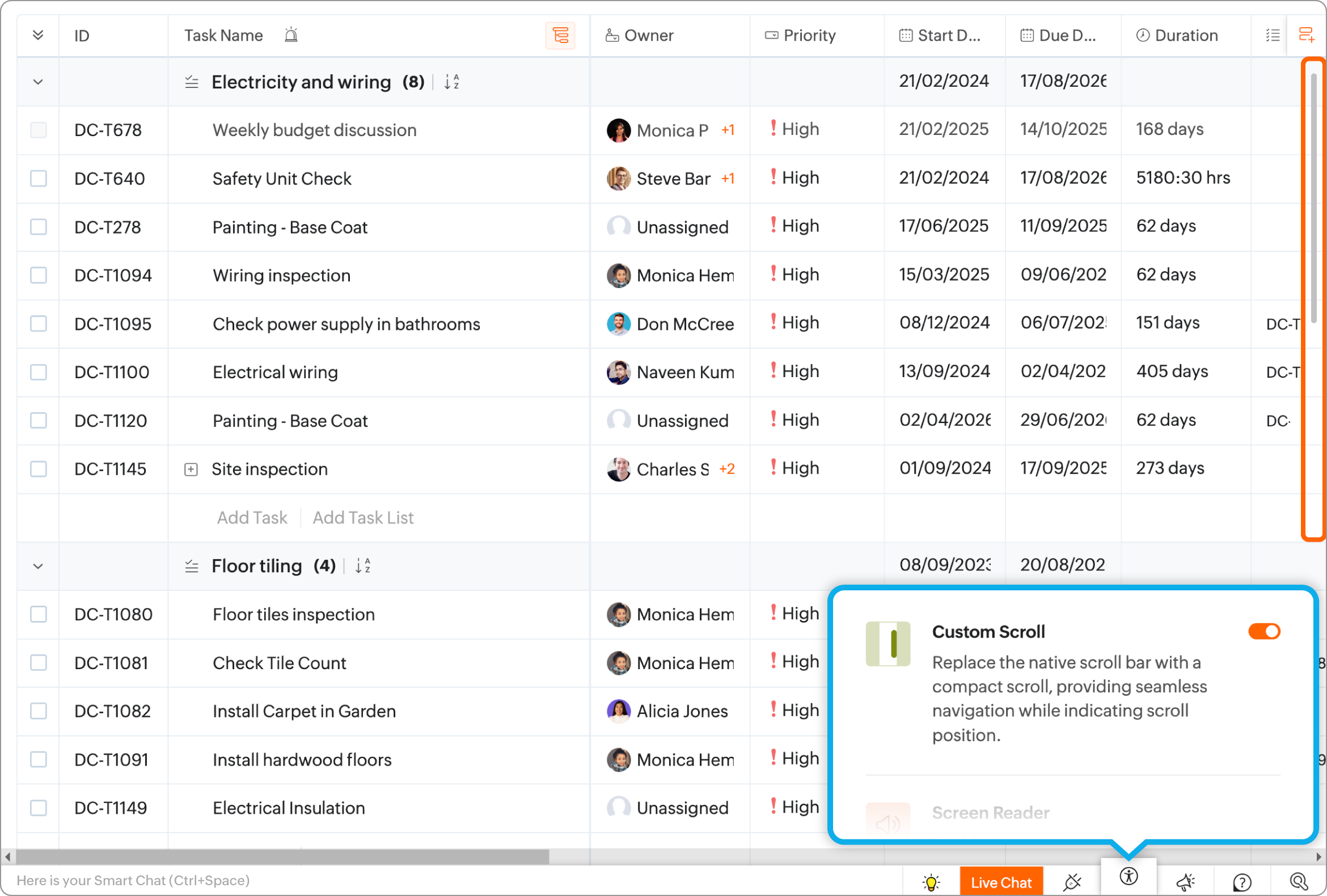
Custom Scroll

The Custom Scroll option will replace the native scroll bar with a more compact and lighter bar. The scroll position can be seen more clearly without affecting overall screen readability.

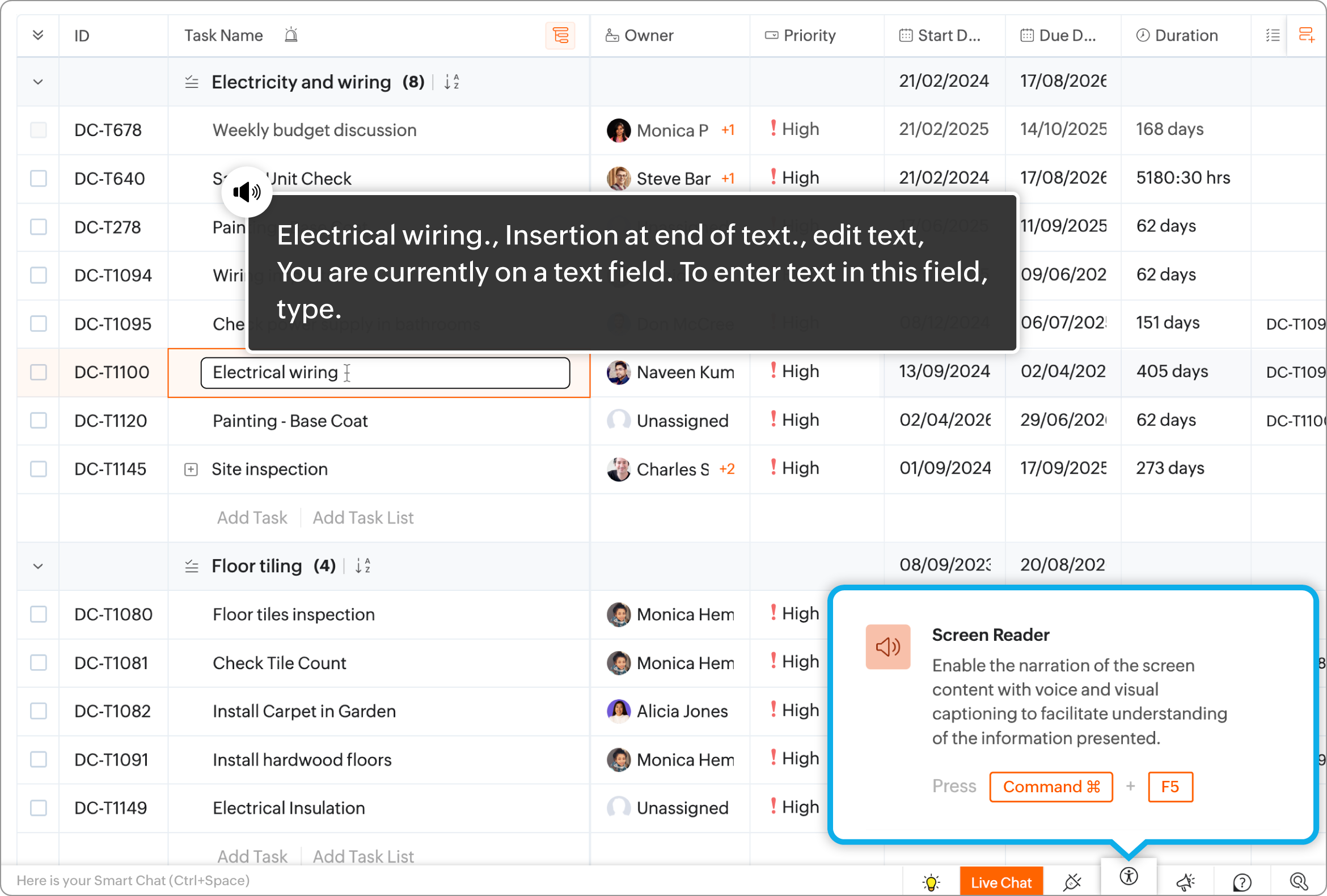
Screen Reader

Users can listen to the onscreen text being read by Zoho Projects by utilizing the screen reading capabilities of their browser. The narration is displayed on the screen including button texts & tool-tips if any.

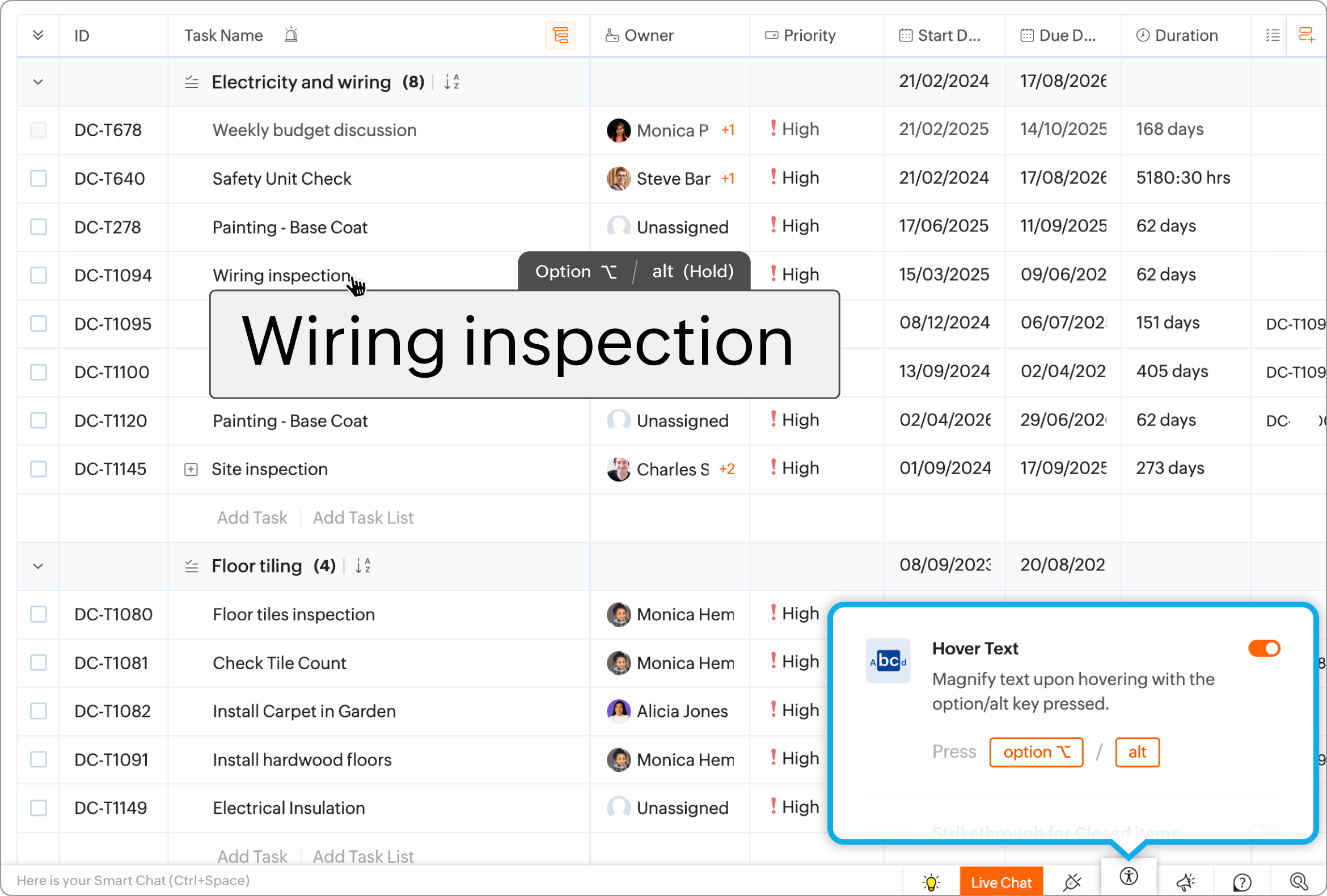
Hover Text

The system provides the capability to magnify the text that is displayed on the screen by hovering over it. This provides users with better visibility of the text on the screen.

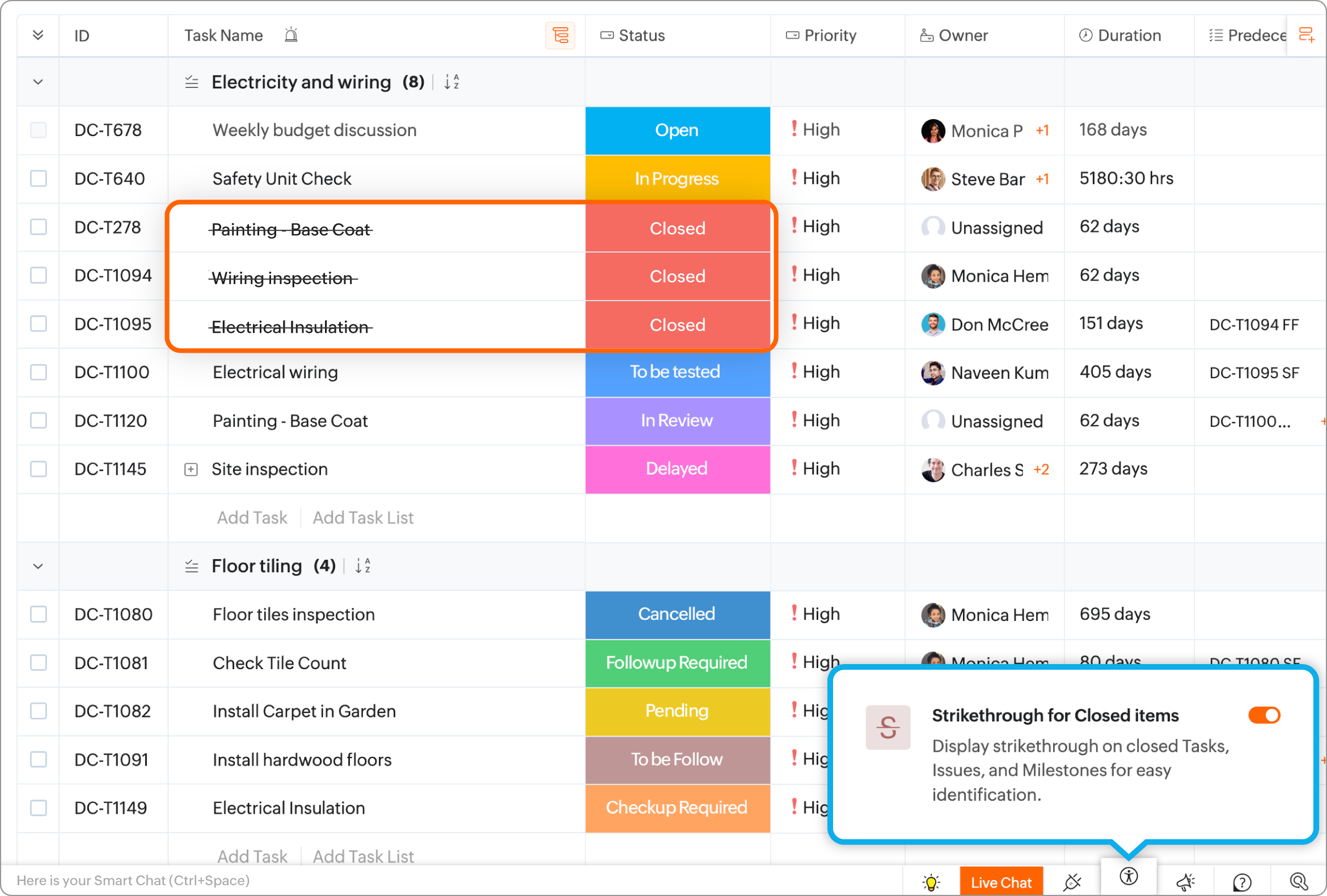
Strikethrough for Closed Items

Items such as tasks, issues, & milestones will be marked with a strikethrough if they are completed. This will allow users to differentiate between completed and pending work.

Mandatory Field Indicator

Missing details can impede work. We have added multiple options to help users identify mandatory fields in forms. 
Supported styles: Asterix, Mandatory Text, or a Red Accent line. 

Dimiss Toast

Toast messages that appear at the top of the product can be controlled with the following options:
  1. After 5 seconds: the message will be displayed for 5 seconds
  2. Based on Content: the message will be displayed for a duration that is based on the length of the text.
  3. Until Dismissed: the message is displayed until the user closes or dismisses the text.

Toast Notifications

The appearance of the toast notifications can be set here.
List View: the messages appear one after the other
Stack View: the messages appear stacked. User must close one message to view the message below it.

Customize Error Message

Select a color to display error messages.


More Reads


        Create. Review. Publish.

        Write, edit, collaborate on, and publish documents to different content management platforms.

        Get Started Now


          Access your files securely from anywhere

            Zoho CRM Training Programs

            Learn how to use the best tools for sales force automation and better customer engagement from Zoho's implementation specialists.

            Zoho CRM Training
              Redefine the way you work
              with Zoho Workplace

                Zoho DataPrep Personalized Demo

                If you'd like a personalized walk-through of our data preparation tool, please request a demo and we'll be happy to show you how to get the best out of Zoho DataPrep.

                Zoho CRM Training

                  Create, share, and deliver

                  beautiful slides from anywhere.

                  Get Started Now


                    Zoho Sign now offers specialized one-on-one training for both administrators and developers.

                    BOOK A SESSION


                                Quick LinksWorkflow AutomationData Collection
                                Web FormsEnterpriseOnline Data Collection Tool
                                Embeddable FormsBankingBegin Data Collection
                                Interactive FormsWorkplaceData Collection App
                                CRM FormsCustomer ServiceAccessible Forms
                                Digital FormsMarketingForms for Small Business
                                HTML FormsEducationForms for Enterprise
                                Contact FormsE-commerceForms for any business
                                Lead Generation FormsHealthcareForms for Startups
                                Wordpress FormsCustomer onboardingForms for Small Business
                                No Code FormsConstructionRSVP tool for holidays
                                Free FormsTravelFeatures for Order Forms
                                Prefill FormsNon-Profit

                                Intake FormsLegal
                                Mobile App
                                Form DesignerHR
                                Mobile Forms
                                Card FormsFoodOffline Forms
                                Assign FormsPhotographyMobile Forms Features
                                Translate FormsReal EstateKiosk in Mobile Forms
                                Electronic Forms
                                Drag & drop form builder

                                Notification Emails for FormsAlternativesSecurity & Compliance
                                Holiday FormsGoogle Forms alternative GDPR
                                Form to PDFJotform alternativeHIPAA Forms
                                Email FormsFormstack alternativeEncrypted Forms

                                Wufoo alternativeSecure Forms

                                TypeformWCAG

                                  Zoho FSM Video Tutorials


                                        All-in-one knowledge management and training platform for your employees and customers.

                                                  Create. Review. Publish.

                                                  Write, edit, collaborate on, and publish documents to different content management platforms.

                                                  Get Started Now


                                                                    You are currently viewing the help pages of Qntrl’s earlier version. Click here to view our latest version—Qntrl 3.0's help articles.


                                                                        Manage your brands on social media


                                                                          • Desk Community Learning Series


                                                                          • Digest


                                                                          • Functions


                                                                          • Meetups


                                                                          • Kbase


                                                                          • Resources


                                                                          • Glossary


                                                                          • Desk Marketplace


                                                                          • MVP Corner


                                                                          • Word of the Day


                                                                          • Ask the Experts


                                                                            Zoho Sheet Resources


                                                                                Zoho Forms Resources


                                                                                  Secure your business
                                                                                  communication with Zoho Mail


                                                                                  Mail on the move with
                                                                                  Zoho Mail mobile application

                                                                                    Stay on top of your schedule
                                                                                    at all times


                                                                                    Carry your calendar with you
                                                                                    Anytime, anywhere


                                                                                          Zoho Sign Resources

                                                                                            Sign, Paperless!

                                                                                            Sign and send business documents on the go!

                                                                                            Get Started Now


                                                                                                    Zoho TeamInbox Resources


                                                                                                              Zoho DataPrep Demo

                                                                                                              Get a personalized demo or POC

                                                                                                              REGISTER NOW


                                                                                                                Design. Discuss. Deliver.

                                                                                                                Create visually engaging stories with Zoho Show.

                                                                                                                Get Started Now


                                                                                                                                    • Related Articles

                                                                                                                                    • Figma for Zoho Projects

                                                                                                                                      The Zoho Projects Figma extension allows teams to directly incorporate design files into their projects. Figma designs can be viewed and discussed in context by designers and stakeholders, which enhances cross-functional visibility and streamlines ...
                                                                                                                                    • Egnyte for Zoho Projects

                                                                                                                                      The Egnyte extension for Zoho Projects lets you access your Egnyte account and associate your files with a work item like a task or an issue in Zoho Projects. You can use this extension to link relevant supporting documents or resources with your ...
                                                                                                                                    • Customization in Zoho Projects - Concept

                                                                                                                                      Customization section is where the users can tailor and adapt Zoho Projects according to their organization's specific needs and preferences. Users can customize templates and layouts to align with the unique needs of a project. Use case Marketing: ...
                                                                                                                                    • Tasks - Manage Tasks Across all Projects

                                                                                                                                      The Overview - Tasks section provides a comprehensive view of all open tasks across all projects in a portal. Users can customize their view using a drop-down menu and choose between List, Gantt, or Kanban views. The List and Gantt views allows to ...
                                                                                                                                    • DocuSign for Zoho Projects

                                                                                                                                      The DocuSign extension for Zoho Projects provides users with the e-signature functionality required to quickly complete approvals and agreements. With this extension, you can send documents, view their signing status, and even revoke the document ...
                                                                                                                                      Wherever you are is as good as
                                                                                                                                      your workplace

                                                                                                                                        Resources

                                                                                                                                        Videos

                                                                                                                                        Watch comprehensive videos on features and other important topics that will help you master Zoho CRM.


                                                                                                                                        eBooks

                                                                                                                                        Download free eBooks and access a range of topics to get deeper insight on successfully using Zoho CRM.


                                                                                                                                        Webinars

                                                                                                                                        Sign up for our webinars and learn the Zoho CRM basics, from customization to sales force automation and more.


                                                                                                                                        CRM Tips

                                                                                                                                        Make the most of Zoho CRM with these useful tips.


                                                                                                                                          Zoho Show Resources