Installing Agent
In a nutshell
The local agent is a lightweight application that connects your local machine to QEngine's cloud infrastructure, enabling you to run automated test cases on your own devices. This page covers the system requirements and installation steps for installing agents on Mac, Windows, and Linux.
The local agent is a lightweight application that connects your local machine to QEngine's cloud infrastructure, enabling you to run automated test cases on your own devices. This page covers the system requirements and installation steps for installing agents on Mac, Windows, and Linux.
1. Download and Install Agent Application
The agent allows you to access your machines or devices remotely, making it easier to debug. Learn more about Agents.
To run test cases on local machines, the first step is to download and install the agent.

Note: The agent is supported for Mac, Windows, and Linux operating systems.
1.1 System Requirements
Hardware | Minimum |
RAM | 4 GB |
Processor | 2 CPU cores |
1.2 Installation of Agent
To setup the agent for your machine, follow these steps:
Navigate to Setup > Test Execution > Agents to download the installable for your machine.
- Select and download the file for the required OS.
or
From Projects, navigate to Settings > Agents for the same.
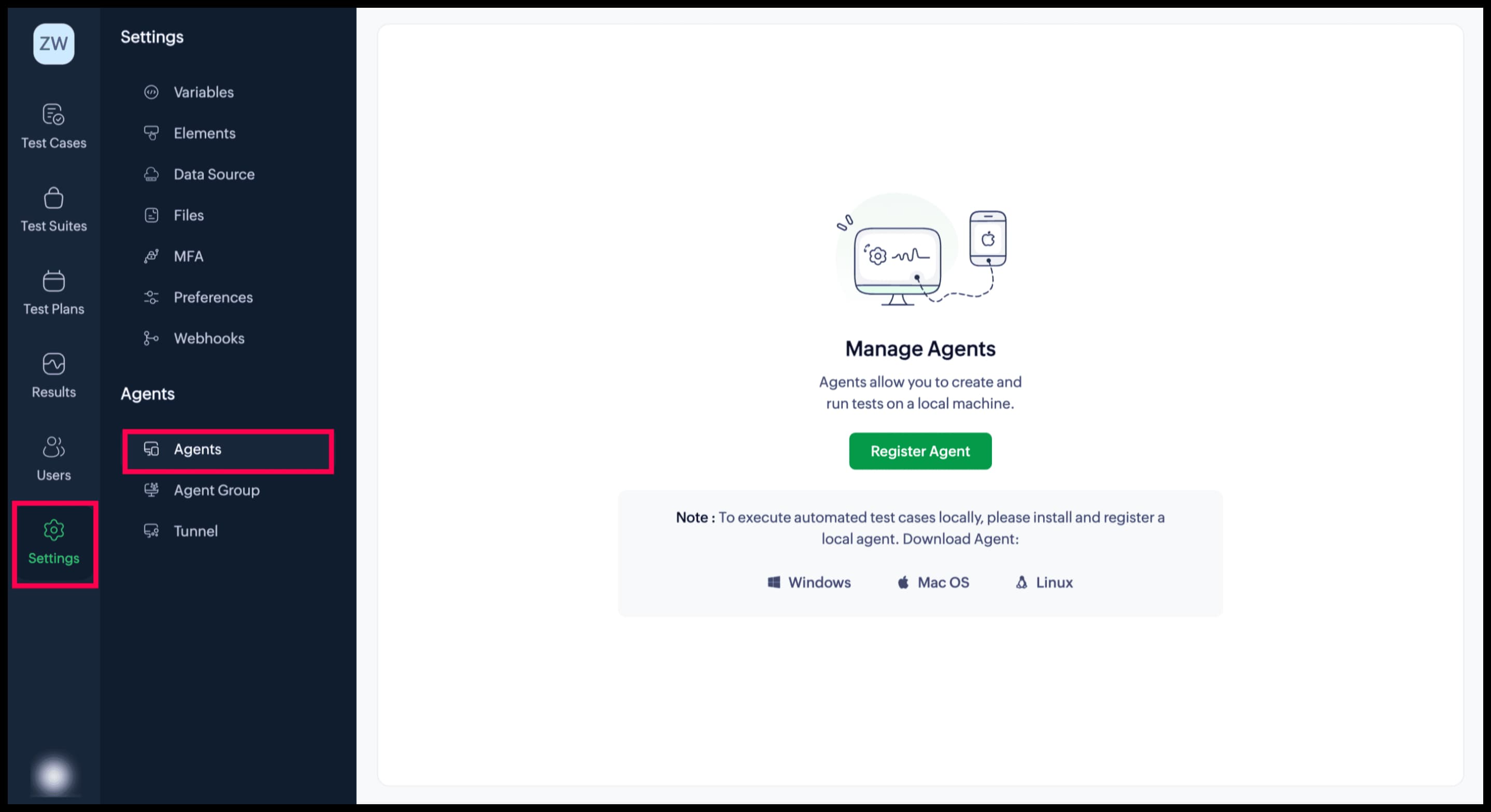
1.2.1 Install Agent for macOS:
- After download, double-click the file to start the installation process.
- In the popup that appears, drag and drop the agent application to the Applications folder.
- Run the agent by clicking on the installed application. If the agent is successfully running, you should see the Zoho QEngine (
) icon in the system tray.
- Click OK. Navigate to System Settings > Privacy & Security and scroll down to the Security section. Select the App Store and identified developers option. Give permission to your system to make the changes.
- Upon clicking the icon (
), the dropdown allows you to perform various actions.
Restart: To terminate its current state and then initiate it again from the beginning
Stop: To put a halt on its current state and disconnect from Zoho QEngine
Register Agent: To register the agent with your desired Zoho QEngine project. <Learn more>.
About Agent: To display the configuration details of your agent page
Quit: To exit and close the agent application
1.2.2 Install Agent for Windows:
- To start the installation, double-click the downloaded installable.
- Click Next in the InstallShield Wizard for Zoho QEngine.
- Read the License Agreement, then accept the terms and conditions.
- Set the Destination Folder, then click Next.
- Once the installation is complete, click Finish.
- If the agent is successfully running, you should see the Zoho QEngine (
) icon in the system tray.
1.2.3 Install Agent for Linux:
- Download the Linux Installation file (.bin) file
- Open terminal and navigate to the file downloaded path
- Change the bin file to executable mode, using the following command:
chmod +x ZohoQEngine-Agent-64bit-<version>.bin - To make the file executable, run it as follows:
./ZohoQEngine-Agent-64bit-<version>.bin - After executing the bin file, the installer will be open. Follow the steps in the InstallationShield Wizard and complete the installation.
Upon successful installation, the agent will be started automatically.
Steps for Uninstalling Linux Agent:
- Navigate to the folder where the Zoho QEngine Agent is installed using the terminal.
- Execute the command below:
./Uninstall\ ZohoQEngine - Follow the steps in the installer and complete the uninstallation.
Steps to update to the Latest Version:
- Download the .bin file from qengine.zoho.com
- Open the terminal and navigate to the path where the file is downloaded.
- Change the bin file to executable mode using the following command:
chmod +x ZohoQEngine-Agent-64bit-<version>.bin - To start the installation, run the following command:
./ZohoQEngine-Agent-64bit-<version>.bin - After executing the bin file, InstallationShield will open.
- If the user tries to update the agent while the older instance is already running, the Prerequisite Window will pop up. Clicking on Yes will remove the older version of agent and the new version will be installed.
- If the user tries to update the agent on the existing agent's path, the confirmation window pops up. Clicking on Yes will remove the older version of the agent and new version will be installed.
Upon successful installation, the agent will be started automatically.
Note:
- Agent will be only be started automatically at the time of installation. For manual start, navigate to the /home/<user-name>/Desktop/ZohoQEngine folder in the terminal and run the command below:
./StartServer - For stopping the agent, navigate to the /home/<user-name>/Desktop/ZohoQEngine folder using the terminal and run the command below:
./StopServer