Privacy notice for candidates
Zoho Recruit allows you to compile the privacy notice for candidates who apply for jobs on your careers page. By default, we provide a privacy notice draft that you can use, edit, or completely change for your needs.
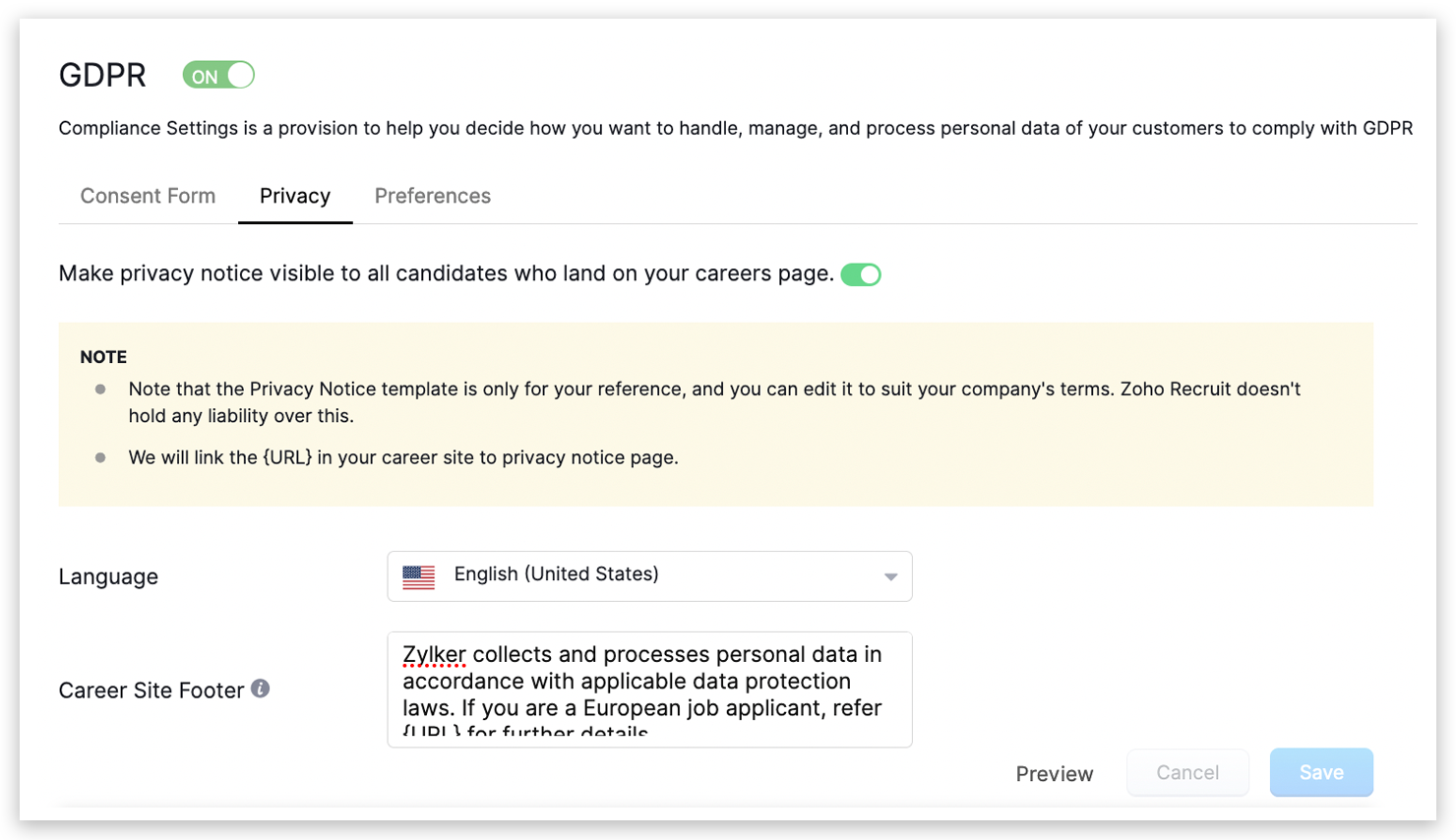
How to customize privacy notice content?
- Go to Settings > GDPR > Privacy
- Choose the language, edit the privacy notice as per your company terms.
Edit privacy notice
- Click Save
How to add privacy notice on career site?
- Go to Settings > Career Site > Customize
- Under the footer, select visit website and enable Privacy Notice toggle. Refer to the video below.
Once you customize the privacy notice content, preview it and save.

Note:
1. You can customize your privacy notice in 27 languages.
2. The privacy notice will automatically display in the language you choose on career site.
1. You can customize your privacy notice in 27 languages.
2. The privacy notice will automatically display in the language you choose on career site.