Fetching Client ID and Client Secret in LinkedIn
Federated login allows portal users to sign in to your applications using a single set of credentials from LinkedIn. Here, LinkedIn acts as an Identity Provider (IdP) to verify the user's identity. This eliminates the need for users to create and manage multiple accounts and passwords across different platforms.
Availability
| Available for | Profile Permissions | User with admin profile |
| Editions | Staffing Agency and Corporate HR | |
| Plans | Enterprise, Professional, Zoho One, and People plus |
Steps to Configure a LinkedIn Federated Login
Ensure that you have configured the federated login option for your portal.
Step 1: Creating an Application
- Go to the LinkedIn Developer Portal and sign in with your credentials.
- Click Create App. If you have already submitted an app before, this button will appear in the top-right corner.
Enter your App Name (the label for your application within LinkedIn's API system).
Provide your Company's LinkedIn Page URL.
- Provide the company logo and proceed to create the application.
Step 2: Adding "Sign in with LinkedIn" to the Application
- Navigate to the Products tab.
- Request access to Sign in with LinkedIn.
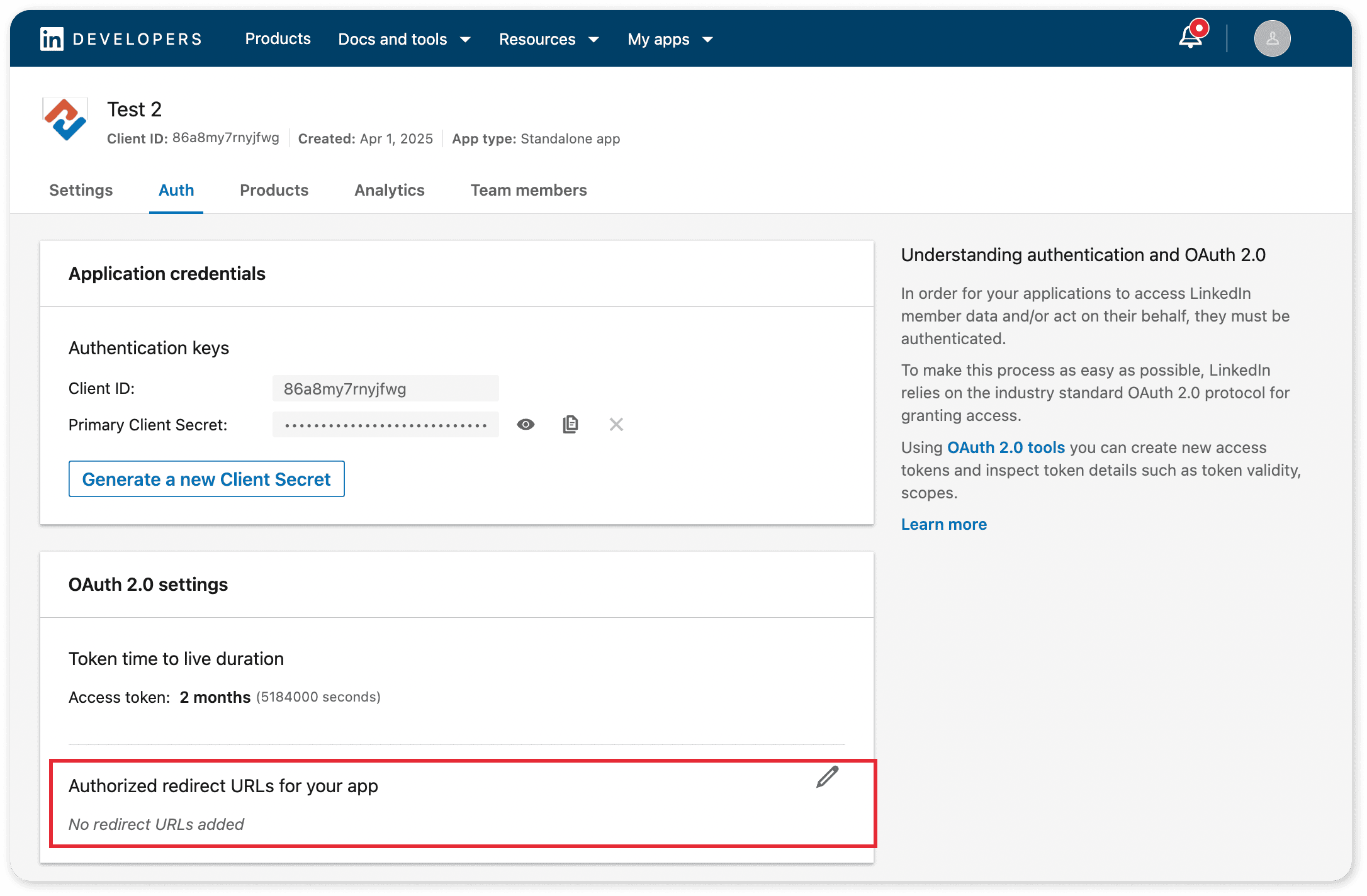
Step 3: Adding Redirect URI in the Auth Tab
The Redirect URI is the location where LinkedIn redirects users after they successfully sign in.
Navigate to the Authentication Tab > Authorized Redirect URLs
field.
Step 4: Get the Redirect URI from Zoho Recruit
- Open Zoho Recruit in a new tab.
- Copy the Redirect URL provided by Zoho Recruit.
- Return to the LinkedIn Developer Console.
- Paste the copied Redirect URL into the Authorized Redirect URLs field.
- Click Update to save the changes.
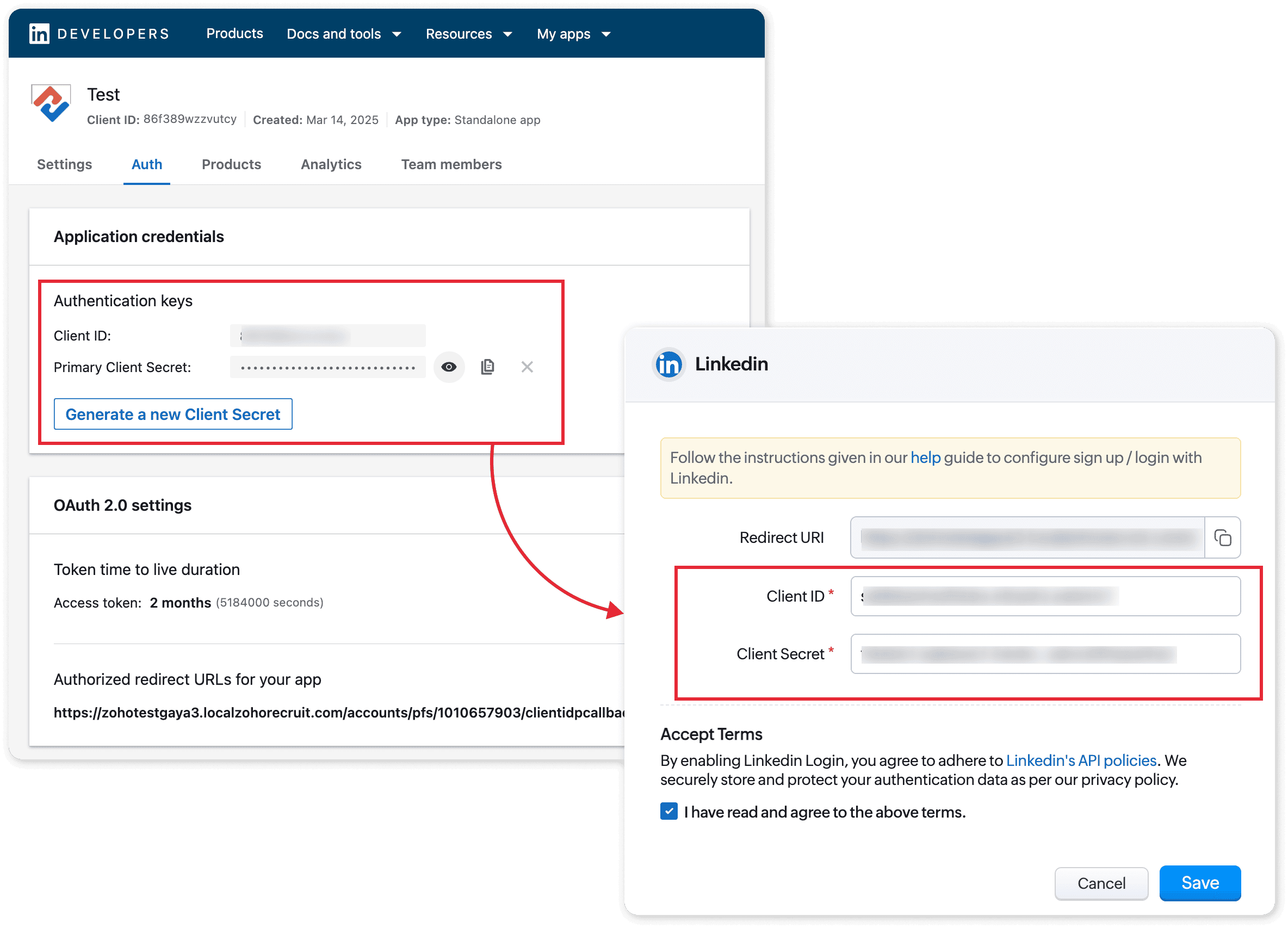
Step 5: Fetching Client ID and Client Secret
You will now receive the Client ID and Client Secret. Copy these credentials to Recruit.
Step 6: Verify LinkedIn Sign-In on Your Portal
- Upon clicking the option, they will be redirected to the Linkedin Sign-In page.
- Once they enter their correct credentials, they will be authenticated and granted access to their candidate portal.