Mass Invite (Candidate Portal)
Zoho Recruit lets you send out portal invitations to candidates in bulk, making it easier for adding and managing sizeable talent pools. 
Important Note:
- You must have Candidate Portal enabled if you wish to Mass Invite candidates.
- You can only invite a maximum of 200 invites per day.
- Mass Invites are recorded in the Activity Log for your reference.
To send out portal invites in bulk;
- In the Candidates module, select the records that you wish to invite. Click More Actions > Mass Invite. An invitation is then sent to the selected candidates' email addresses.
- You can customize the email template used for this invite from Setup > Portal Setup > Candidate Portal. Click the Invite Mail template under the Email Notifications section.
Re-Inviting, Disabling and Enabling Candidates (Portal Only)
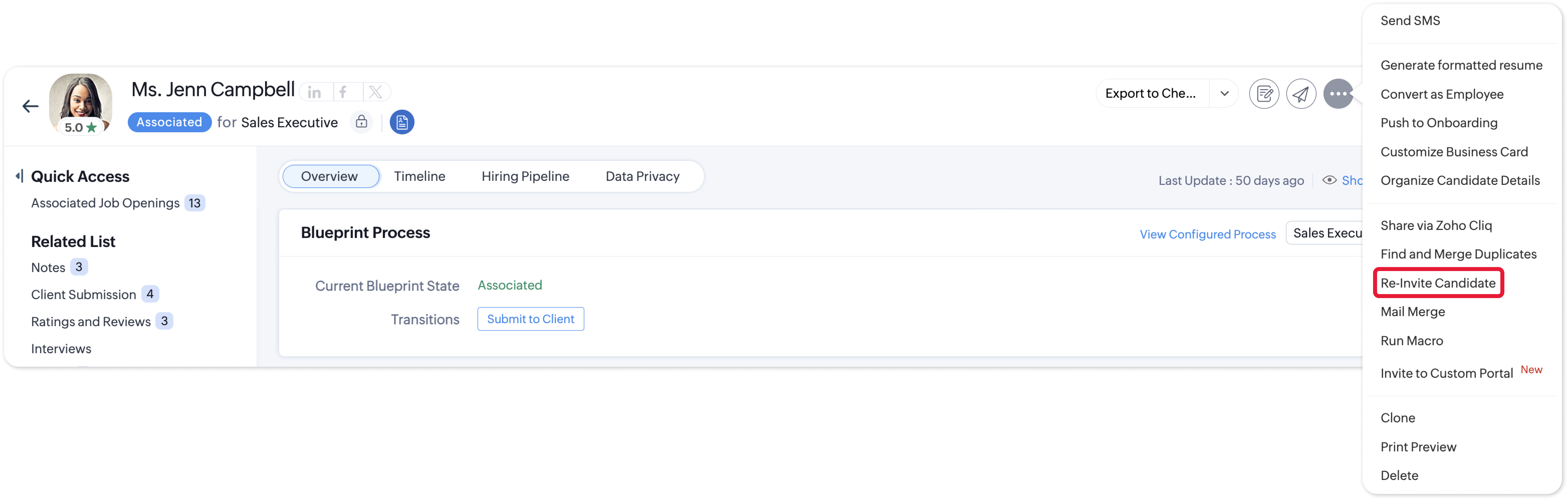
Upon sending an invite to a candidate, you can Re-Invite them from their record in the Candidates module.
Once a candidate has joined your Portal, you can;
- Deny Portal Access
Deny them login access to their Portal account via More Actions > Disable Candidate Login. - Revoke Portal Access
Revoke their login access to their Portal account via More Actions > Enable Candidate Login.